
1AIVault Features
A current map of the desktop app: capture every AI conversation, classify it into durable topics, recall it through MCP, inject it into new agent sessions, and keep the vault private and portable.
- features
- 62
- areas
- 9
- AI tools
- 18
Dashboard, memory, recall
The features that carry daily memory work.
These are the surfaces users return to most: capture, classify, graph, search, connect, inject, chat, and move the vault safely.
Forget and Remember
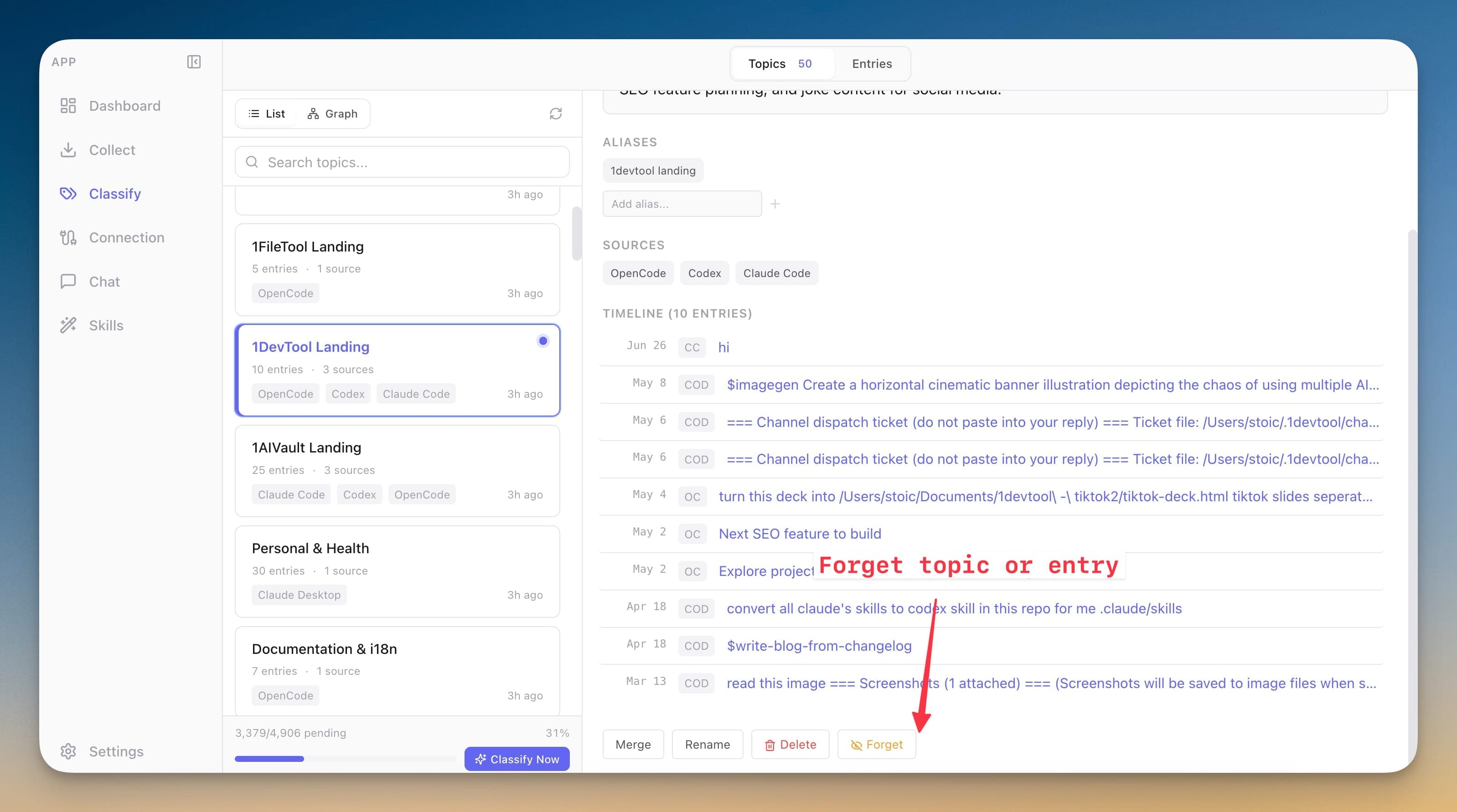
Hide stale, sensitive, or noisy memories from active recall without deleting them. Forget individual entries or whole topics, then restore them later when they are useful again.
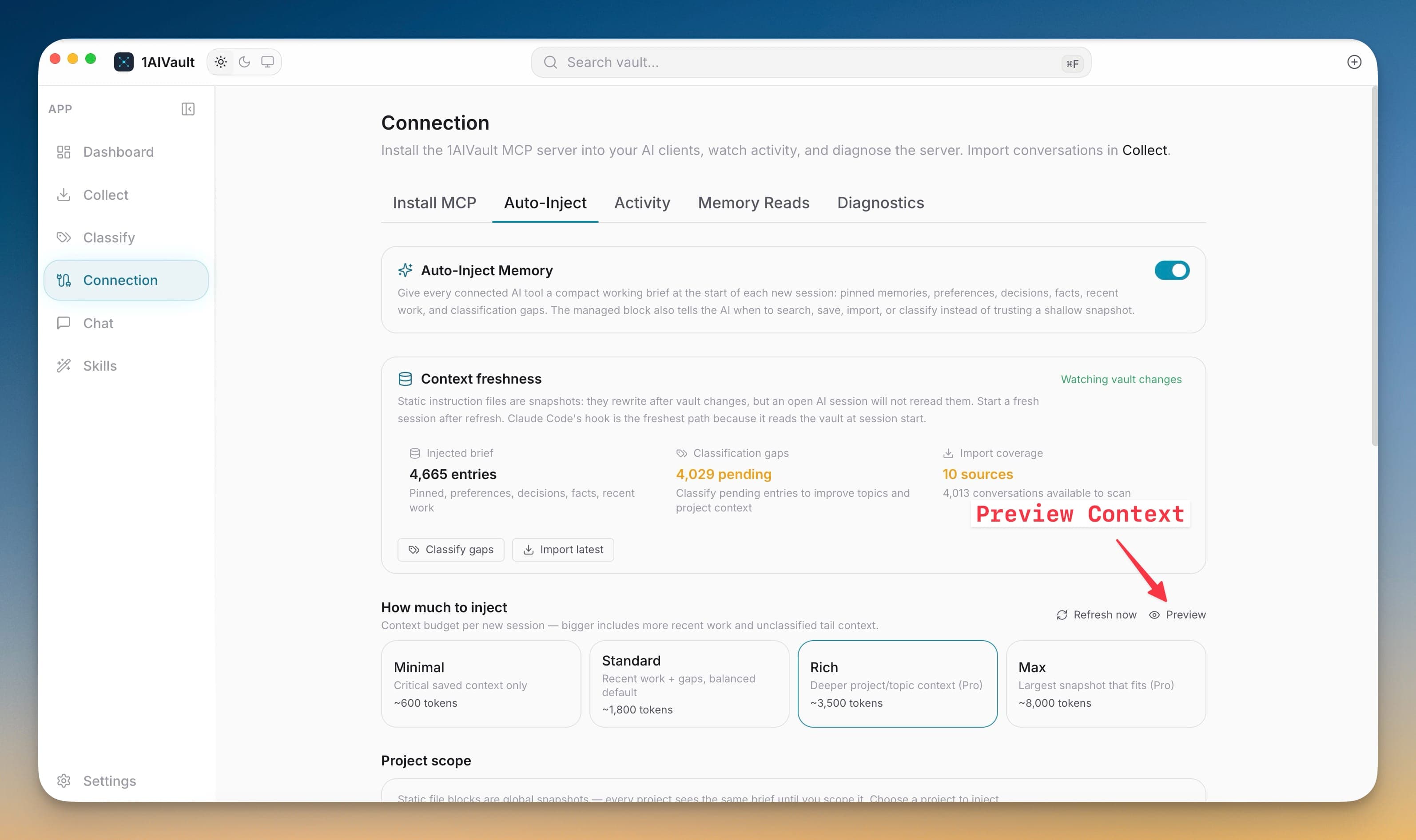
Auto-Inject Memory
Start new agent sessions with a fresh vault brief so important memory reaches the CLI before you repeat context.
Unified Chat
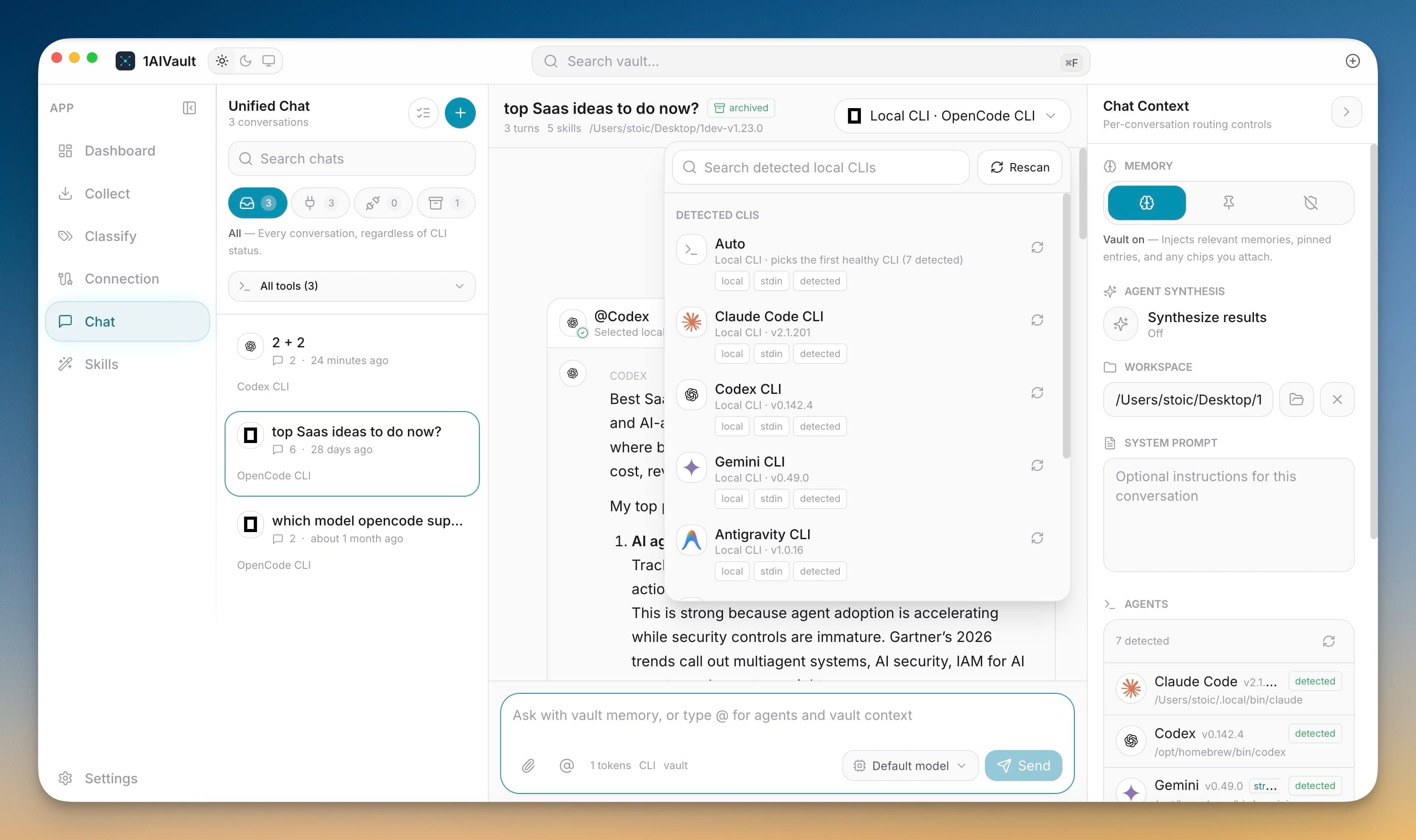
Chat with the vault inside 1AIVault and route turns to local coding agents without leaving the app.
Eighteen AI tools feed or read the same vault.
The desktop source registry spans app imports, MCP installers, CLI chat routing, source badges, and activity views.
All current product features, grouped by workflow.
Vault
The local memory base: entries, sources, dashboard state, limits, and activity.
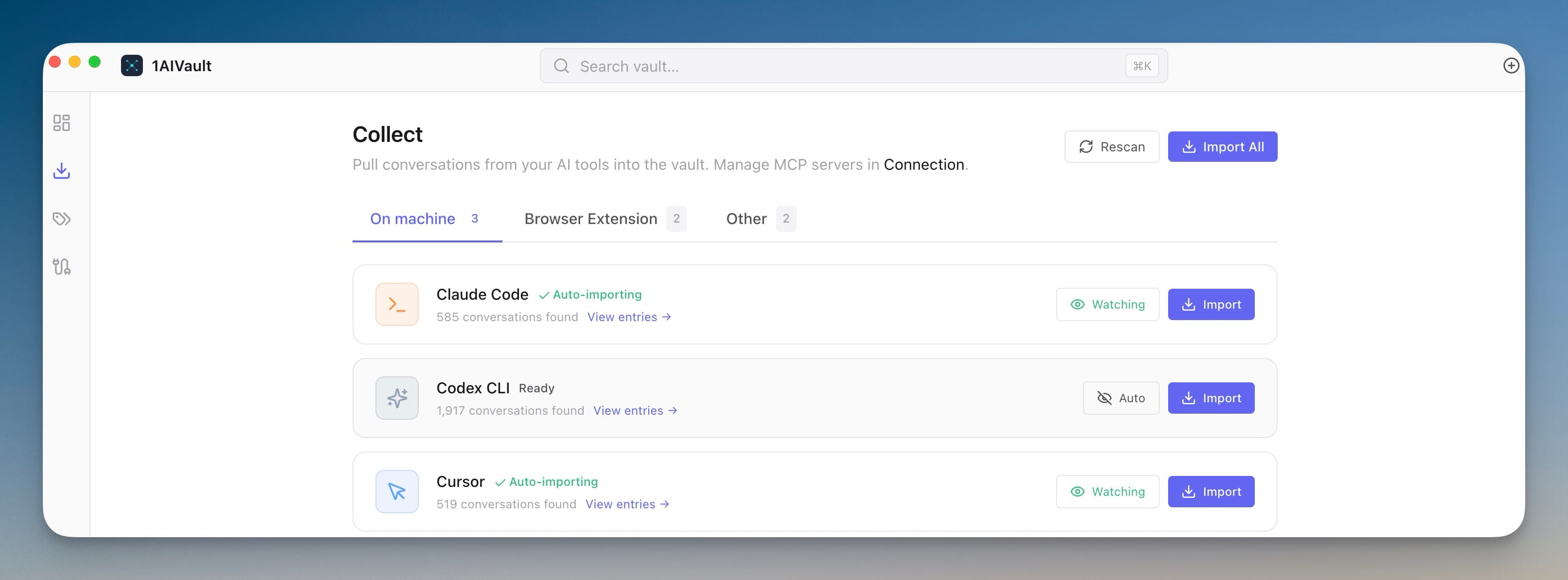
Your Portable AI Memory Vault
Save memories, decisions, preferences, facts, and skills once — every connected AI client recalls them through a single MCP server. Local-first by default; nothing leaves your machine unless you export it.
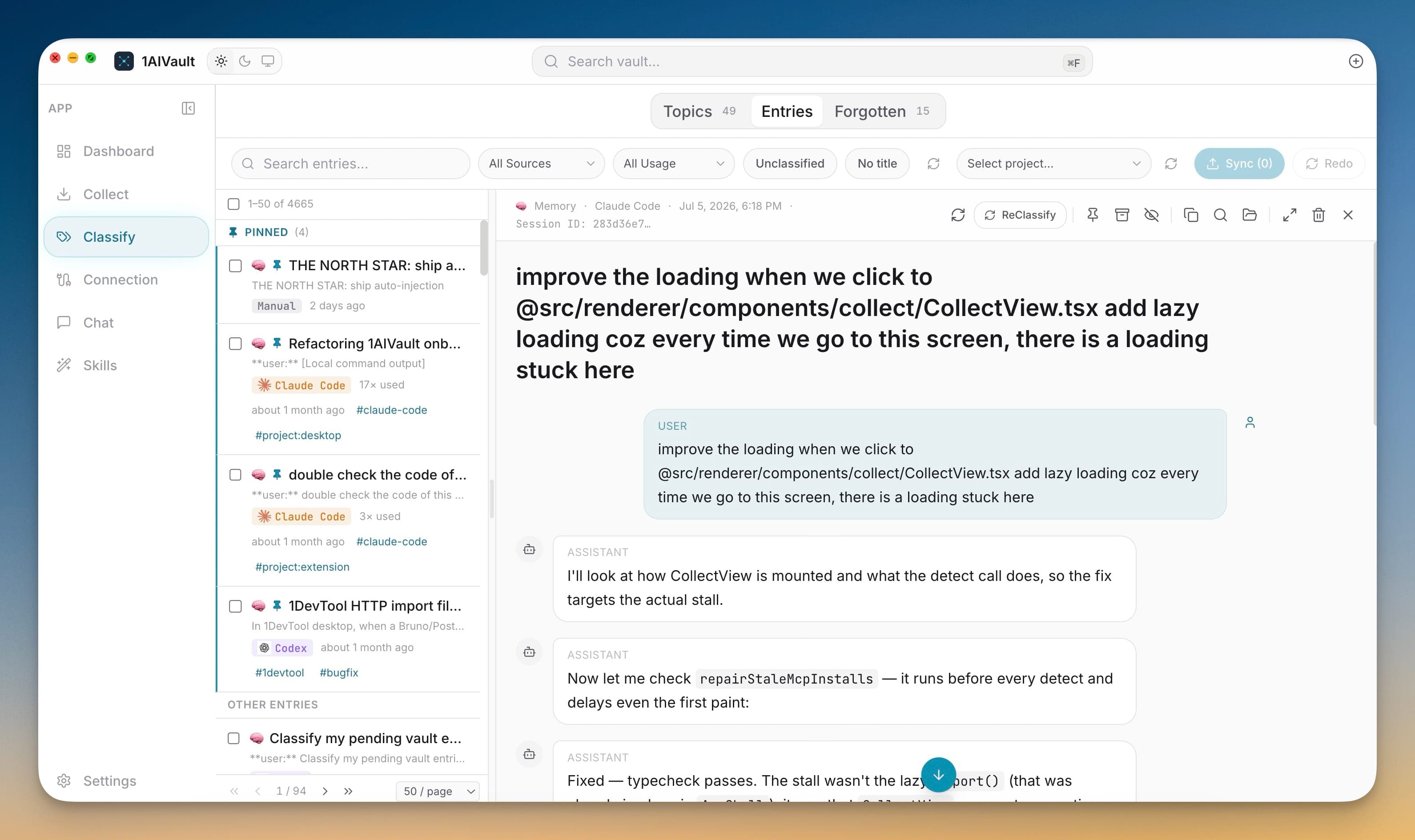
Structured conversation entry records
Entry detail keeps user, assistant, system, tool, and terminal-style messages when the source provides full conversation shape.
Free and Pro vault limits
Free mode supports 2,000 entries and 50 topics. Pro removes those caps and unlocks encrypted vault transfer.
Forget and Remember
Hide stale, sensitive, or noisy memories from active recall without deleting them. Forget individual entries or whole topics, then restore them later when they are useful again.
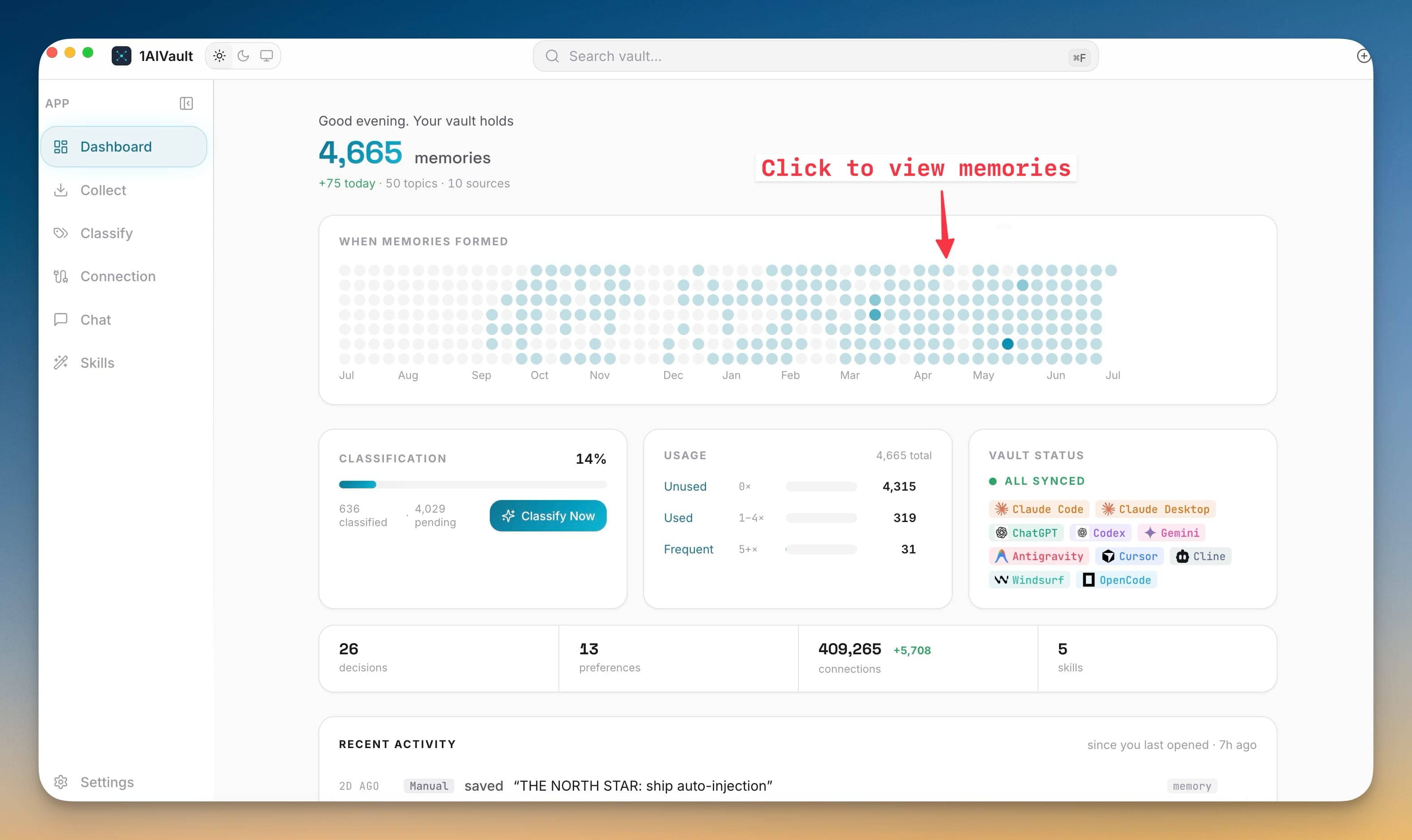
Neural Vault Interface
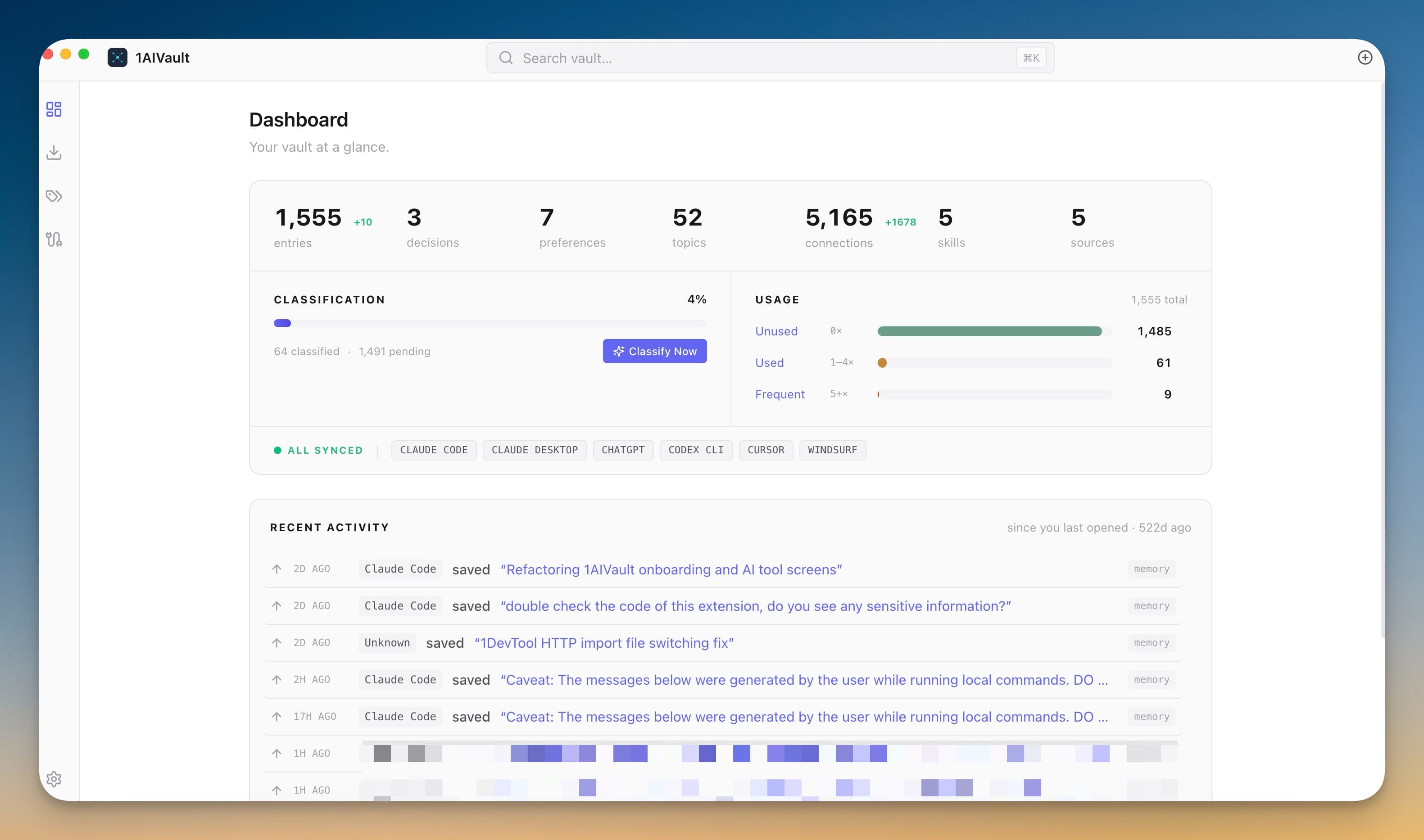
See your AI memory vault as a live workspace instead of a static list. The redesigned Dashboard, global search, activity heatmap, Settings, Skills, and Chat surfaces show memory totals, source coverage, recent activity, and reusable instructions in one consistent interface.
Capture
Import and live-watch conversations from the AI tools already on the machine.
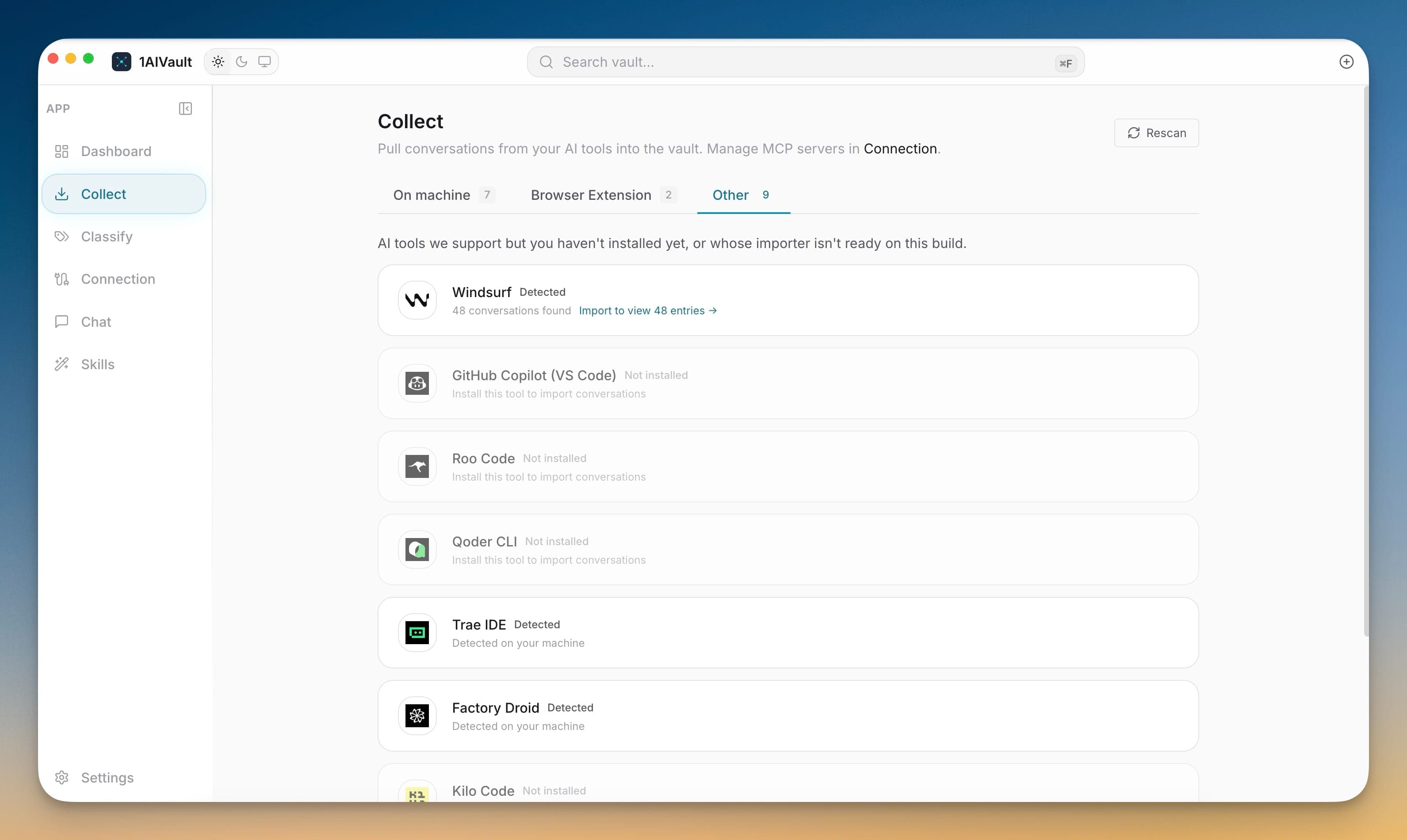
Import Conversations From Your AI Tools
Pull existing chat history from Claude Code, Cursor, Cline, Codex, plus ChatGPT and Claude.ai via the paired browser extension. A live watcher keeps new sessions flowing into the vault as they happen.
Faster Live Capture
Capture Claude Code and Codex sessions sooner while 1AIVault is running, with next-launch recovery when the app was closed.
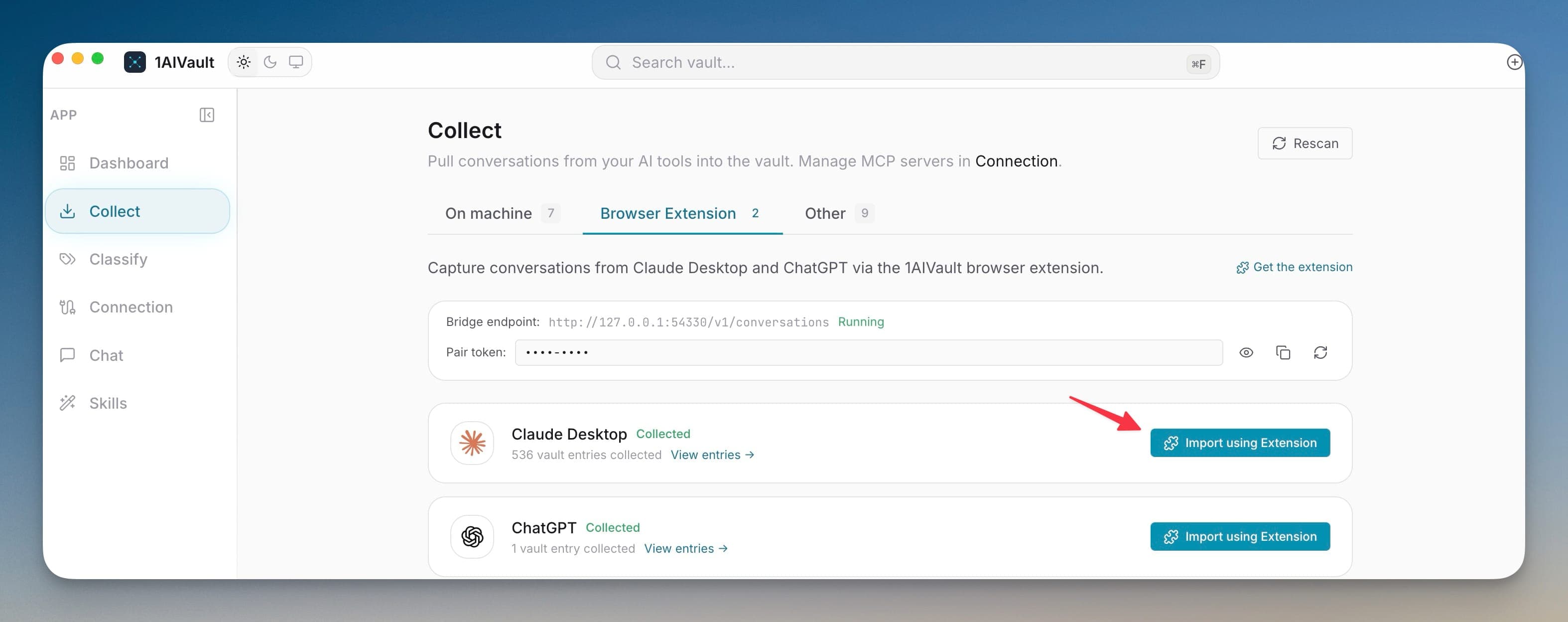
Browser extension bridge
A local browser bridge accepts captured ChatGPT and Claude.ai conversations so web chats can land in the vault too.
Import All and Rescan workflows
Collect can rescan detected tools, import all available conversations, and refresh source availability from one workspace.
Manual and chat-saved memories
The vault accepts manual memories and saved Unified Chat transcripts alongside imported external conversations.
Consistent AI tool identity
Tool logos and source chips appear across Dashboard, Collect, Classify, Connection, Activity, Memory Reads, Chat, and notifications.
Session Resume for Claude Code & Codex
Entries imported from Claude Code or Codex sessions show a Resume button that copies the exact `claude --resume <id>` or `codex resume <id>` command to your clipboard.
Classify
Turn raw conversation history into topics, timelines, graph links, and reusable context.
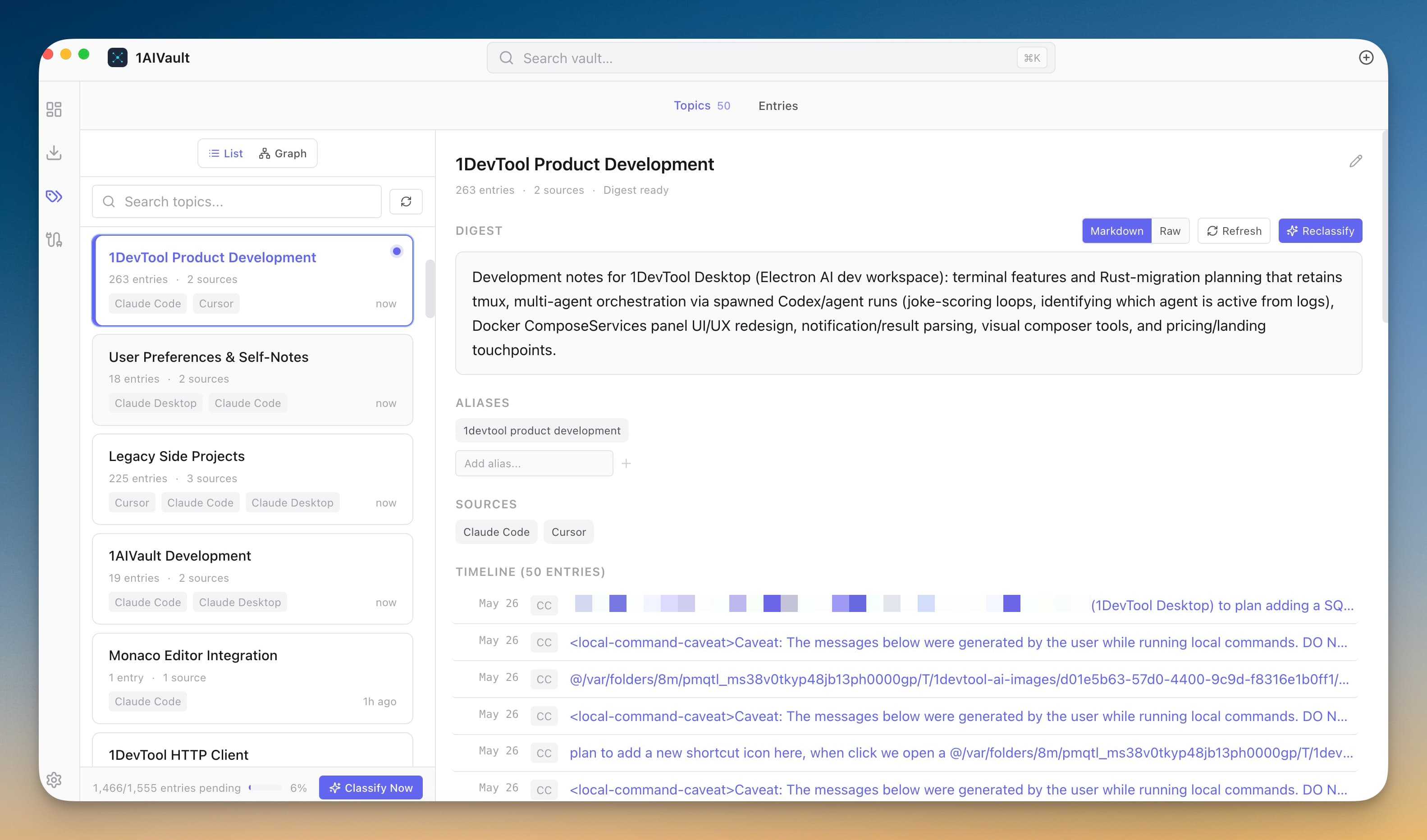
Smart Topic Classification
Point 1AIVault at a local Ollama model and it extracts topics from your entries, merges duplicates, and groups related memories — cross-classification across topics is the default.
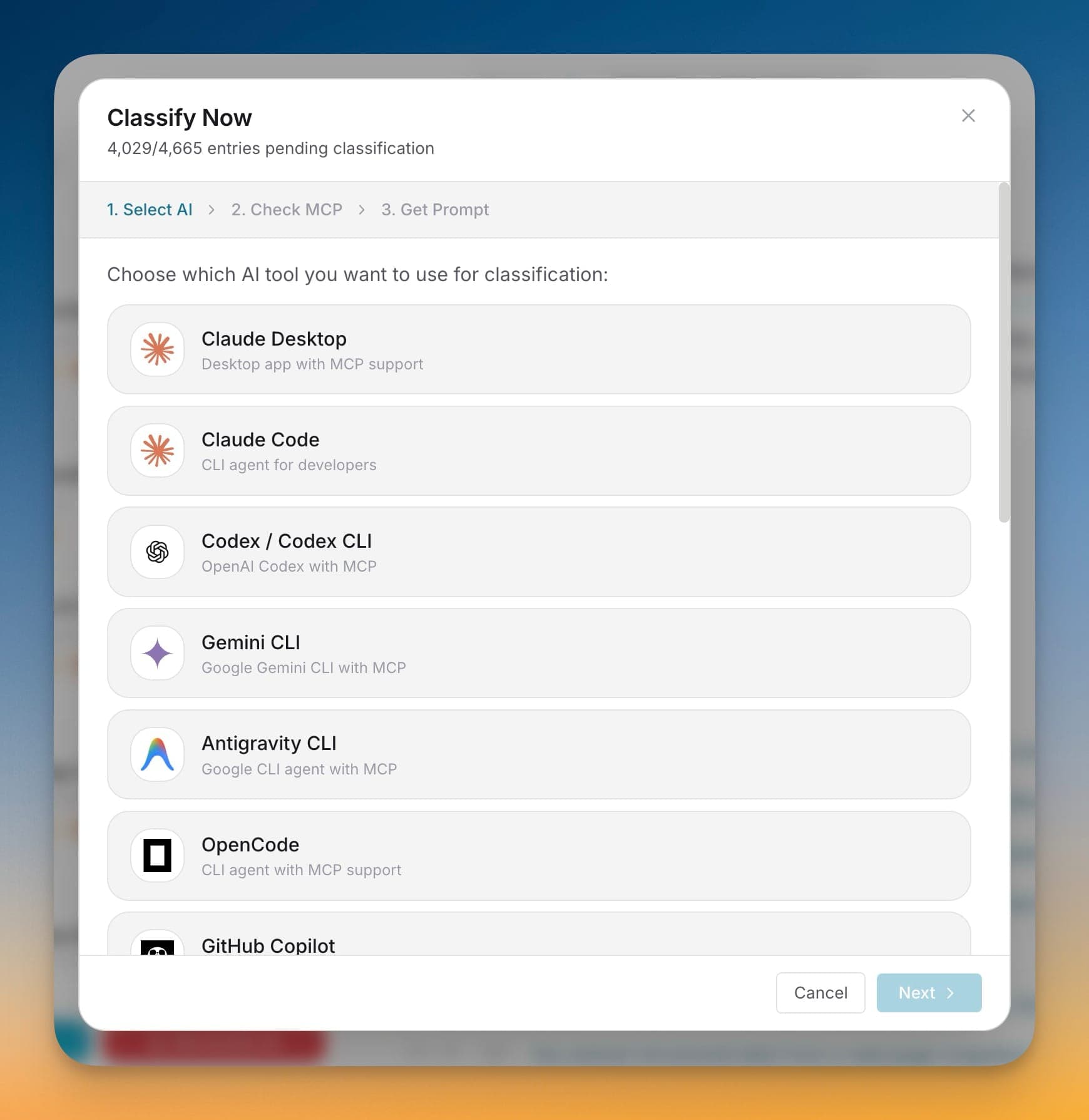
Classify Now Wizard
A 3-step wizard that picks an AI client, confirms the MCP connection, and seeds your vault from existing chats — with project pickers for Claude Code and Cursor.
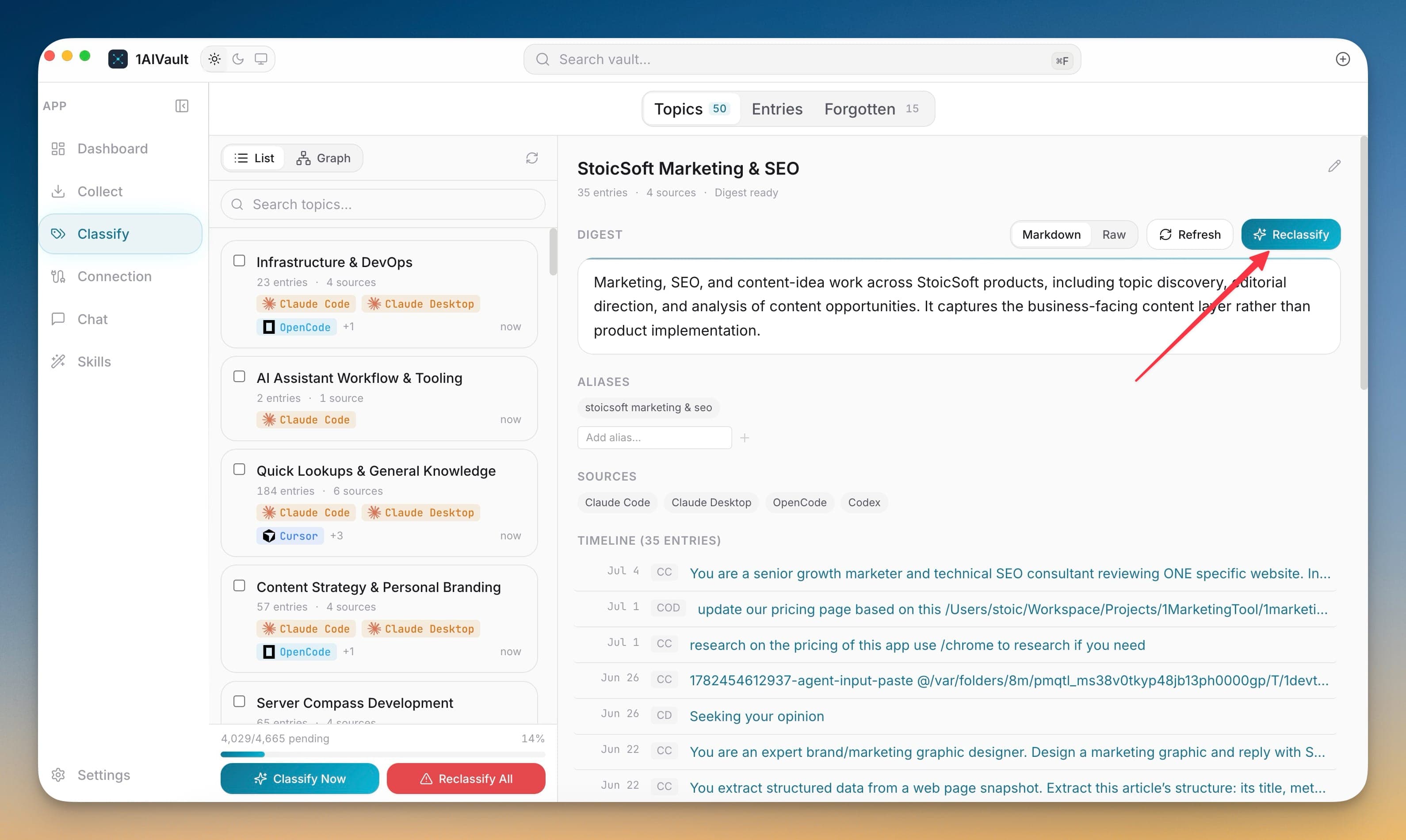
Topic digests
Each topic can carry a digest that is viewable as Markdown or raw text, editable, refreshable, and classifiable again.
Topic timelines
Topic detail shows the entries that formed a topic so you can inspect how an area of work evolved over time.
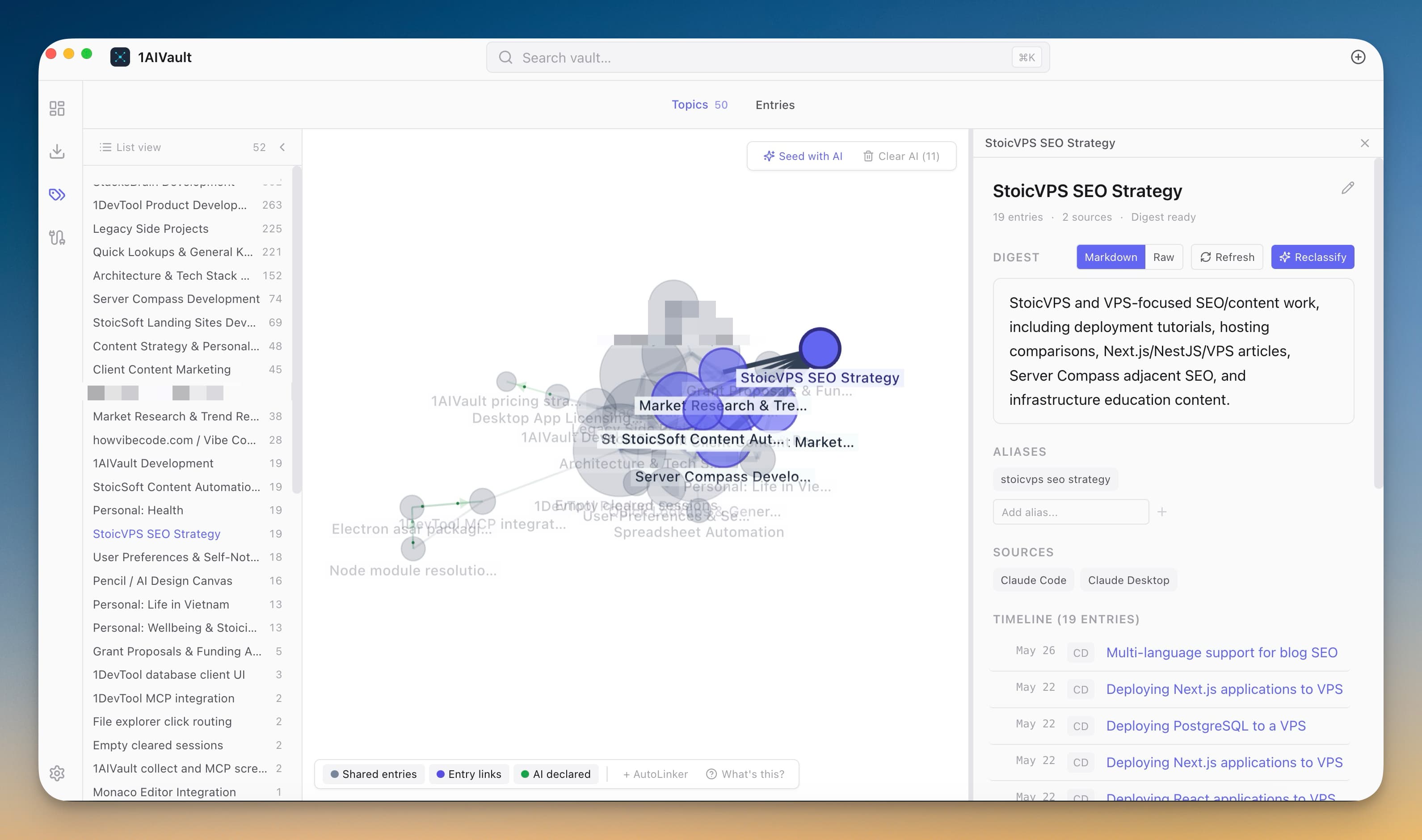
Topic Graph View
Visualise the shape of your vault as a force-directed graph — clusters of related topics, lines between topics that appear together, and drill-down into any node for the topic digest.
Aliases and topic merge
Aliases and merge controls keep multiple names for the same project, product, or customer tied to one topic.
Entry filters and detail inspection
Filter by source, category, text query, and MCP usage, then inspect the full imported conversation shape.
Reclassify All
Bulk reclassification lets you refresh topic assignments when the vault or taxonomy has changed.
AI topic links
Connected MCP clients can write topic relationships when the setting is enabled, while read-only mode stays available.
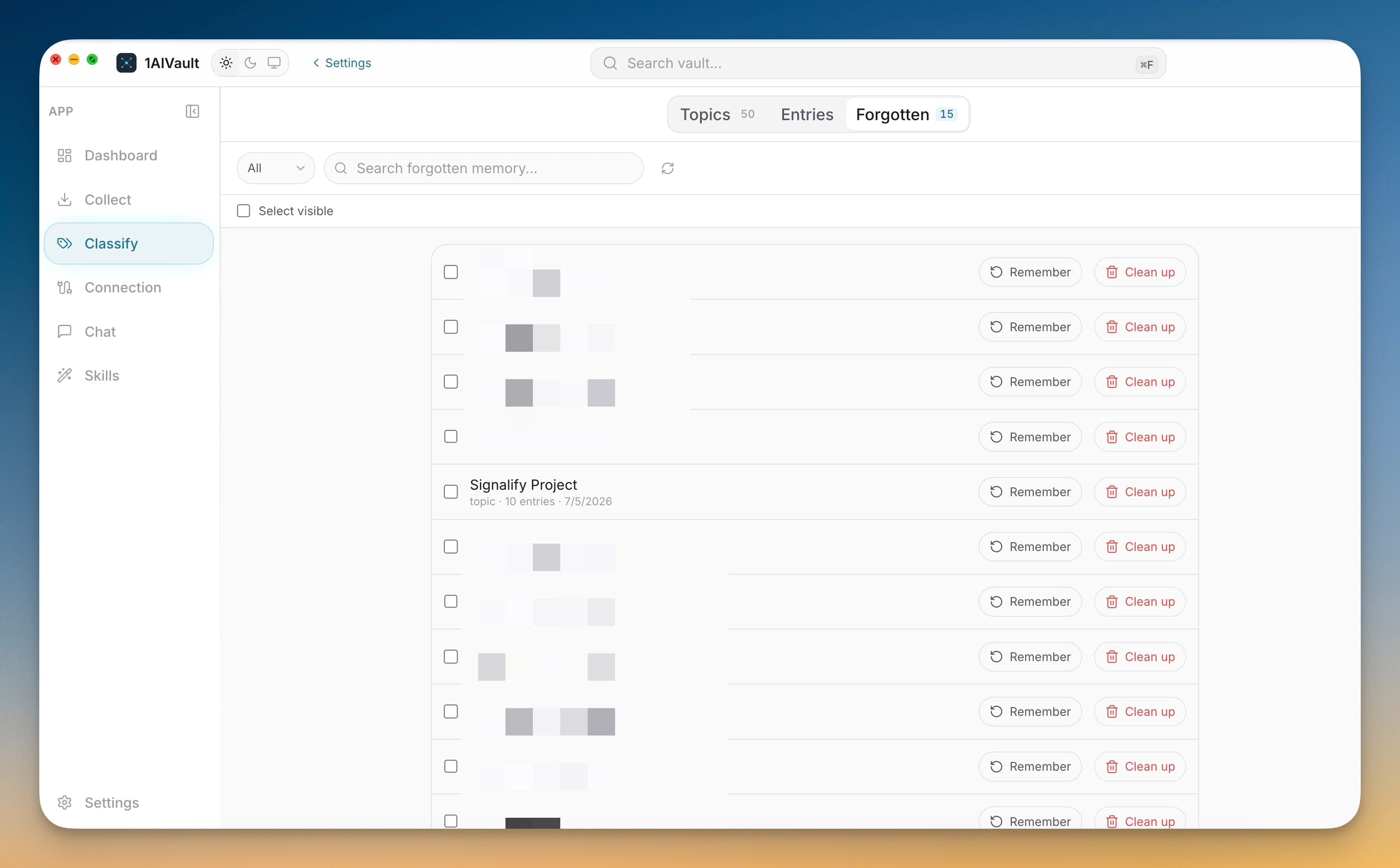
Deeper Classify Control
Clean up classified memory without losing control of what stays hidden, remembered, or rebuilt. The Classify workspace now includes a Forgotten tab, Reclassify All preview, multi-item remember and cleanup actions, and topic/entry merge flows.
Recall
Search, audit, and reuse vault memory from the app or through MCP clients.
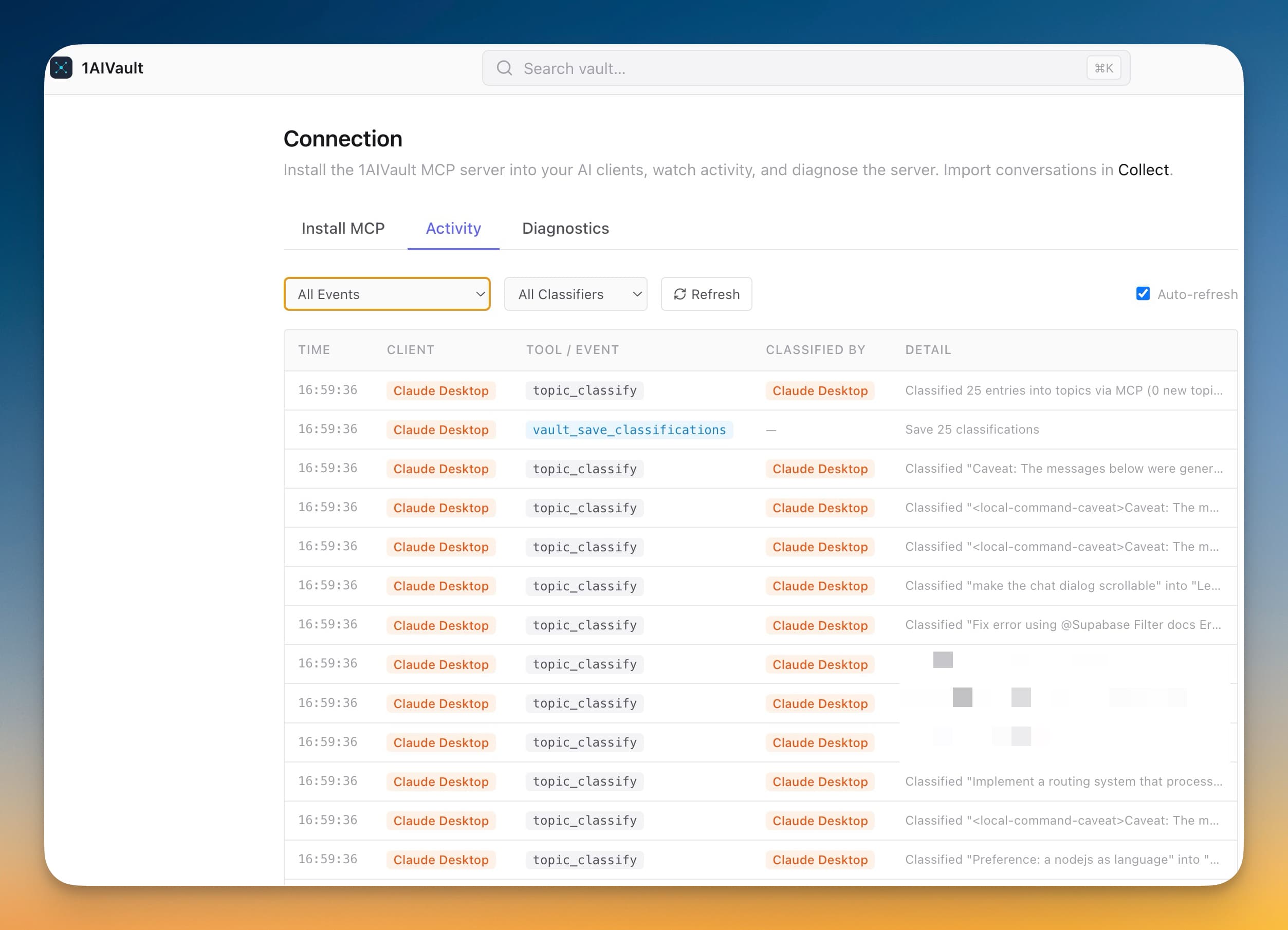
Dashboard & Activity
Dashboard view shows a vault summary plus a live activity feed of every read, write, and classification across all connected AI tools. Deep links via `aivault://` open the app from anywhere.
Last Used Stripe on Every Memory
Every entry detail header shows 'Last used X ago by Source · Nx this week' so you know which AI tools are touching a memory and how often.
Semantic Search
Local embeddings — via Xenova Transformers (ONNX), llama.cpp (GGUF), or a remote embedding API — so AI clients can recall memories by meaning, not just keywords.
Full-text search with ranking
Text search uses ranked matching so exact terms, titles, sources, and memory bodies are still easy to audit.
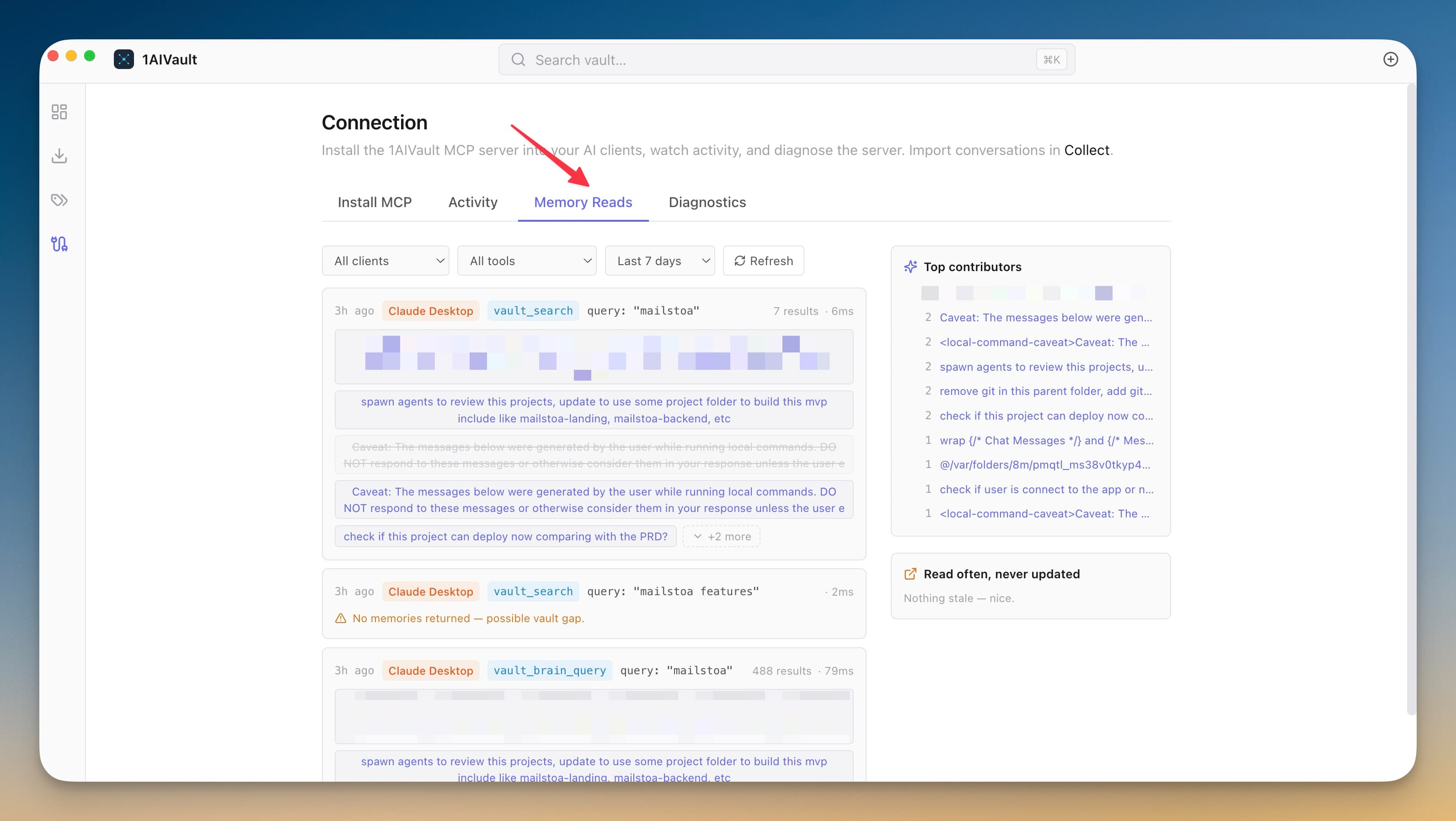
Memory Reads — See What Your AI Tools Actually Use
A per-call timeline of every MCP read from Claude Desktop, Claude Code, Cursor, Cline, and Codex — with empty calls flagged as vault gaps and a Top Contributors sidebar ranking the memories your AI tools reach for most.
Related memory
Related views surface adjacent memories so a single entry can lead to the wider project context.
Pins and archive controls
Pin useful memories, archive stale ones, and keep recall quality high without deleting source history.
MCP recall tools
Connected AI clients can search, recall, and save vault memories through the built-in MCP server.
Connections
Install and repair MCP access across desktop apps, CLIs, editors, and coding agents.
Connect Your AI Tools in One Click
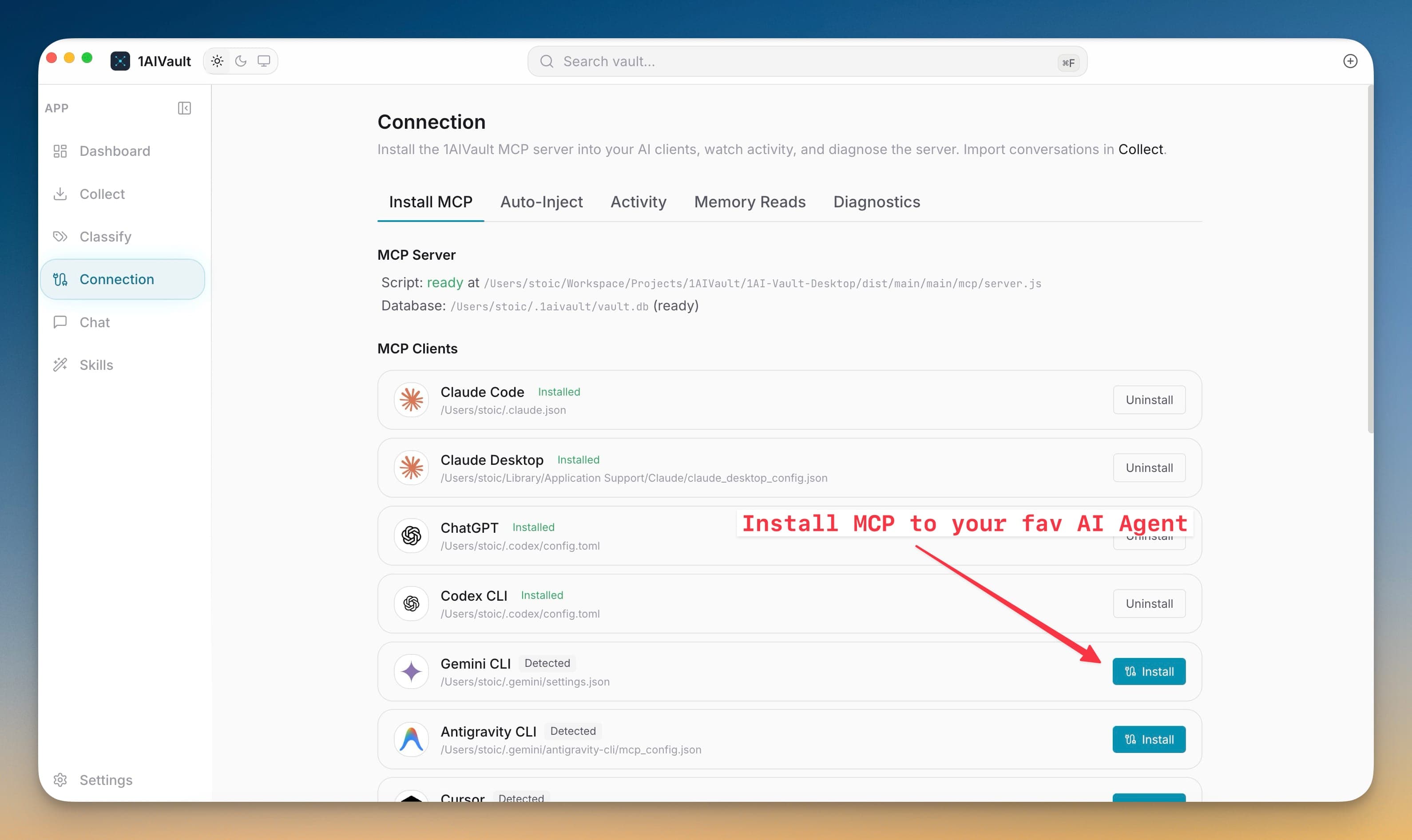
Install the MCP bridge for Claude Desktop, Claude Code, Cursor, Cline, and Codex without hand-editing JSON. The Connection view writes the config, runs a diagnostic, and confirms the link is alive.
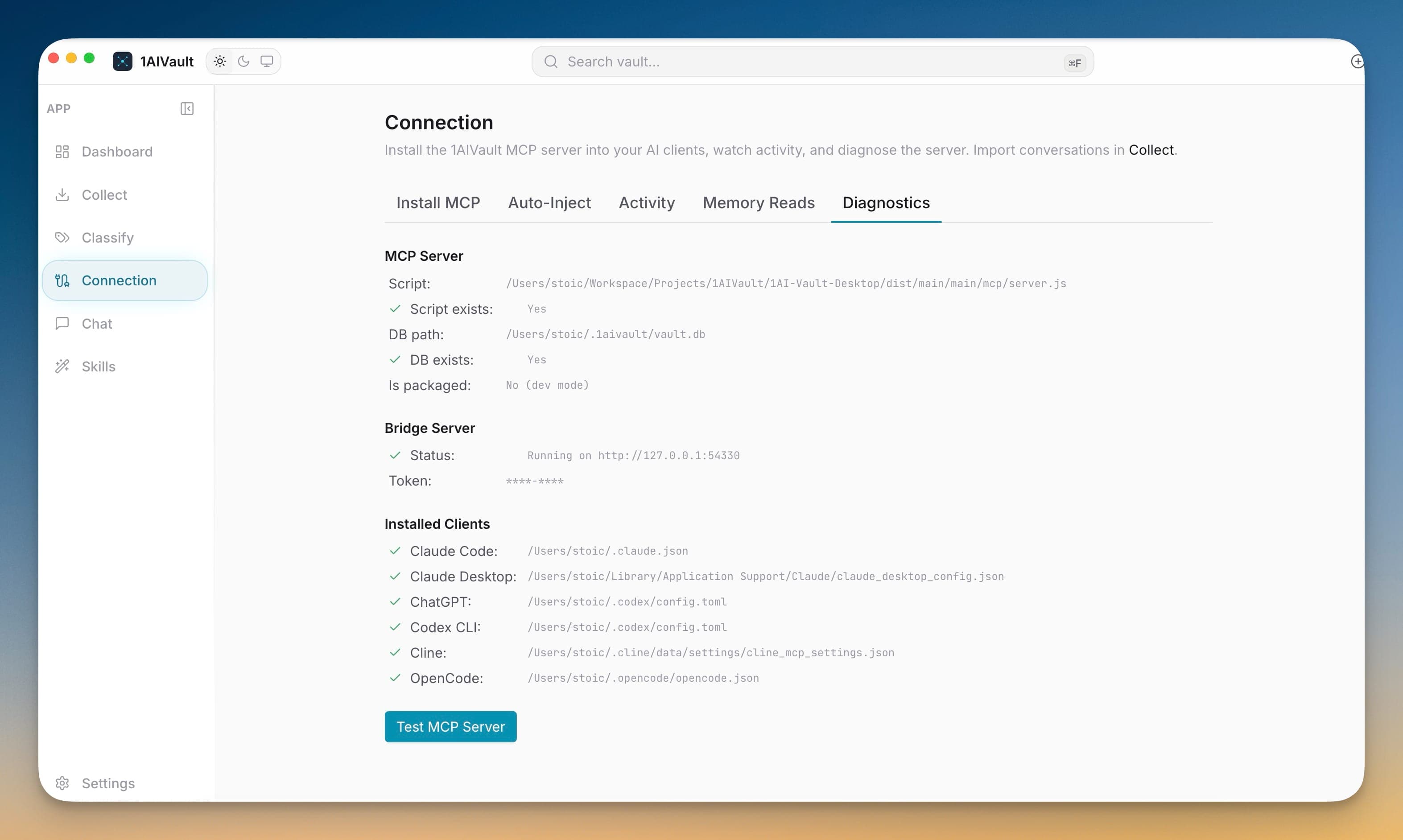
Connection diagnostics
Diagnostics check server script availability, vault database access, and client setup before troubleshooting starts.
Automatic MCP repair
Existing Claude Desktop, Claude Code, Cursor, Cline, Codex, ChatGPT, and OpenCode connections can be refreshed before stale settings break.
Broad AI tool support
The current source registry covers 18 AI tools across desktop apps, CLIs, editors, and coding agents.
Antigravity CLI Support
Import, chat with, and classify Antigravity CLI sessions alongside your other AI coding tools.
Cline CLI support
Cline CLI histories import cleanly and Cline replies in Unified Chat render as readable messages.
Newer agent connectors
GitHub Copilot, Roo Code, Qoder, Trae, Factory Droid, Kilo Code, Warp, and Augment are represented in source and connection flows.
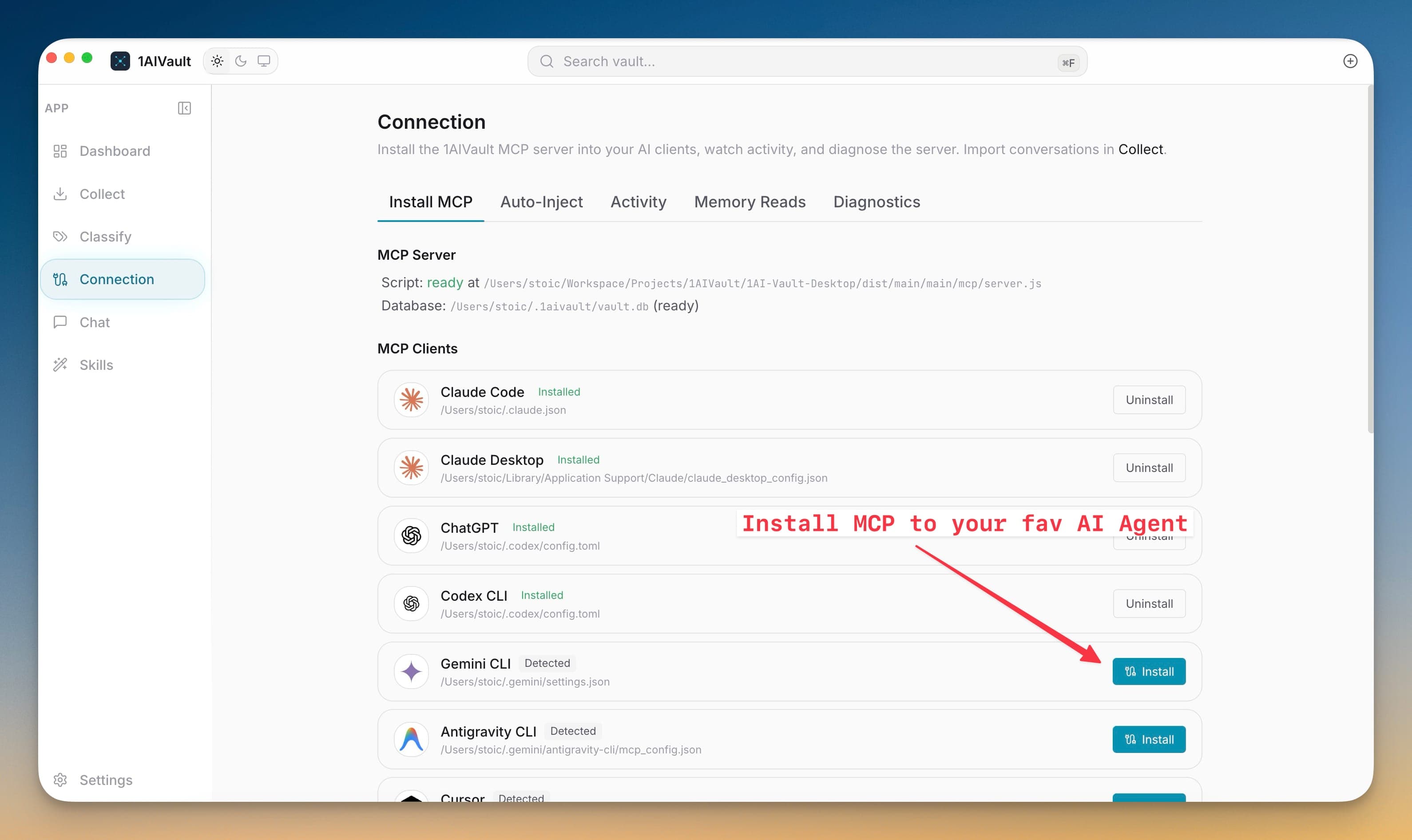
More AI Tool Connections
Connect more AI tools to the same local vault through the Connection screen. 1AIVault now includes MCP installers and tool identity for GitHub Copilot, Roo Code, Qoder, Trae, Factory Droid, Kilo Code, Warp, and Augment, plus broader Cline CLI support.
Auto-Inject
Write fresh project-aware memory briefs into agent startup files and hooks.
Auto-Inject Memory
Start new agent sessions with a fresh vault brief so important memory reaches the CLI before you repeat context.
Minimal, Standard, Rich, and Max profiles
Choose how much memory is written into agent startup files based on the work and model context budget.
Project-scoped injection
Auto-Inject can scope memory to the current project so agents start with context that matches the workspace.
Preview and refresh
Preview exactly what will be written, refresh context on demand, and see stale classification or import gaps first.
Claude Code SessionStart hook
Claude Code can receive the freshest project-aware context at session start through a dedicated hook.
Multi-agent injection targets
Auto-Inject supports Claude Code, Codex CLI, Gemini CLI, Antigravity, Qwen Code, OpenCode, and Windsurf targets.
Chat
A vault-aware chat workspace with agent routing, mentions, files, and memory modes.
Unified Chat
Chat with the vault inside 1AIVault and route turns to local coding agents without leaving the app.
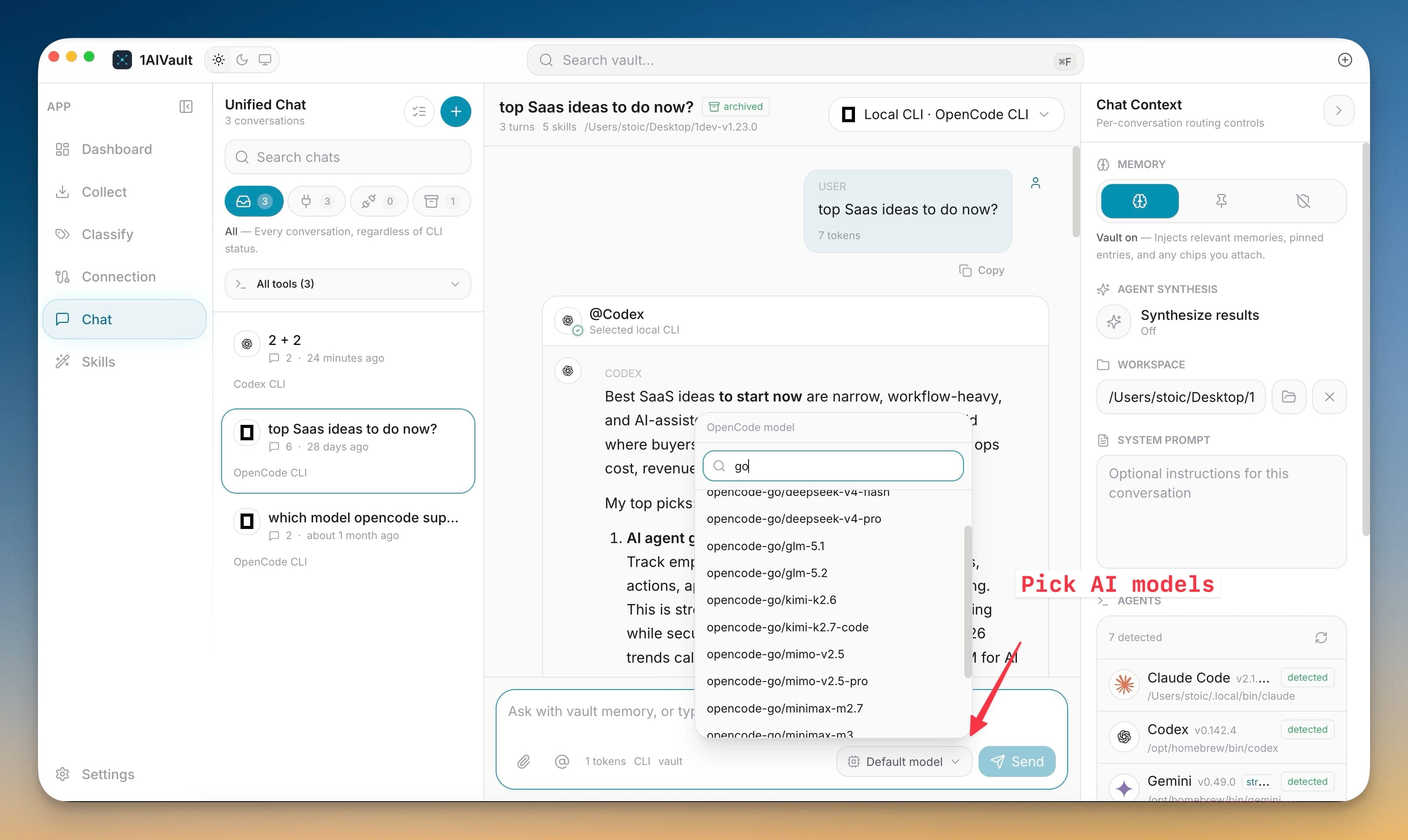
Agent routing and model picker
Detected local agents expose available models, setup errors, and route choices before a message is sent.
Chat memory modes
Pick how much vault context is used for a chat turn while keeping the conversation saved back into memory.
Agent, vault, file, and skill mentions
The composer can mention agents, vault entries, topics, local files, folders, and skills as reusable context chips.
File and folder context
Drop, paste, type, or pick paths and 1AIVault resolves them into stable context for a chat turn.
Chat transcripts saved to vault
Saved Unified Chat conversations become vault entries that can be classified, searched, and recalled later.
Skills
A cross-CLI skills hub for browsing, editing, converting, and invoking reusable workflows.
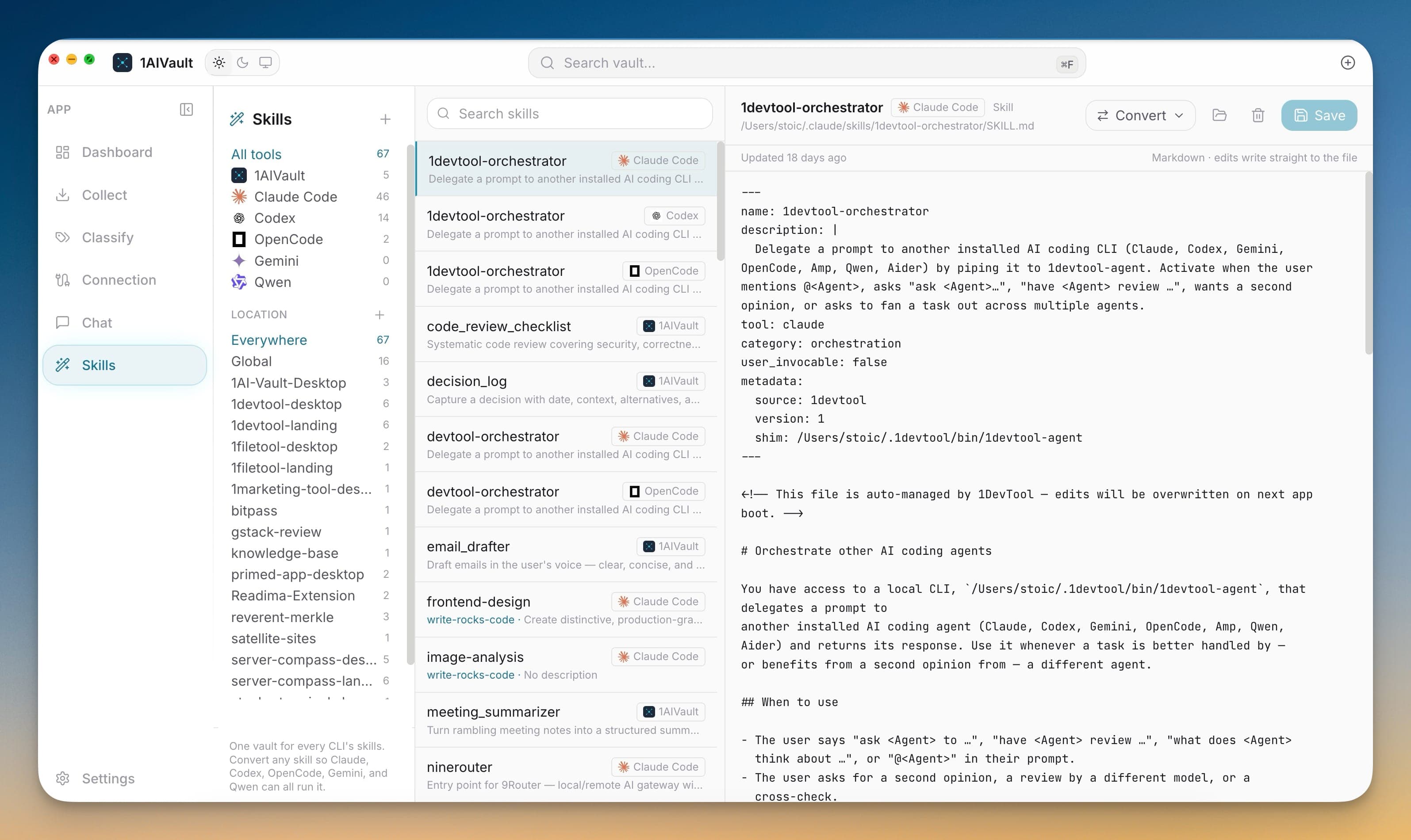
Skills That Travel With You
Drop a `.skill.md` file into the skills folder and the vault picks it up; any connected AI client can load it on demand. Ships with a starter set for code review, decision logs, email drafting, meeting summaries, and weekly reviews.
Cross-CLI skill conversion
Convert a skill so Claude, Codex, OpenCode, Gemini, and Qwen can all reuse the same workflow.
Skill editing and reveal
Edit saved skills, inspect metadata, reveal source files, and remove stale skill entries from the hub.
Slash skills in Chat
Invoke reusable skills from the chat composer and combine them with vault, file, and agent context.
Project skill folders
Skill sources stay organized by tool and project so workspace-specific commands do not blur into global ones.
Admin
Privacy, licensing, encrypted transfer, updates, and operational settings.
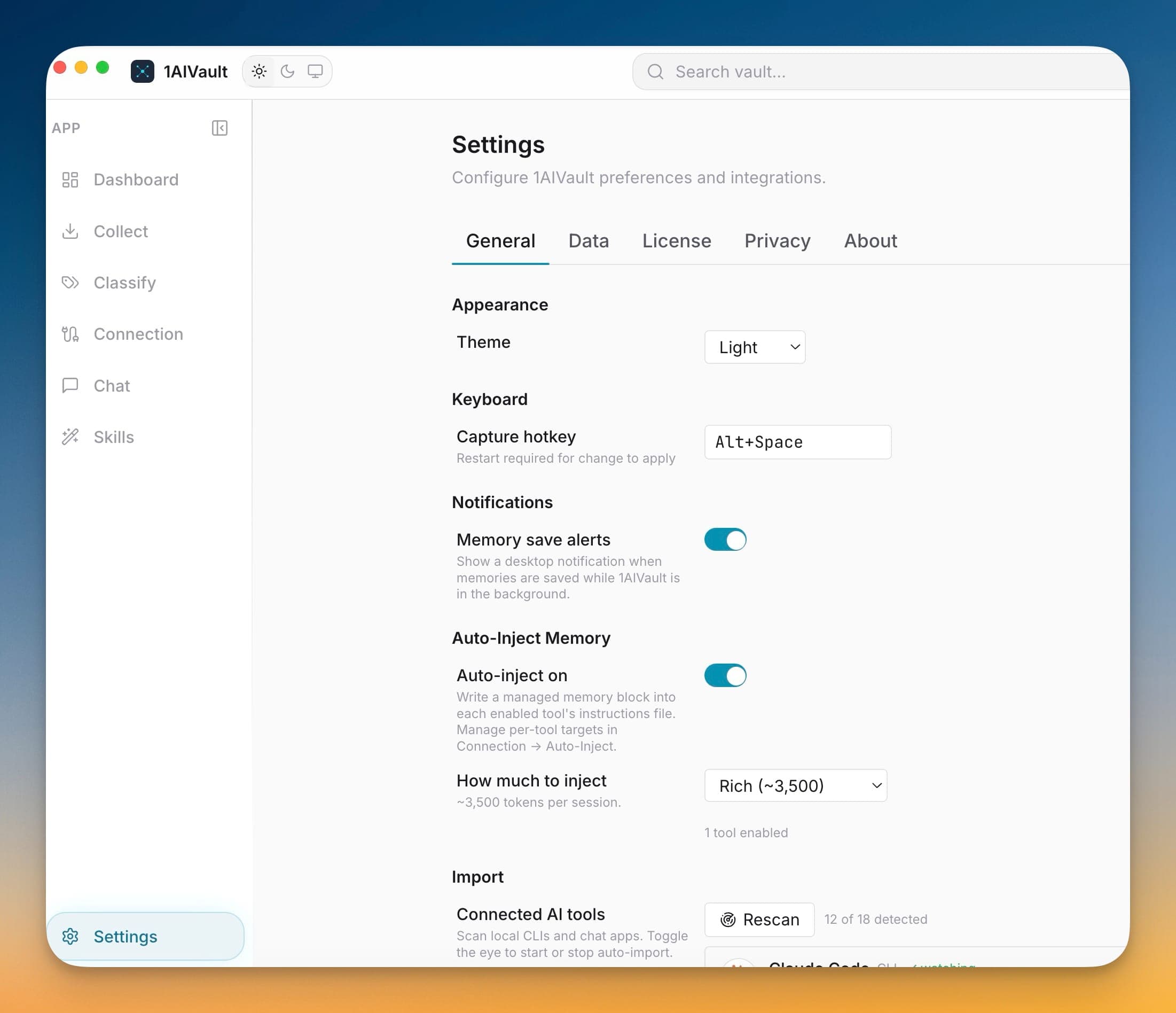
Focused Settings workspace
Settings are split into General, Data, License, Privacy, and About so operational controls stay predictable.
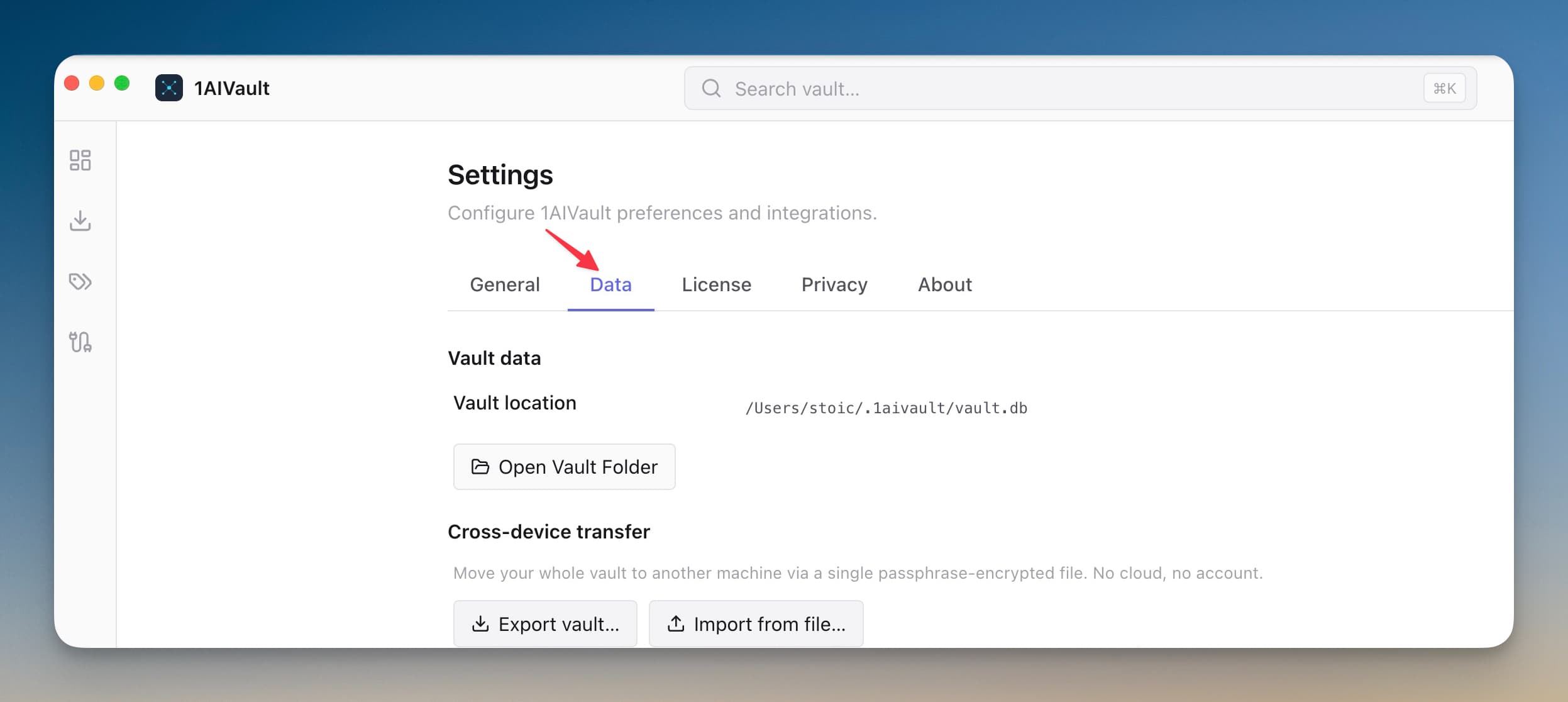
Encrypted Cross-Device Vault Transfer
Bundle your entire vault — memories, skills, topics, links, settings — into a single passphrase-protected file. Drop it into 1AIVault on another machine, type the passphrase, and the whole vault appears intact.
Privacy controls
Analytics, crash reports, MCP argument capture, and Memory Reads retention are explicit settings instead of hidden defaults.
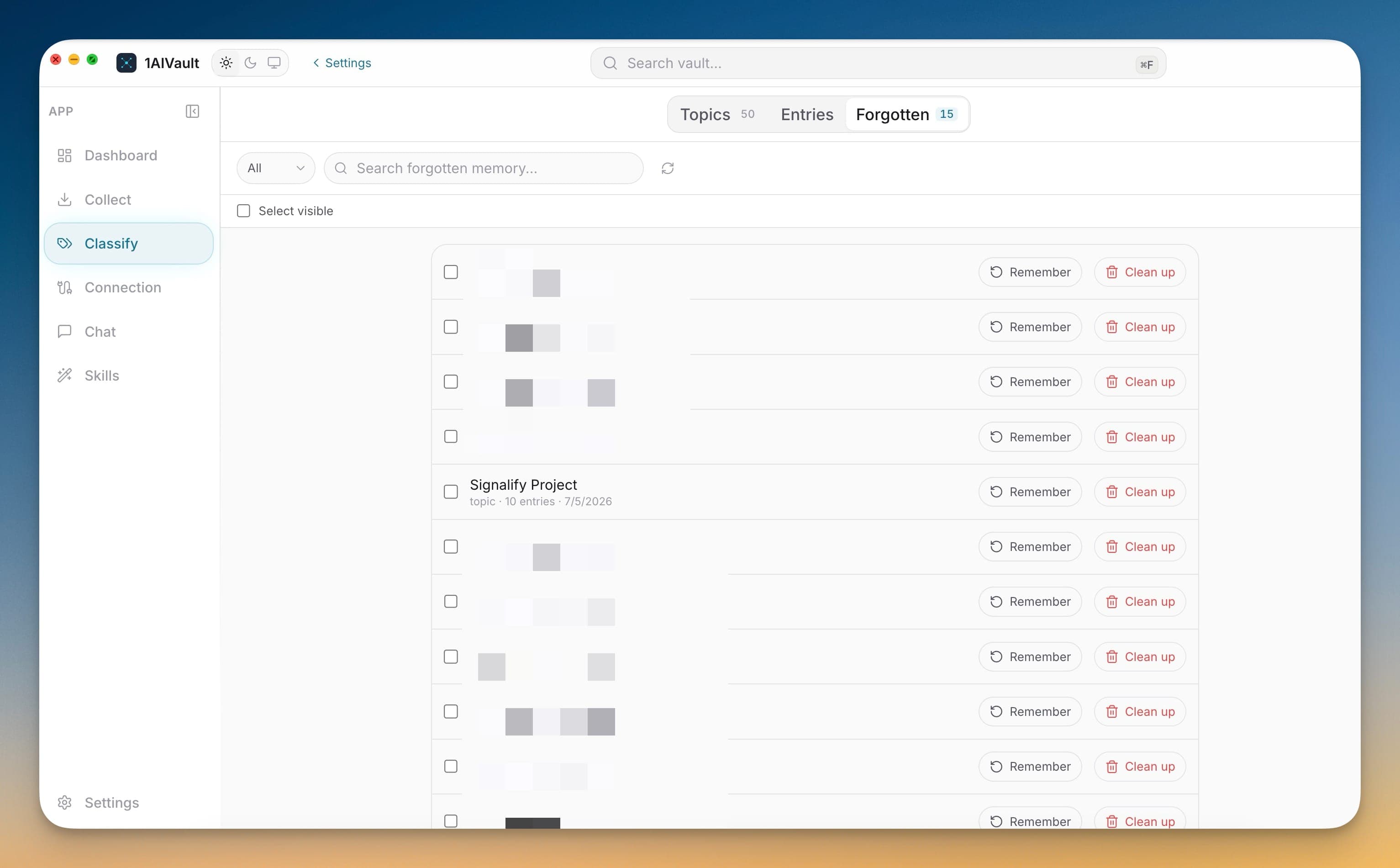
Forgotten memory management
Classify's Forgotten tab centralizes remembered entries, hidden topics, search, restore, and permanent cleanup actions.
License management
Activate, validate, and deactivate device licenses from the app while keeping Free mode usable.
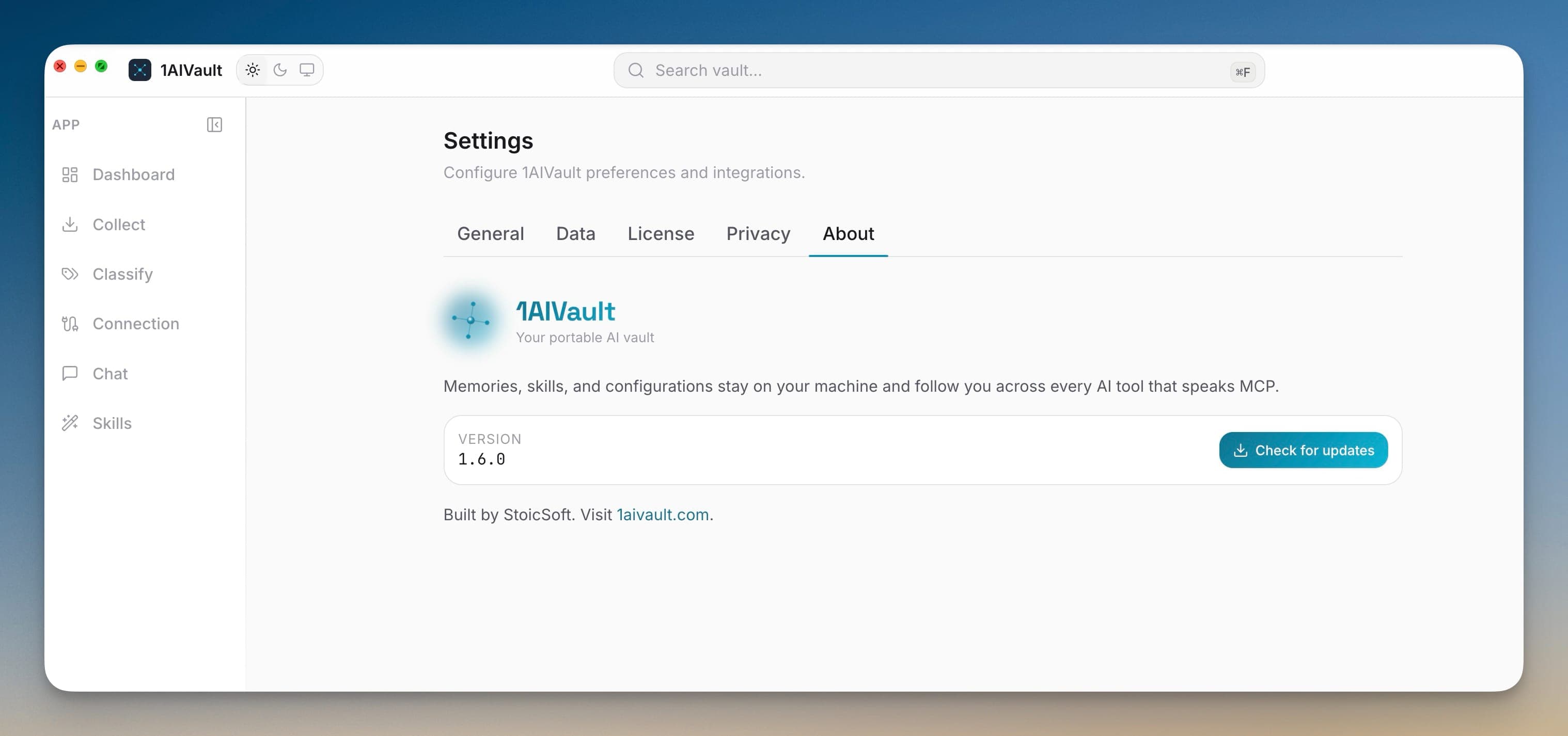
Built-in software updates
The About tab can check for updates and launch the update flow without manually hunting for a download.
Import-limit guardrails
Free-plan import limits are surfaced before large operations so the app explains the cap at the right moment.
One vault for the AI tools you already use.
Start on the free plan, import real conversations, and connect the vault to your agents when the memory is ready to reuse.