
Stop repeating yourself
New sessions arrive already knowing your standing preferences and recent decisions, so you skip the manual re-briefing that starts every fresh chat.
Every new agent session opens with a fresh brief from your vault instead of a blank prompt.
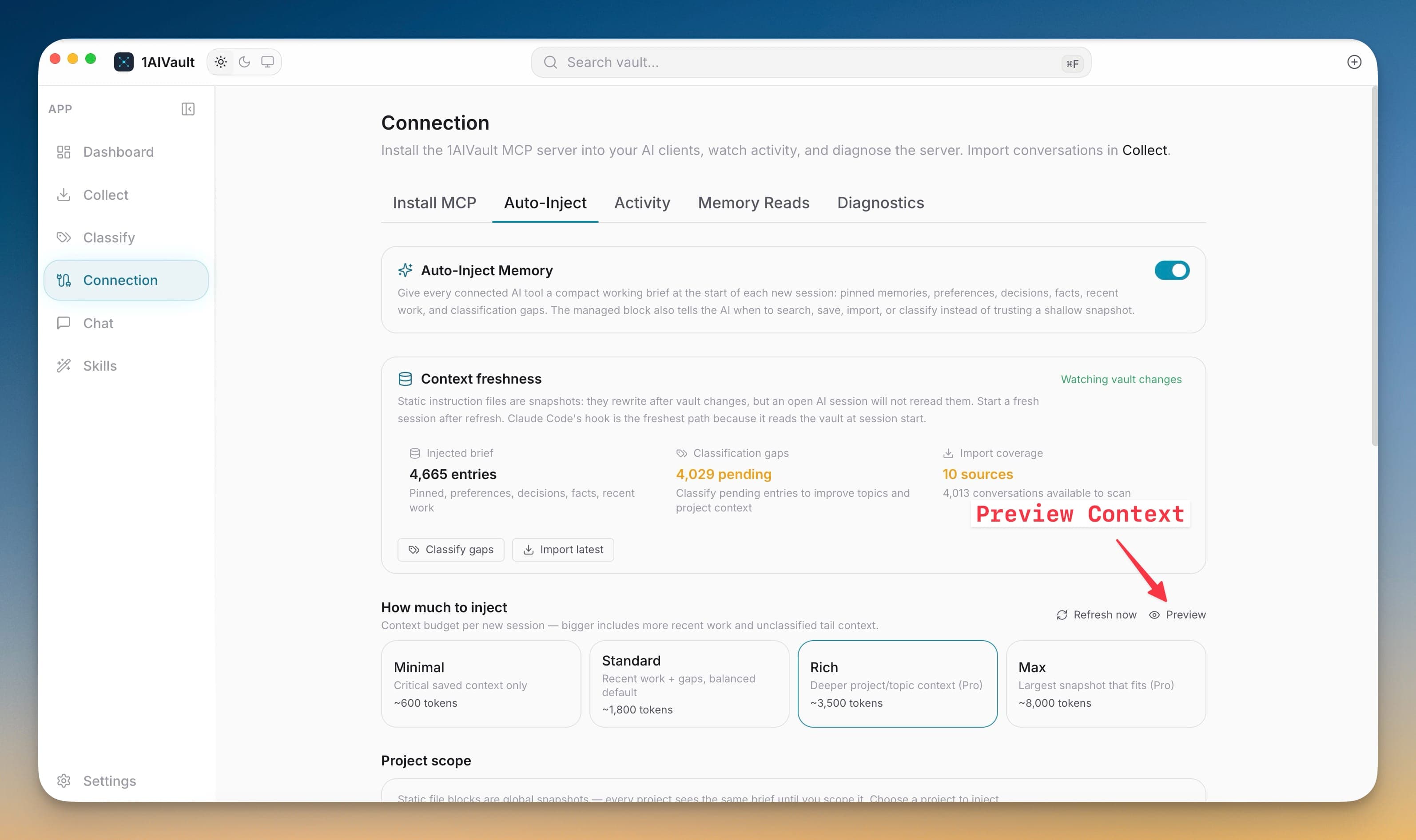
Auto-Inject Memory writes a compact, managed working brief into the startup files your AI agents read first — so a new Claude Code, Codex, or Gemini session already knows your preferences, recent decisions, pinned memory, and open gaps before it ever calls a tool. The feature is opt-in: while the master switch is off, 1AIVault never touches an instruction file.
Without a brief, every session starts cold and you re-explain the same context by hand. Auto-Inject closes that gap by pulling the latest useful memory straight from your local vault and placing it where the agent looks on startup. Because it regenerates from the vault, the brief stays current instead of drifting into a stale hand-written note.
New sessions arrive already knowing your standing preferences and recent decisions, so you skip the manual re-briefing that starts every fresh chat.
Nothing is written until you flip the master switch, and 1AIVault only manages its own clearly marked block inside each instruction file.
The brief is generated from live vault memory, so injected context reflects what you actually captured rather than a note that quietly went out of date.
Open the Connection Auto-Inject tab and turn on the master switch.
Pick the agent targets that should receive a managed memory brief.
Let 1AIVault write the block, then start a fresh session to begin with vault context already in place.
It is an opt-in feature that writes a managed brief of your preferences, decisions, pinned memory, recent work, and known gaps into the startup files AI agents read, so new sessions begin with relevant vault context.
No. The brief is built entirely from your local vault and written into local instruction files on your machine. 1AIVault is local-first and needs no account to inject context.
Choose how much memory is written into agent startup files based on the work and model context budget.
Learn moreAuto-Inject can scope memory to the current project so agents start with context that matches the workspace.
Learn morePreview exactly what will be written, refresh context on demand, and see stale classification or import gaps first.
Learn moreStart free, import real conversations, and reuse your memory across every AI agent you already use.