
Claude Desktop — auto-installs the MCP block
Claude Desktop — auto-installs the MCP block into your Claude config
Install the MCP bridge for Claude Desktop, Claude Code, Cursor, Cline, and Codex without hand-editing JSON. The Connection view writes the config, runs a diagnostic, and confirms the link is alive.
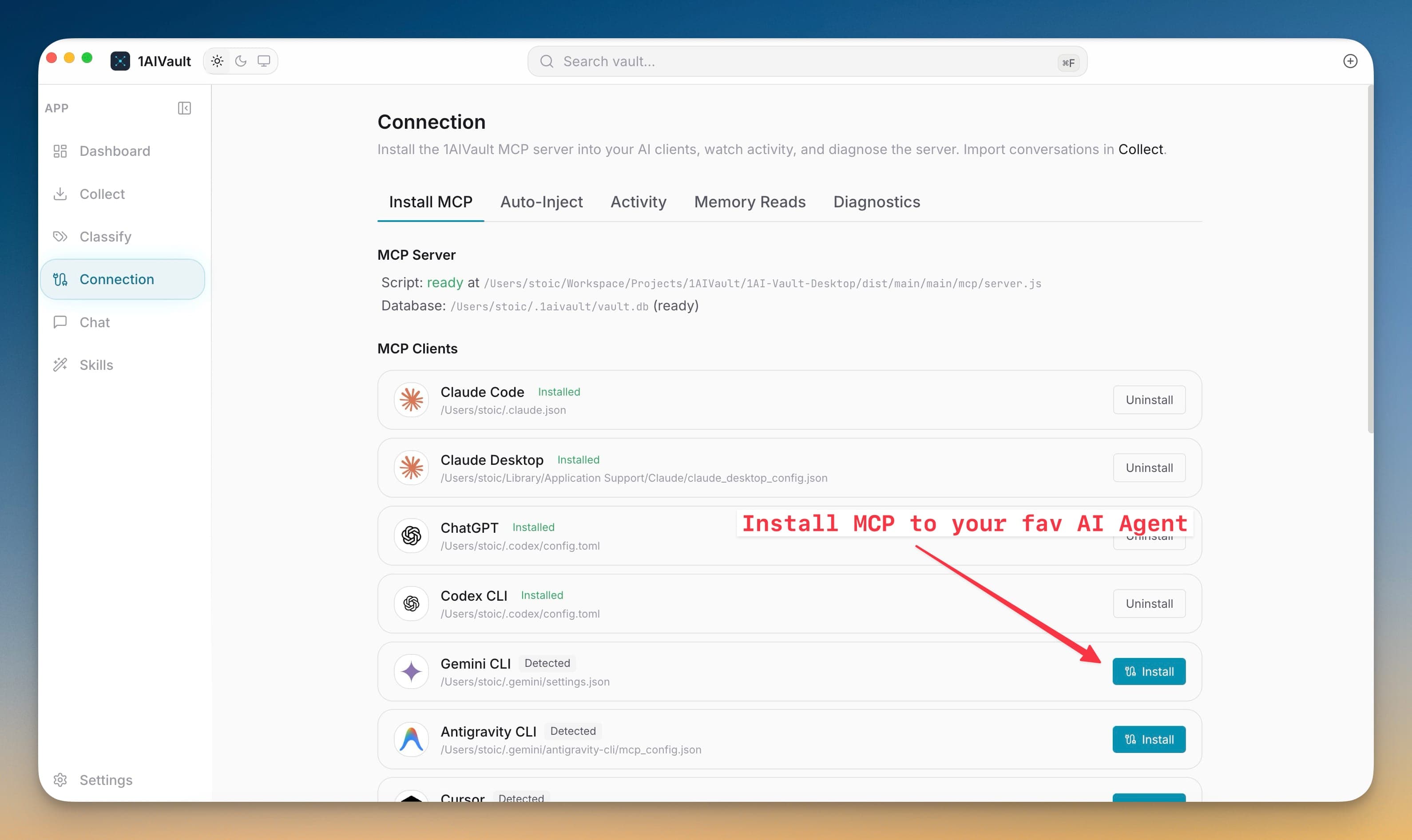
Install the MCP bridge for Claude Desktop, Claude Code, Cursor, Cline, and Codex without hand-editing JSON. The Connection view writes the config, runs a diagnostic, and confirms the link is alive.
Wiring an MCP server into each AI client means tracking down config paths, getting JSON syntax right, and restarting the client to pick up changes. The Connection view does it for you — pick a client, click install, and the connection is live.
Claude Desktop — auto-installs the MCP block into your Claude config
Claude Code — generates native memory files (memory → user, decision → project, preference → feedback, fact → reference)
Cursor — writes the MCP entry into Cursor's settings.json directly
Cline — installs the MCP server for the Cline VS Code extension
Open Connection and choose the Install MCP tab.
Find the client you want in its detected row and click Install.
Restart that AI client so it loads the new MCP server.
Ask it to search your vault, then confirm the call in Activity or Memory Reads.
The installer merges into the existing config rather than overwriting it. Your other MCP servers stay where they are; the 1AIVault entry is added alongside them.
The MCP server is standards-compliant, so any MCP client can connect manually by pointing at the local MCP endpoint. The one-click installer is wired for Claude Desktop, Claude Code, Cursor, Cline, and Codex.
Diagnostics check server script availability, vault database access, and client setup before troubleshooting starts.
Learn moreExisting Claude Desktop, Claude Code, Cursor, Cline, Codex, ChatGPT, and OpenCode connections can be refreshed before stale settings break.
Learn moreThe current source registry covers 18 AI tools across desktop apps, CLIs, editors, and coding agents.
Learn moreStart free, import real conversations, and reuse your memory across every AI agent you already use.