
Nothing important gets flattened
System prompts, tool calls, and terminal output survive import instead of being reduced to a plain transcript.
Full-fidelity conversation records, not flattened summaries.
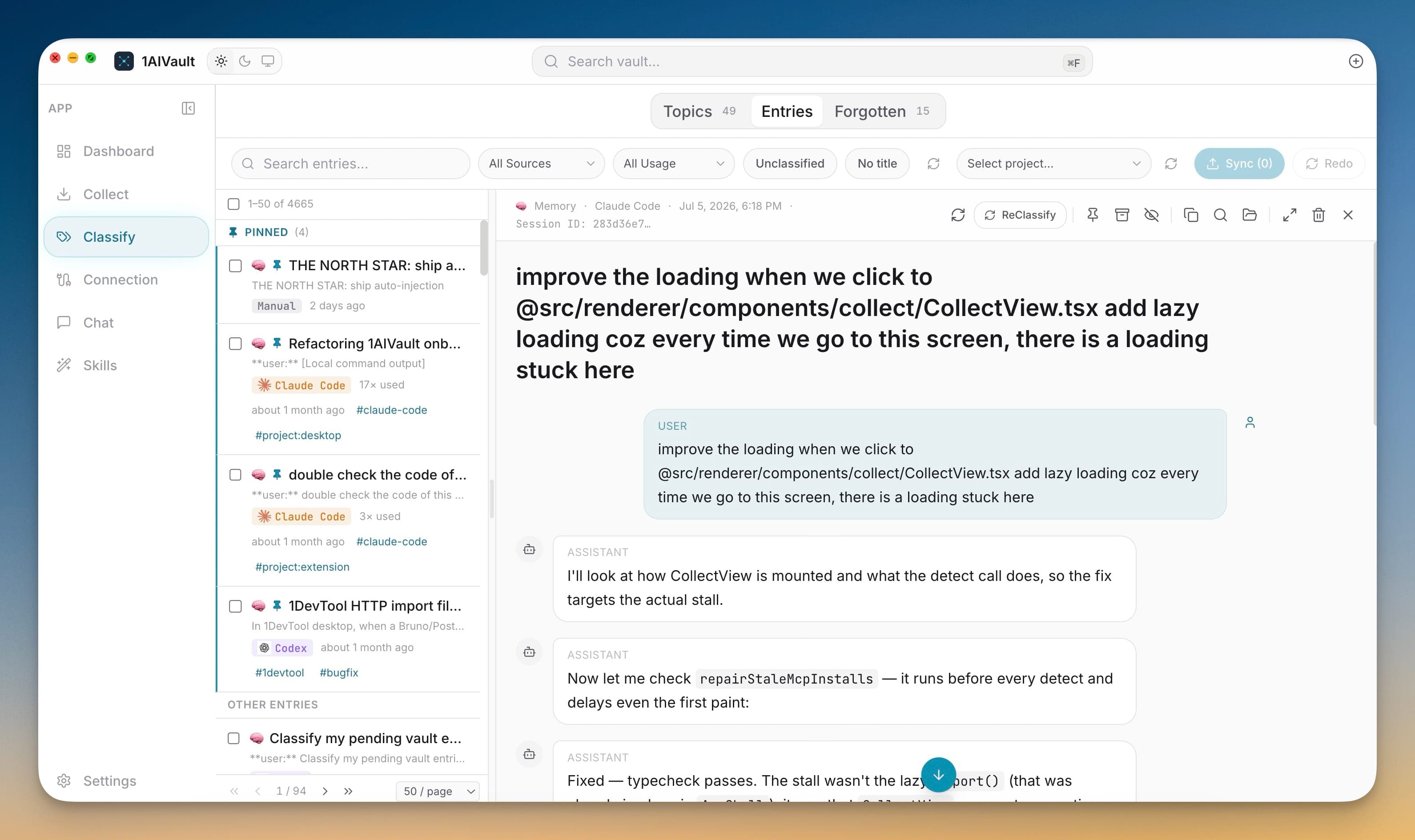
1AIVault preserves the real structure of a conversation. Entry detail keeps user, assistant, system, tool, and terminal-style messages whenever the source provides them, so an imported chat reads the way it originally happened.
That fidelity matters when you revisit a decision months later: you can see exactly what was asked, what the model answered, and which tool calls ran — with the originating AI source attached to every entry.
System prompts, tool calls, and terminal output survive import instead of being reduced to a plain transcript.
Each entry keeps the AI tool it came from, so you always know whether a memory originated in Claude, Cursor, ChatGPT, or elsewhere.
Full message shape makes it easy to reconstruct how a result was actually produced.
Import or capture a conversation from a supported AI tool.
Open the entry to see the full, structured message thread.
Filter and inspect by role, source, or content when you need to audit a decision.
Yes, when the source provides it. Entry detail retains user, assistant, system, tool, and terminal-style messages rather than a flattened summary.
Every entry carries source lineage, so the originating AI tool stays attached to the memory across the whole app.
Save memories, decisions, preferences, facts, and skills once — every connected AI client recalls them through a single MCP server. Local-first by default; nothing leaves your machine unless you export it.
Learn moreFree mode supports 2,000 entries and 50 topics. Pro removes those caps and unlocks encrypted vault transfer.
Learn moreHide stale, sensitive, or noisy memories from active recall without deleting them. Forget individual entries or whole topics, then restore them later when they are useful again.
Learn moreStart free, import real conversations, and reuse your memory across every AI agent you already use.