
Forget individual entries from the memory detail
Forget individual entries from the memory detail toolbar
Hide stale, sensitive, or noisy memories from active recall without deleting them. Forget individual entries or whole topics, then restore them later when they are useful again.
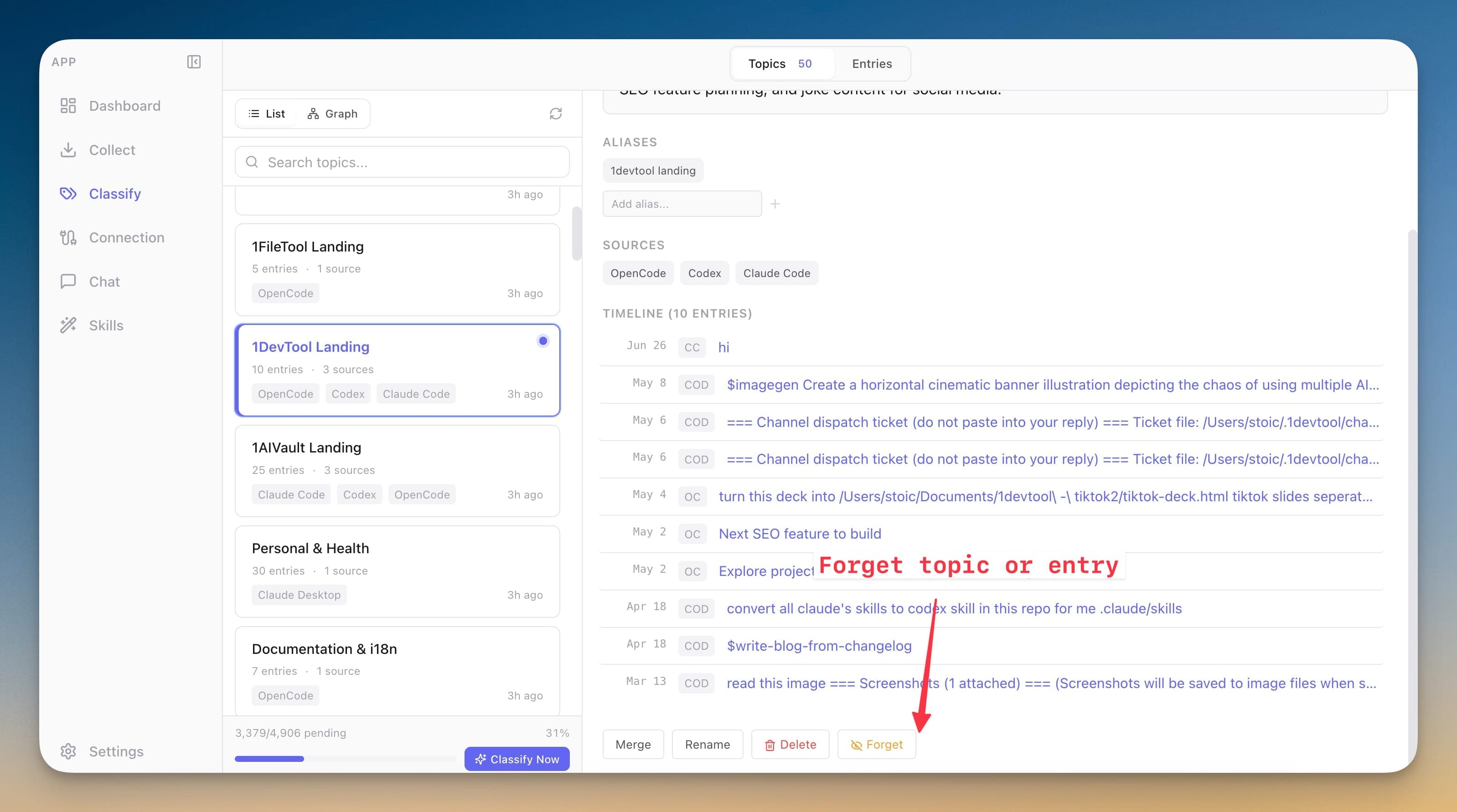
Hide stale, sensitive, or noisy memories from active recall without deleting them. Forget individual entries or whole topics, then restore them later when they are useful again.
AI memory needs maintenance controls. Delete is too destructive, but leaving every captured record active can pollute search, topic timelines, MCP reads, and injected context.
Forget individual entries from the memory detail toolbar
Forget entire topics and their assigned timelines in one action
Keep forgotten entries out of search, topics, imports, MCP reads, and injected memory
Remember entries or topics later without losing the rest of the forget state
Open an entry or topic and choose Forget.
Confirm that it will be hidden from search, MCP, imports, and injected memory.
Review everything hidden in Classify's Forgotten tab.
Click Remember on any row to restore it to normal surfaces.
No. Forgetting hides the entry or topic from active recall surfaces while keeping it recoverable in the local vault.
A forgotten entry from that source stays hidden until you remember it.
No. The connected client can call the vault forget tools only when the user explicitly asks.
Save memories, decisions, preferences, facts, and skills once — every connected AI client recalls them through a single MCP server. Local-first by default; nothing leaves your machine unless you export it.
Learn moreEntry detail keeps user, assistant, system, tool, and terminal-style messages when the source provides full conversation shape.
Learn moreFree mode supports 2,000 entries and 50 topics. Pro removes those caps and unlocks encrypted vault transfer.
Learn moreStart free, import real conversations, and reuse your memory across every AI agent you already use.