
One window for memory and models
Search, ask, and delegate without leaving the app; the vault, your models, and your local agents share one conversation instead of five tabs.
One conversation surface for your vault, your models, and your local agents.
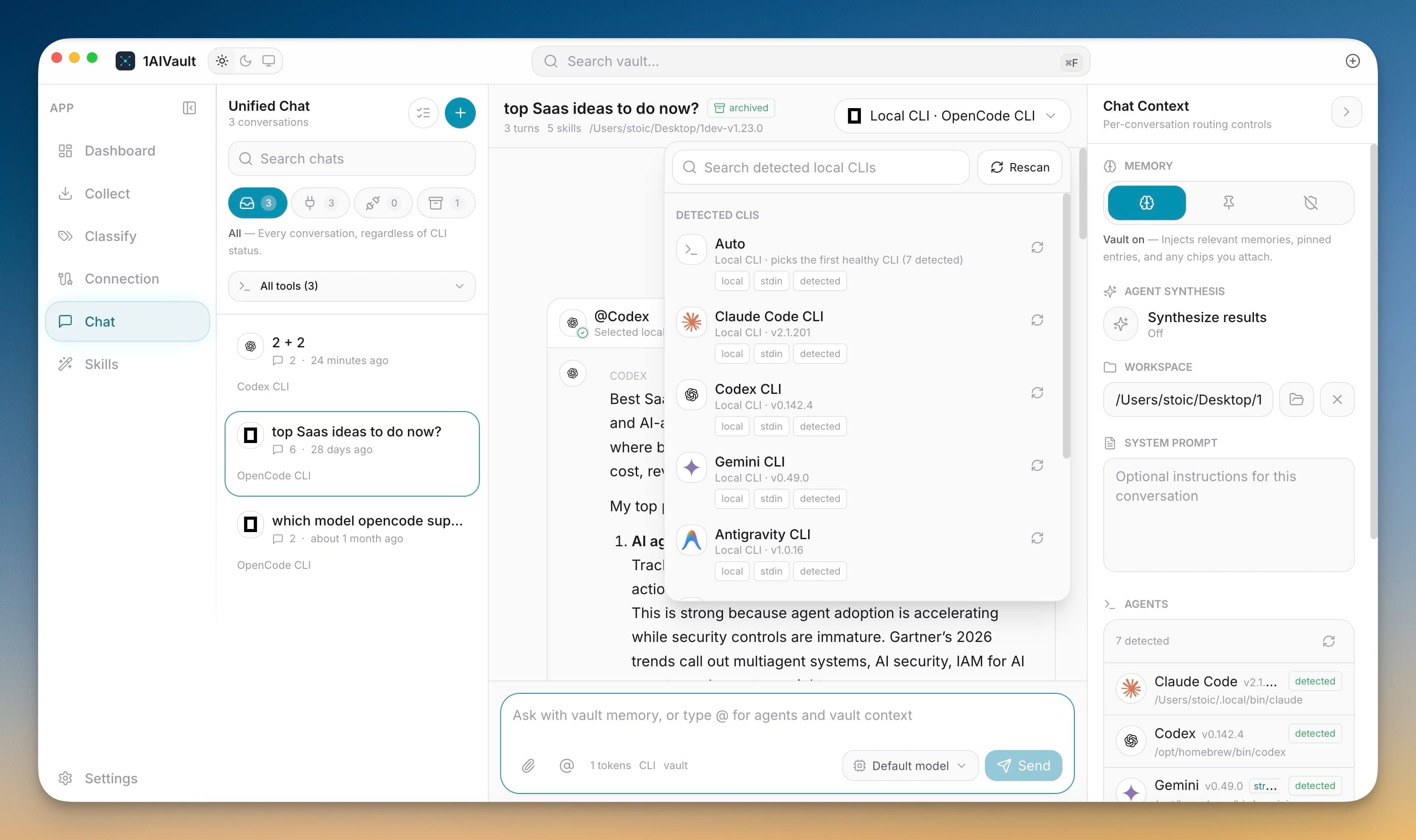
Unified Chat closes the loop between remembering and doing. Instead of jumping between claude.ai, ChatGPT, and your editor, you hold one conversation inside 1AIVault that already knows what your other tools told you. Every turn can pull relevant memory from the local vault, so answers arrive with your decisions, preferences, and past context already in the frame.
The workspace pairs a conversation sidebar, message timeline, composer, model picker, and memory controls in a single surface. A turn can be answered by your selected model, routed to a detected local agent, or both as sibling runs. Because 1AIVault is local-first with no account, the whole exchange stays on your machine and saves straight back into the vault.
Search, ask, and delegate without leaving the app; the vault, your models, and your local agents share one conversation instead of five tabs.
Relevant vault entries are attached to the prompt automatically, so the chat already knows context that claude.ai or ChatGPT never will.
Conversations run and persist on your own device with no account, keeping sensitive project talk off vendor servers.
Open the Chat workspace and start a new conversation.
Pick a default model, then type your message.
Let the vault attach relevant memory, or mention a local agent to route the turn.
Read the reply in the timeline and save it back into the vault.
A vault-aware chat workspace where you talk to your local AI memory and route turns to detected coding agents in one window, with conversations saved back into the vault.
No account is required and the app is local-first. Chatting with vault memory and local agents works on your machine; only cloud model providers need their own keys and connection.
Detected local agents expose available models, setup errors, and route choices before a message is sent.
Learn morePick how much vault context is used for a chat turn while keeping the conversation saved back into memory.
Learn moreThe composer can mention agents, vault entries, topics, local files, folders, and skills as reusable context chips.
Learn moreStart free, import real conversations, and reuse your memory across every AI agent you already use.