1AIVault1AIVault
Loading 3D scene…

Too many memories, no way to track them

Spread across Claude, ChatGPT, browser tabs, and desktop tools — buried in chat logs and forgotten conversations.

Every tool forgets you

None of them share context. You're losing memories with every new conversation.

Meet your vault

1AIVault auto-imports your conversations, classifies them into topics, and keeps them safe — one vault for everything.

One vault for every AI you use

Auto-import, topic classification, and MCP connections — your context travels with you.

Scroll to explore

Connected to

Claude
ChatGPT
Cursor
Windsurf
Cline
Any MCP app
Fig. 02 — Diagnosis

Three problems every AI user knows

01

Memory starts over

Every new chat starts from zero. Your AI doesn't remember the project brief, the customer details, the draft you approved, or the preference you explained last week. Hundreds of useful conversations, none of them connected.

02

Decisions disappear

You already worked through a launch plan, research thread, or product choice with one AI. The reasoning behind that call? Buried in Claude, ChatGPT, and other sessions you may never find again.

03

Tools stay isolated

ChatGPT has one set of notes. Claude has another. Your desktop AI tools have their own history. Each holds a piece of the picture, but none of them share context with each other.

Hover a card to see the robot react

Fig. 05 — See it

Your whole AI context, one search away.

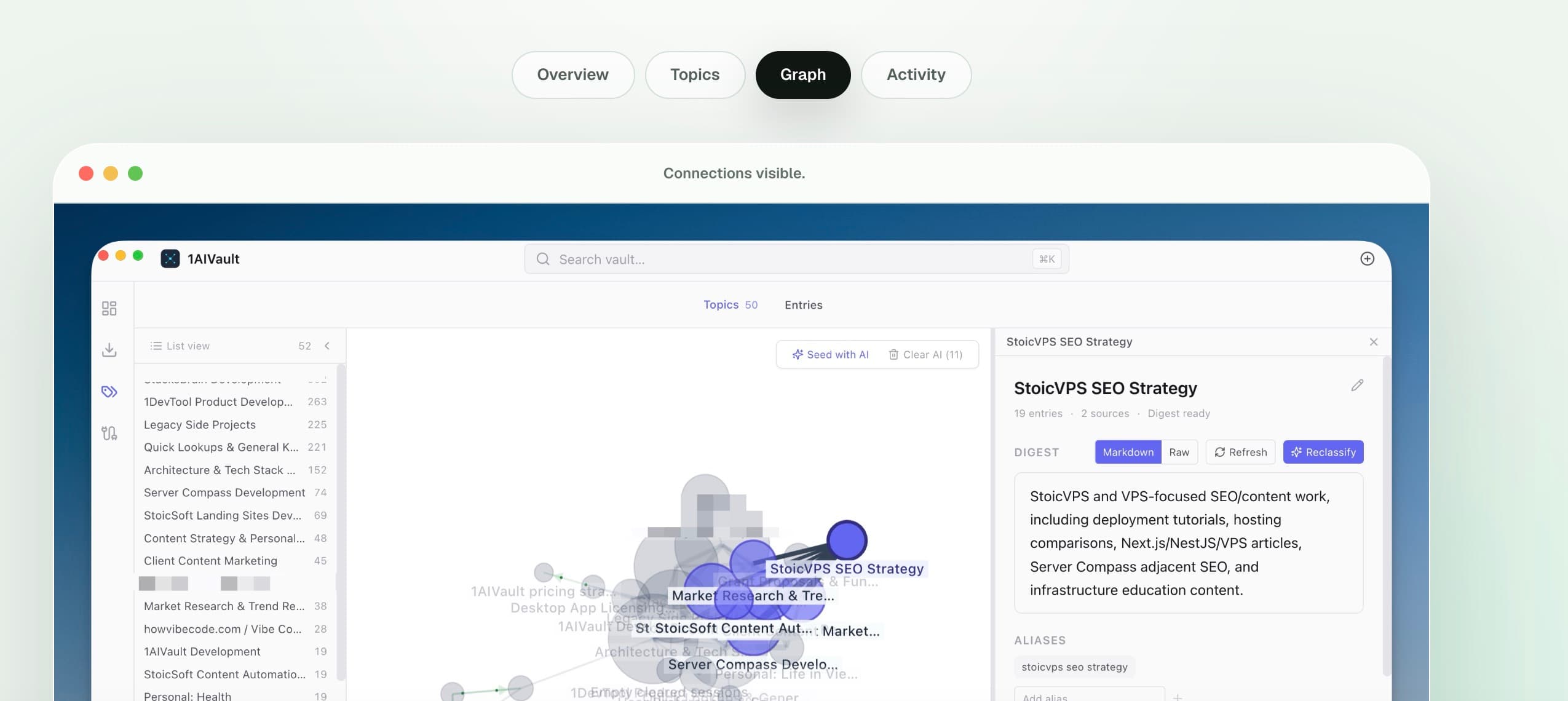
Browse by category, topic, source, or access tier. Search across your conversation history and let automatically discovered topics surface the context you forgot you had.

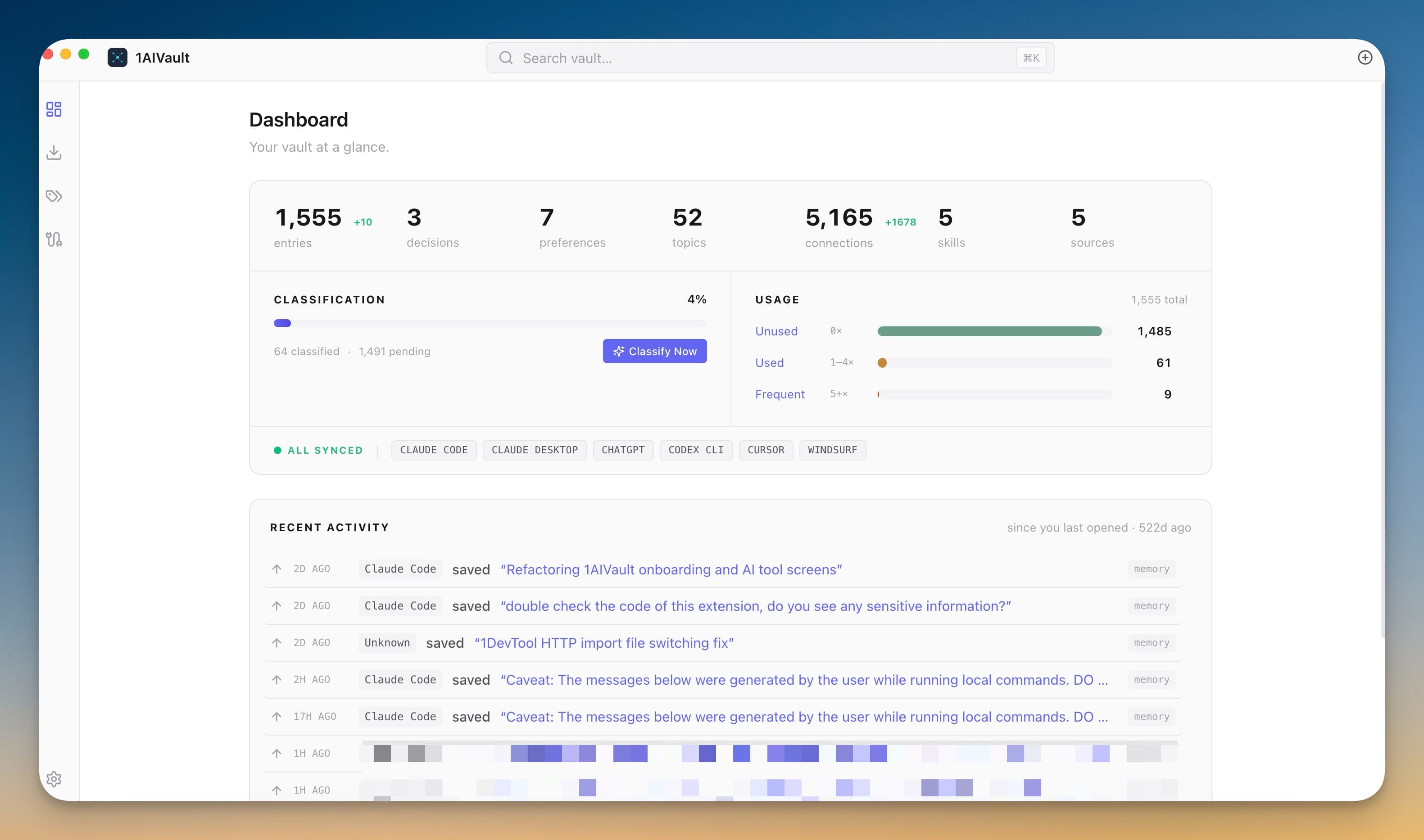
1AIVault Dashboard screen — Your vault at a glance

Your vault at a glance

Entries, classifications, sources, and recent activity from every connected AI tool — all in one view.

Fig. 05B - Use cases

Use case library

See how memory moves between your AI tools.

Each case shows a practical workflow: capture useful context in one assistant, recover it later in another, and keep the result in 1AIVault for the next handoff.

Use case 01

Merge yesterday's Claude app ideas into today's OpenCode build.

You brainstorm two separate app concepts in Claude Desktop. The next day, OpenCode can find both saved ideas in 1AIVault and help combine them into one product direction.

Start
Claude
Bridge
1AIVault
Continue
OpenCode

Ask for yesterday's ideas

OpenCode only needs a natural request about the two app ideas from Claude Desktop. 1AIVault gives it the memory layer behind those conversations without a pasted recap.

Find both PRDs in memory

OpenCode sees both saved PRDs in the vault, confirms they came from Claude Desktop, and can read either source before designing the combined product and implementation path.

Try this recall promptWorks across connected AI apps

check 1aivault about the recent 1MarketingTool and ContentCI brainstorm ideas from Claude Desktop yesterday

What 1AIVault keeps

Both app ideas stay available as shared memory, so OpenCode can compare, merge, and turn them into an implementation plan without copying chat transcripts.

Use case 02

Turn a support fix into a high-context testimonial request.

Codex fixes an app issue from a user's feedback email. Weeks later, Claude Desktop can recover that support history from 1AIVault and draft a more personal review request.

Start
Codex
Bridge
1AIVault
Continue
Claude

Fix the issue in Codex

Paste the user's bug email into Codex and ask for a detailed fix plan. Codex uses the message as product context and works through the issue while the interaction becomes part of your memory trail.

Ask Claude for the outreach

A few weeks later, ask Claude Desktop to draft the testimonial email. Instead of starting cold, point Claude at the earlier feedback and fix history stored in 1AIVault.

Use the full customer context

Claude finds the right feedback, identifies the engaged user, and drafts from real history: what they reported, how they used the app, and why they are a good testimonial candidate.

Try this recall promptWorks across connected AI apps

check 1aivault about these users from Server Compass feedback. Draft an email asking for a review, profile photo, and optional website

What 1AIVault keeps

The testimonial ask is no longer generic. Claude can reference the actual bug, the fix, and the user's engagement history so the email feels specific and earned.

Fig. 03 — What you get

Anatomy of a portable AI vault.

1AIVault is not another chat client. It's the unified layer that auto-imports, classifies, and connects the AI tools you already use.

Hover a feature to see the robot react

01 · Import

Auto-import your AI history

Finds supported desktop AI tools on your machine. Imports conversations with one click or watches for new ones automatically. Browser extension captures ChatGPT and Claude web sessions.

02 · Classify

Topic classification

Local AI groups your entries by topic across every source. See how a research thread, decision, draft, or plan evolved between tools, with auto-generated digests and timelines. Powered by Ollama; nothing leaves your machine.

03 · Connect

Connection hub

One-click MCP install for supported desktop AI apps. Monitor when assistants read or write memory, manage import sources, and keep every integration in one place.

04 · Cellular

Local-first vault

Your context starts and stays on your machine. One local vault you own, with optional sync only when you choose it. Classification can run locally via Ollama too.

05 · Recall

Search and discover

Fast full-text search across entries, tags, topics, and sources. Browse discovered topics, follow a thread, or find the exact note an AI used.

06 · Membrane

Optional encrypted sync

Add end-to-end encrypted sync and a mobile companion only when you need them. The vault never leaves your control.

Fig. 04 — How it works

Import. Classify. Connect.

1AIVault detects your AI tools, imports your conversations, classifies them by topic, and connects everything via MCP. Three steps to a unified AI memory.

Hover a step to see the robot react

01Collect

Import

ClaudeChatGPTDesktop toolsBrowser extension

1AIVault detects supported AI tools, imports conversations automatically, and captures ChatGPT or Claude web sessions with the browser extension.

02Classify

Organize

TopicsTiersSourcesDigests

Local AI groups entries by topic, source, and access tier. Trace how a plan, decision, or draft moved across tools without sending data away.

03Connect

Reuse

Claude DesktopChatGPT DesktopCursorWindsurf

Install the MCP server into supported AI apps with one click. Assistants can read from the vault on demand — same context, every tool, less repeated prompting.

Works even when the app is closed
Guided setup — one-click install
100% local vault
Fig. 06 — Editions

Free forever. Pro once. Never a subscription.

Use 1AIVault free up to 2,000 entries and 50 topics. Hit the wall? Pay once for unlimited — keep everything you built, forever.

Edition

Free

The whole vault. Limited to 2,000 entries and 50 topics.

$0forever
  • 2,000 entries · 50 topics
  • 1 device
  • All 7 MCP integrations
  • Browser extension
  • Skills (.skill.md)
  • JSON export
  • Reading never blocked
Download free
Edition

Pro · 1 device

Unlimited entries and topics for a single machine.

$29one-time
  • Everything in Free
  • Unlimited entries
  • Unlimited topics
  • 1 device
  • 12 months of updates
  • Unlocks unlimited use
Buy Pro · $29
Best value · 32% off
Edition

Pro · 3 devices

For the laptop, the desktop, and the work machine.

$59one-time
  • Everything in Pro · 1 device
  • 3 devices
  • Save $28 vs three single licenses
  • 12 months of updates
  • Manage devices from settings
Buy Pro · $59
39% off
Edition

Pro · 5 devices

For the full kit — extras for family or backup machines.

$89one-time
  • Everything in Pro · 1 device
  • 5 devices
  • Save $56 vs five single licenses
  • 12 months of updates
  • Manage devices from settings
Buy Pro · $89

Free tier includes 2,000 entries · Reading & deleting always free

Need a team license? Commercial · $50 / year per seat

Fig. 07 — Appendix

Questions, answered.

Still unsure? The vault is local and exportable — try it free, keep your data, and move it when you need to.

  • 1AIVault auto-detects supported desktop AI tools on your machine and can import conversations from each. The bundled MCP server connects to Claude Desktop, ChatGPT Desktop, Cursor, Claude Code, Cline, and Windsurf — any MCP-compatible app works. A browser extension captures ChatGPT and Claude web sessions too.

  • All vault data lives on your computer. Topic classification runs locally via Ollama — nothing leaves your machine unless you explicitly enable optional encrypted sync.

  • Yes. The MCP server is a standalone process that supported AI apps can start on demand. It connects to the same local vault, so your memory is available even when the 1AIVault window isn't open.

  • 1AIVault uses a local AI model via Ollama to automatically group your entries by topic across all sources. You can see how research, drafts, plans, and decisions evolved from one tool to another, with auto-generated digests and timelines.

  • Yes. 1AIVault detects conversations from supported desktop tools automatically. Import them all with one click, or enable auto-import to watch for new conversations as they happen. For ChatGPT and Claude web, install the browser extension to capture sessions via a local bridge.

  • The Connection view is your central place to manage AI integrations. Install MCP connections with one click, monitor memory activity, manage import sources and auto-import settings, and confirm every app can read from the vault.

  • There is no separate time-limited trial. 1AIVault is free to use forever up to 2,000 entries and 50 topics. Pro is a one-time upgrade when you want unlimited entries and topics.

  • macOS (Apple Silicon and Intel), Windows (64-bit), and Linux (AppImage and .deb). The app auto-updates through GitHub Releases.