
The full backstory
Every entry that fed a topic is laid out in order, so you see how a decision reached its current state rather than just the conclusion.
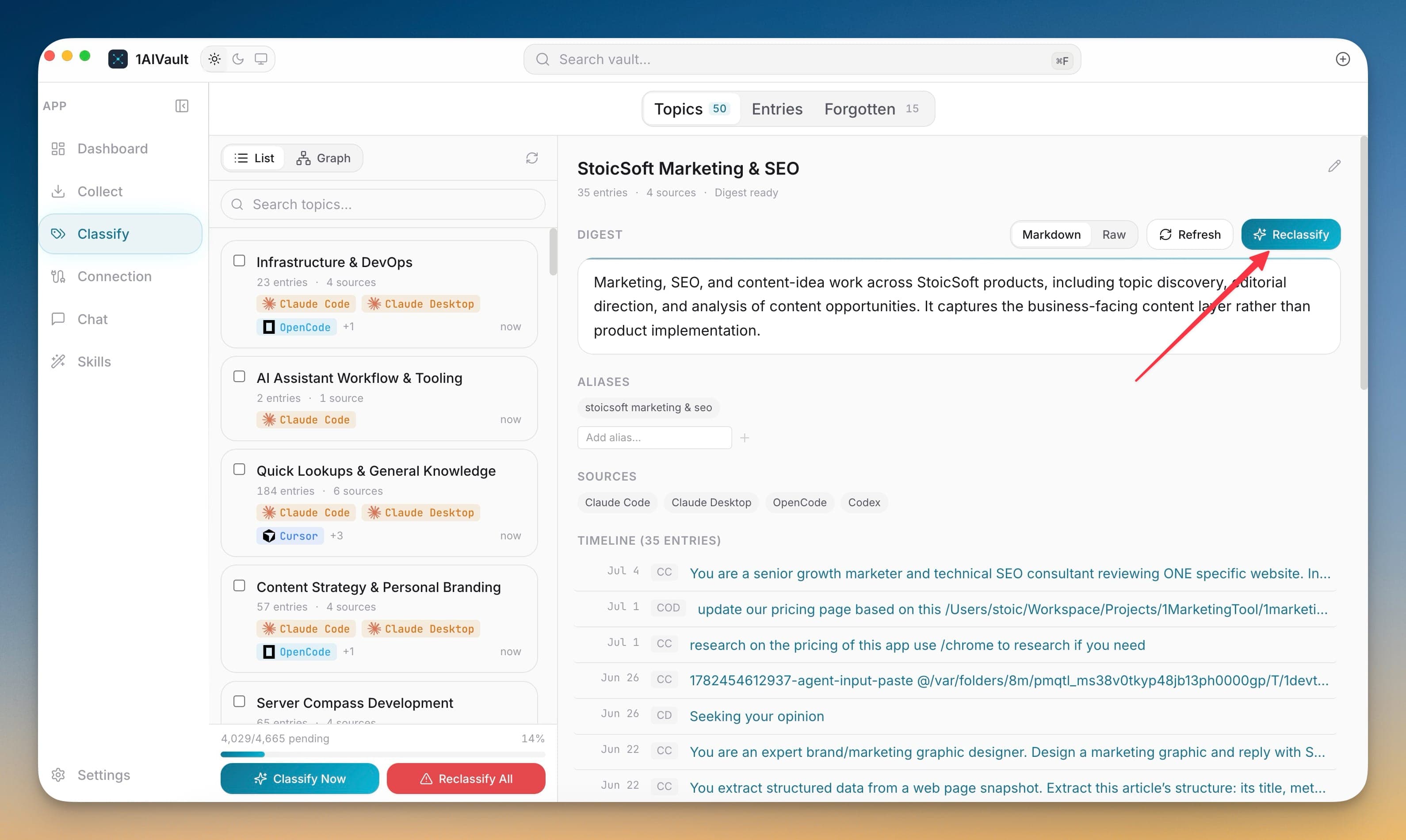
The timeline on a topic detail lays out every entry that formed it in chronological order, each tagged with the source it came from and when it happened. Rather than seeing only the current state of a decision, you can follow the whole arc — for example a design that started as JWT, moved to OAuth2, then grew a SAML requirement.
Because each entry keeps its source lineage, the timeline shows exactly where every step took place: which discussion happened in Claude Code, which in ChatGPT, which in Cursor. That makes it easy to reconstruct not just what you concluded, but the path and the tools that got you there.
Every entry that fed a topic is laid out in order, so you see how a decision reached its current state rather than just the conclusion.
Each timeline entry shows which AI tool it came from, revealing where the conversation happened at each stage.
Open any timeline entry to read the full conversation behind that moment in the topic's history.
Select a topic to open its detail view.
Scroll the timeline to see contributing entries in chronological order.
Check each entry's source and date to trace how the work moved between tools.
Open an entry to read the conversation behind that step.
Open the topic and read its timeline. Entries appear in order with source and date, so you can follow a project from its first discussion to its current state.
Yes. Every timeline entry keeps its source lineage, so you can tell whether a step happened in Claude Code, ChatGPT, Cursor, or another tool.
Point 1AIVault at a local Ollama model and it extracts topics from your entries, merges duplicates, and groups related memories — cross-classification across topics is the default.
Learn moreA 3-step wizard that picks an AI client, confirms the MCP connection, and seeds your vault from existing chats — with project pickers for Claude Code and Cursor.
Learn moreEach topic can carry a digest that is viewable as Markdown or raw text, editable, refreshable, and classifiable again.
Learn moreStart free, import real conversations, and reuse your memory across every AI agent you already use.