
One-click encrypted export bundles memories, skills, topics,
One-click encrypted export bundles memories, skills, topics, links, and settings
Bundle your entire vault — memories, skills, topics, links, settings — into a single passphrase-protected file. Drop it into 1AIVault on another machine, type the passphrase, and the whole vault appears intact.
Bundle your entire vault — memories, skills, topics, links, settings — into a single passphrase-protected file. Drop it into 1AIVault on another machine, type the passphrase, and the whole vault appears intact.
Once your vault is tuned, you don't want it stuck on one laptop. Encrypted transfer moves the whole thing — including activity and connection state — to a second machine in one file, without exposing the contents if the file leaks.
One-click encrypted export bundles memories, skills, topics, links, and settings
Passphrase-derived encryption key so even a leaked bundle stays safe
Selective sections — pick memories only, memories + skills, or the full vault including activity and connections
Import preview shows entry count, topic count, skill count, and last export date before you commit
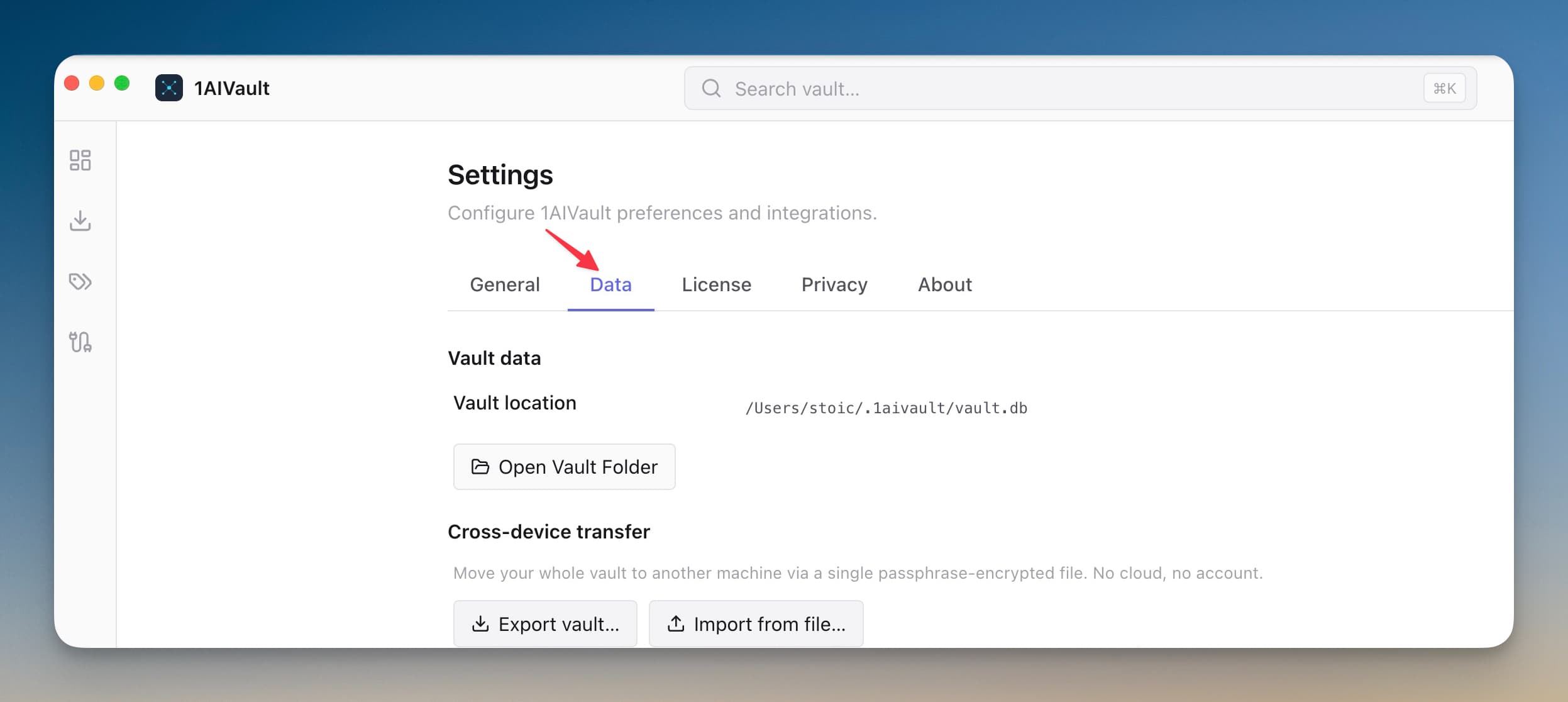
Open Settings → Data and choose to export the vault.
Set a strong passphrase and save the encrypted file somewhere you control.
On the new machine, open Settings → Data and choose import.
Enter the passphrase to unlock and bring the vault in.
Yes. Encrypted Cross-Device Vault Transfer is part of 1AIVault Pro ($29 one-time).
A passphrase-derived key (PBKDF2) wraps a symmetric AES key, and the bundle contents are encrypted with that. The key is never stored — only the passphrase you supply at import time can decrypt the bundle.
Yes. The bundle format is OS-agnostic — export on macOS, import on Linux, or any other combination.
Settings are split into General, Data, License, Privacy, and About so operational controls stay predictable.
Learn moreAnalytics, crash reports, MCP argument capture, and Memory Reads retention are explicit settings instead of hidden defaults.
Learn moreClassify's Forgotten tab centralizes remembered entries, hidden topics, search, restore, and permanent cleanup actions.
Learn moreStart free, import real conversations, and reuse your memory across every AI agent you already use.