
Vault summary with entry count, topic count,
Vault summary with entry count, topic count, and recent activity
Dashboard view shows a vault summary plus a live activity feed of every read, write, and classification across all connected AI tools. Deep links via `aivault://` open the app from anywhere.
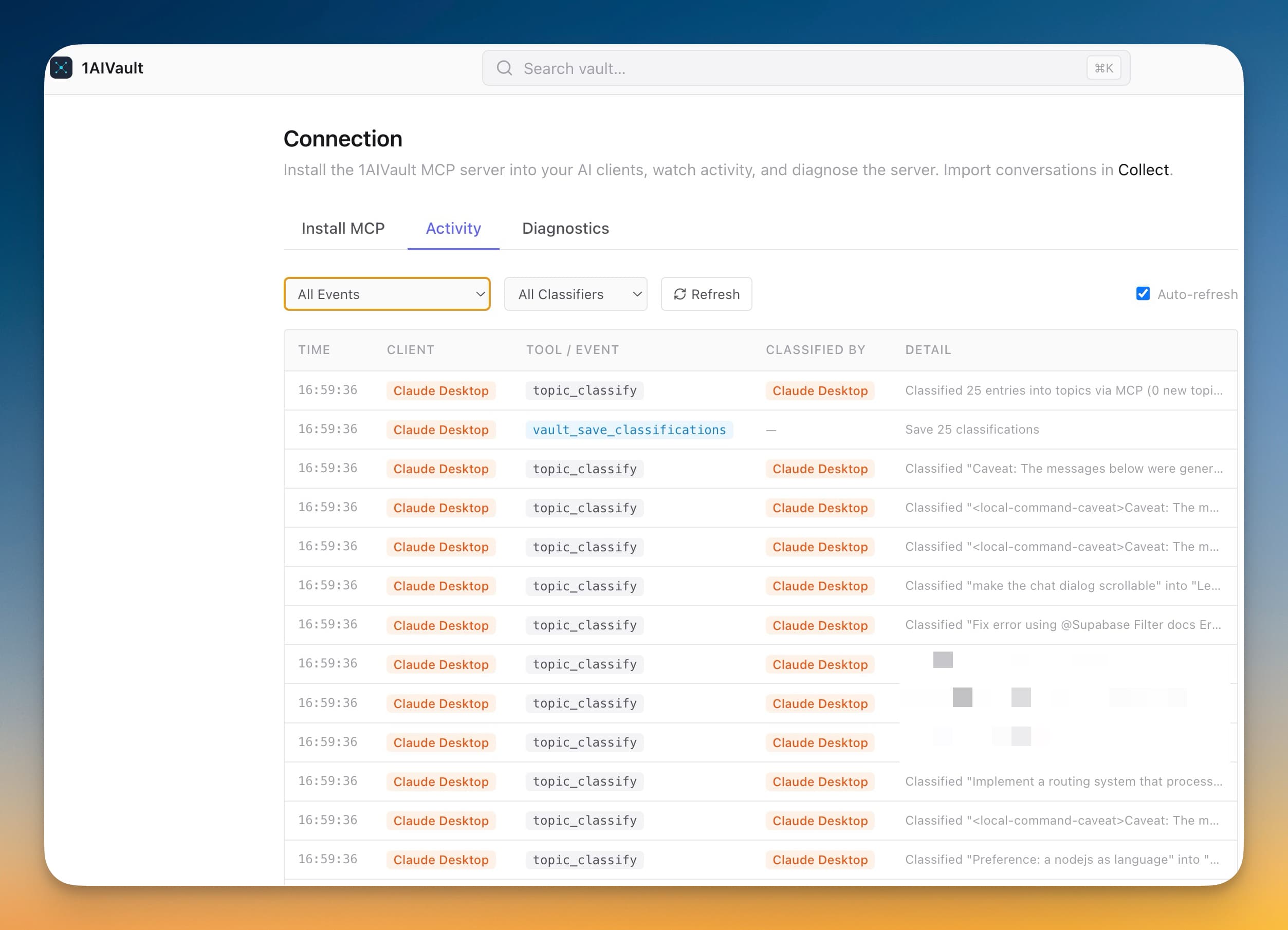
Dashboard view shows a vault summary plus a live activity feed of every read, write, and classification across all connected AI tools. Deep links via `aivault://` open the app from anywhere.
When several AI tools are sharing one vault, you want to see what's happening in real time. The activity feed turns invisible MCP traffic into a stream you can scan.
Vault summary with entry count, topic count, and recent activity
Live activity feed of reads, writes, and classifications across every connected client
Ollama setup banner if topic classification isn't configured yet
Deep links via `aivault://` open the app directly from external URLs
Open 1AIVault to land on the dashboard.
Review vault health, recent memory, and source activity tiles.
Jump straight into classification or search from the activity view when something needs attention.
Vault health, recent memory activity, source coverage across your AI tools, and classification status — a complete snapshot of your AI memory in one view.
Yes. The activity overview shows recent captures and which sources are active, so a successful or stalled import is easy to confirm.
Every entry detail header shows 'Last used X ago by Source · Nx this week' so you know which AI tools are touching a memory and how often.
Learn moreLocal embeddings — via Xenova Transformers (ONNX), llama.cpp (GGUF), or a remote embedding API — so AI clients can recall memories by meaning, not just keywords.
Learn moreText search uses ranked matching so exact terms, titles, sources, and memory bodies are still easy to audit.
Learn moreStart free, import real conversations, and reuse your memory across every AI agent you already use.