
Hide without deleting
Forgetting pulls an entry or topic out of search, imports, MCP reads, and injection while keeping the record fully recoverable.
One tab to hide, review, restore, or permanently clear the memory you set aside.
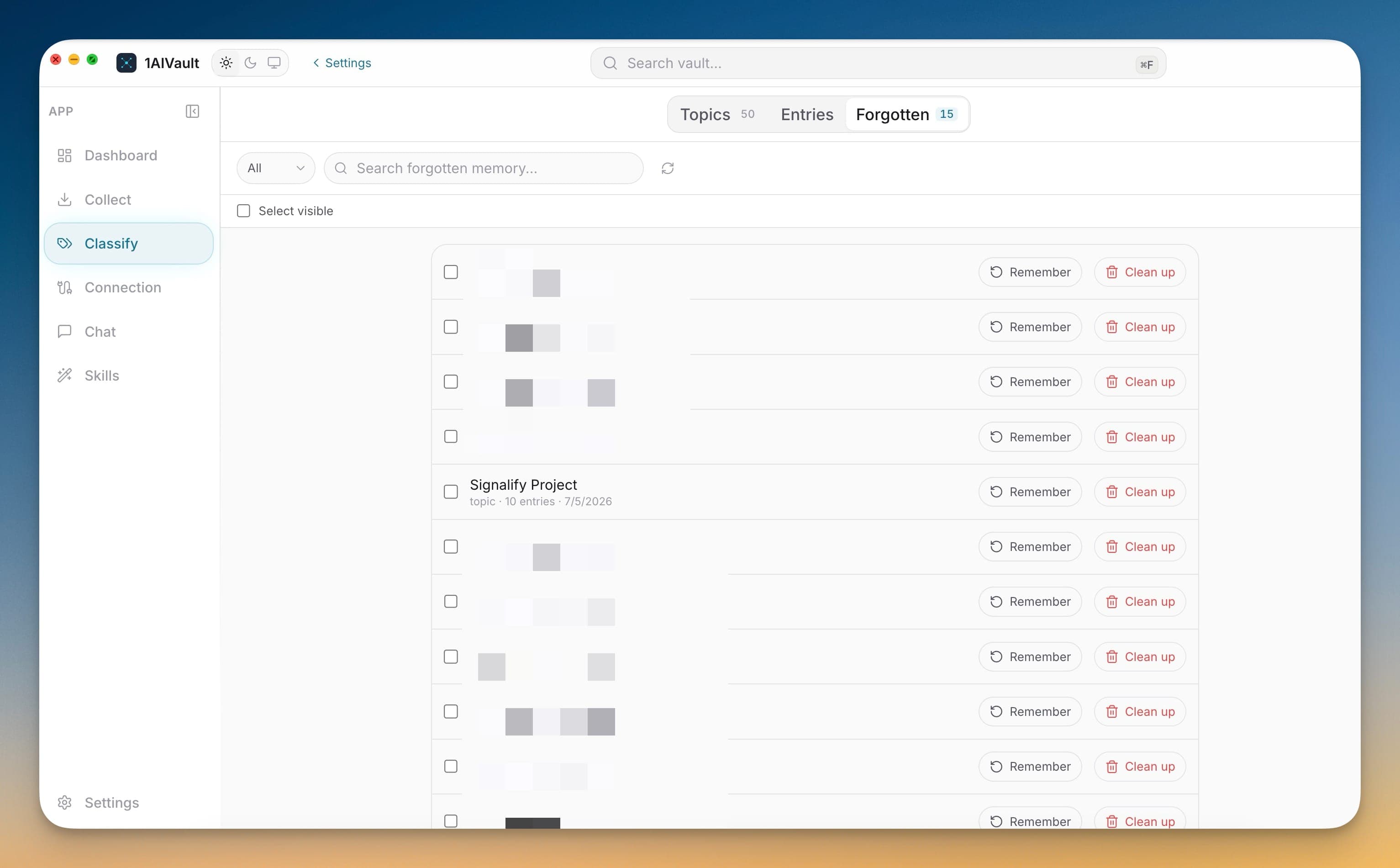
Forgetting a memory in 1AIVault hides it from search, imports, MCP reads, and injected briefs without deleting the underlying record. The Forgotten tab, inside Classify, is where all of that set-aside memory collects. Forgotten entries and hidden topics live side by side and stay searchable, so nothing you chose to suppress vanishes from your own view even as it drops out of every recall path.
From there you decide the final outcome. Remember an entry or topic to bring it fully back into search, injection, and MCP recall, or run a permanent cleanup to remove it for good. Centralizing these actions keeps pruning safe and reversible: you can quiet sensitive or noisy context immediately, review it later, and only delete once you are certain.
Forgetting pulls an entry or topic out of search, imports, MCP reads, and injection while keeping the record fully recoverable.
Remembered entries and hidden topics collect on a single searchable tab, so nothing suppressed is ever truly lost track of.
Remember to bring memory back into every recall path, or run a permanent cleanup when you are sure it should be gone.
Forget an entry or topic anywhere it appears to pull it out of active recall.
Open Classify → Forgotten to see everything you have set aside.
Search the list and Remember anything you want back in search, MCP, and injection.
Run a permanent cleanup to delete items you no longer need.
To the Forgotten tab inside Classify. Hidden entries and topics collect there and stay searchable, so you can review, restore, or permanently remove them later.
Yes. Use Remember on the Forgotten tab to return an entry or topic to search, MCP reads, and injected briefs, exactly as it was before.
Settings are split into General, Data, License, Privacy, and About so operational controls stay predictable.
Learn moreBundle your entire vault — memories, skills, topics, links, settings — into a single passphrase-protected file. Drop it into 1AIVault on another machine, type the passphrase, and the whole vault appears intact.
Learn moreAnalytics, crash reports, MCP argument capture, and Memory Reads retention are explicit settings instead of hidden defaults.
Learn moreStart free, import real conversations, and reuse your memory across every AI agent you already use.