
Root-cause first
Separate server, database, and client problems in one screen instead of editing configs blindly.
Check the server, the database, and the client before you start guessing.
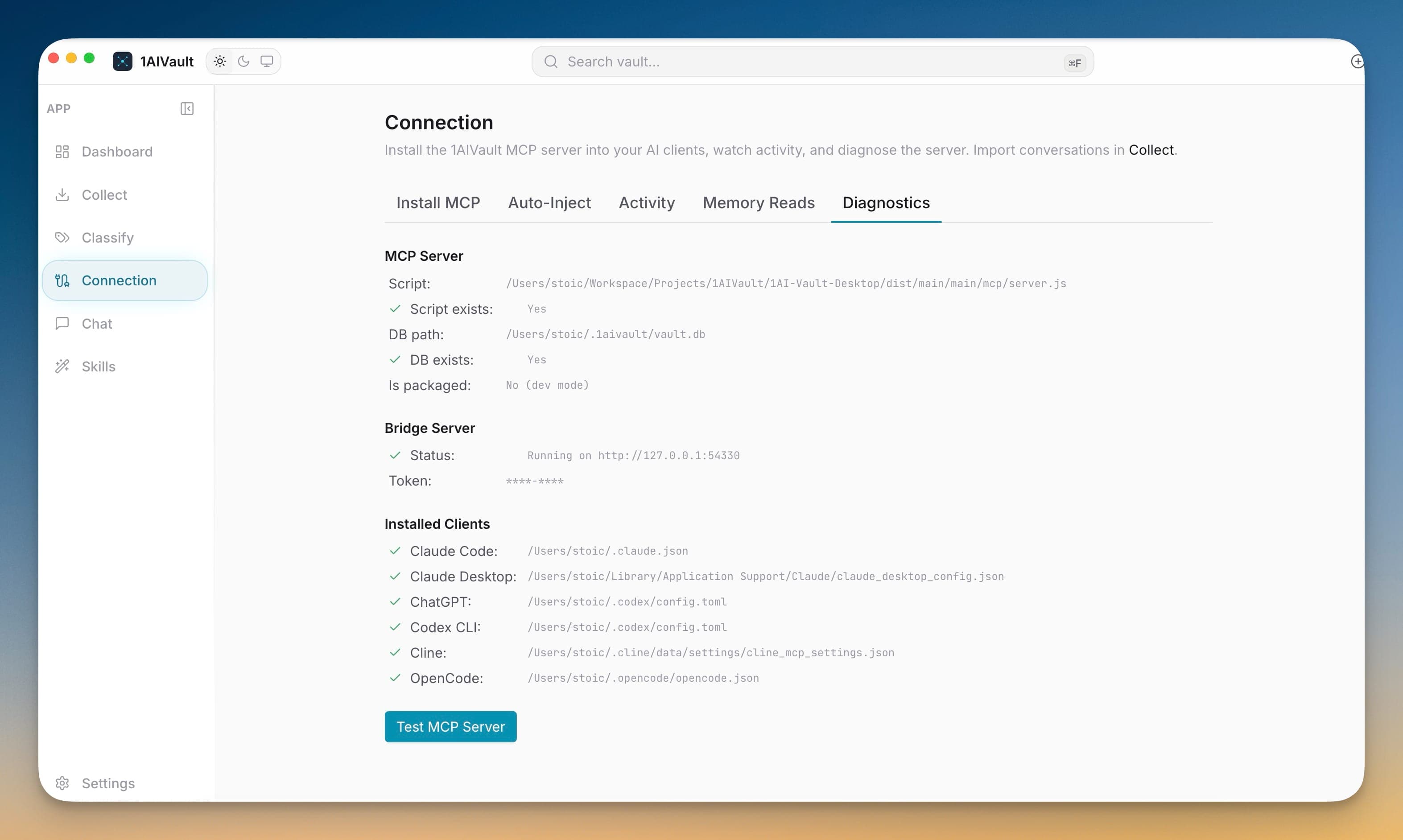
Diagnostics answers the first question every broken MCP connection raises: is it the server, the database, or the client? Before you touch any client settings, the tab confirms whether the bundled server script exists and whether your local vault database is reachable. Server readiness is verified at the source, so you never chase a client-side ghost that was really a missing file.
When a read fails, Diagnostics narrows the cause fast. A green server check plus a reachable database means the problem is on the client — often an un-restarted app or an MCP server disabled in that tool's own settings. A red check points you at the exact path to fix, turning a vague "it's not working" into a concrete next step.
Separate server, database, and client problems in one screen instead of editing configs blindly.
Confirm the bundled script exists and the vault database path resolves before restarting anything.
A passing check tells you to look at the client; a failing one names the file or path at fault.
Open Connection and switch to the Diagnostics tab.
Run the check to test the server script and vault database access.
Read the result to see whether the server, database, or client is the weak link.
Fix the flagged item, then re-run Install or restart the client and re-check.
Run Connection → Diagnostics. It checks whether the server script exists and the vault database is reachable; if both pass, the client likely needs a restart or has the MCP server disabled in its own settings.
The Diagnostics tab verifies server script availability and vault database access, so you can confirm the server side is healthy before troubleshooting any individual client.
Install the MCP bridge for Claude Desktop, Claude Code, Cursor, Cline, and Codex without hand-editing JSON. The Connection view writes the config, runs a diagnostic, and confirms the link is alive.
Learn moreExisting Claude Desktop, Claude Code, Cursor, Cline, Codex, ChatGPT, and OpenCode connections can be refreshed before stale settings break.
Learn moreThe current source registry covers 18 AI tools across desktop apps, CLIs, editors, and coding agents.
Learn moreStart free, import real conversations, and reuse your memory across every AI agent you already use.