
See readiness before you send
Each detected agent shows a detected, not-found, or error state up front, so you fix setup issues instead of hitting a dead turn.
Send each turn to the right model or the right local agent, on purpose.
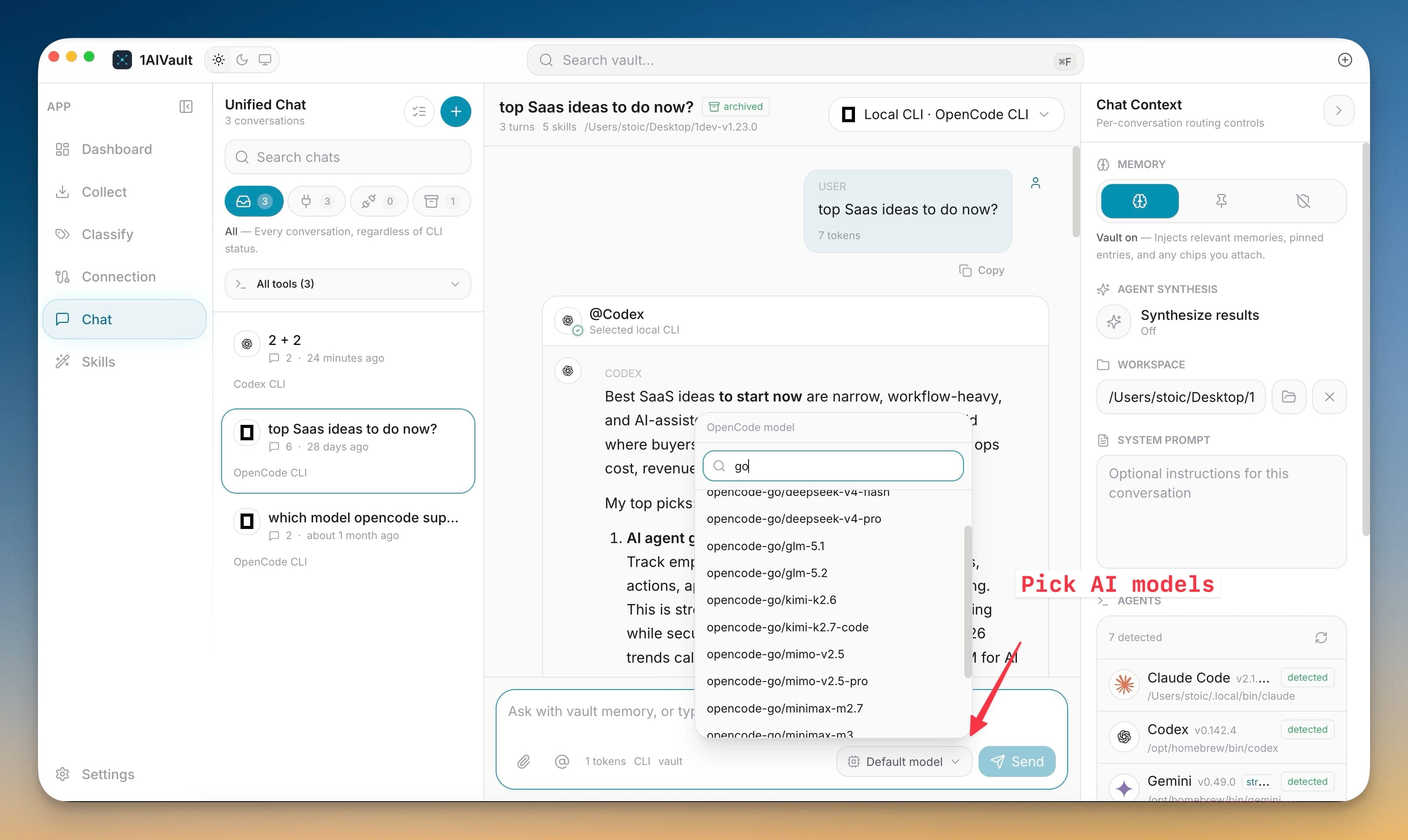
Agent routing turns the composer into a dispatcher. 1AIVault detects the coding CLIs already installed on your machine — Claude Code, Codex, Gemini, OpenCode, Qwen, Amp, and Aider — and lists each with its state and available models. Before a message goes out you can see whether an agent is ready, missing, or misconfigured, so a turn never fails silently on a broken setup.
The model picker searches across providers rather than hardcoding names, grouping recent, cloud, and local endpoints with capability and readiness badges. A normal turn goes to your selected model; mention an agent and that turn routes to the CLI instead; do both and they answer as sibling runs. Every route is explicit, so choosing 'Claude' as a model never gets confused with running Claude Code as an agent.
Each detected agent shows a detected, not-found, or error state up front, so you fix setup issues instead of hitting a dead turn.
The searchable model picker spans cloud and local endpoints with capability badges, so you match the model to the task without memorizing IDs.
Selecting a model and mentioning an agent are separate actions, keeping model answers and agent runs cleanly distinct.
Open the model picker to browse detected agents and available models.
Pick a default model for normal turns, or mention an agent to route a turn to its CLI.
Check each agent's readiness badge before sending.
Send, and watch the selected model or routed agent respond in its own run.
It detects installed coding CLIs such as Claude Code, Codex, Gemini, OpenCode, Qwen, Amp, and Aider, and runs each directly through a headless or ACP session.
Open the model picker in the chat header, search by provider or name, and select a model; the choice becomes the default responder for new turns until you change it.
Chat with the vault inside 1AIVault and route turns to local coding agents without leaving the app.
Learn morePick how much vault context is used for a chat turn while keeping the conversation saved back into memory.
Learn moreThe composer can mention agents, vault entries, topics, local files, folders, and skills as reusable context chips.
Learn moreStart free, import real conversations, and reuse your memory across every AI agent you already use.