
Ollama-powered extraction with `qwen2.5:7b` as the default
Ollama-powered extraction with `qwen2.5:7b` as the default model
Point 1AIVault at a local Ollama model and it extracts topics from your entries, merges duplicates, and groups related memories — cross-classification across topics is the default.
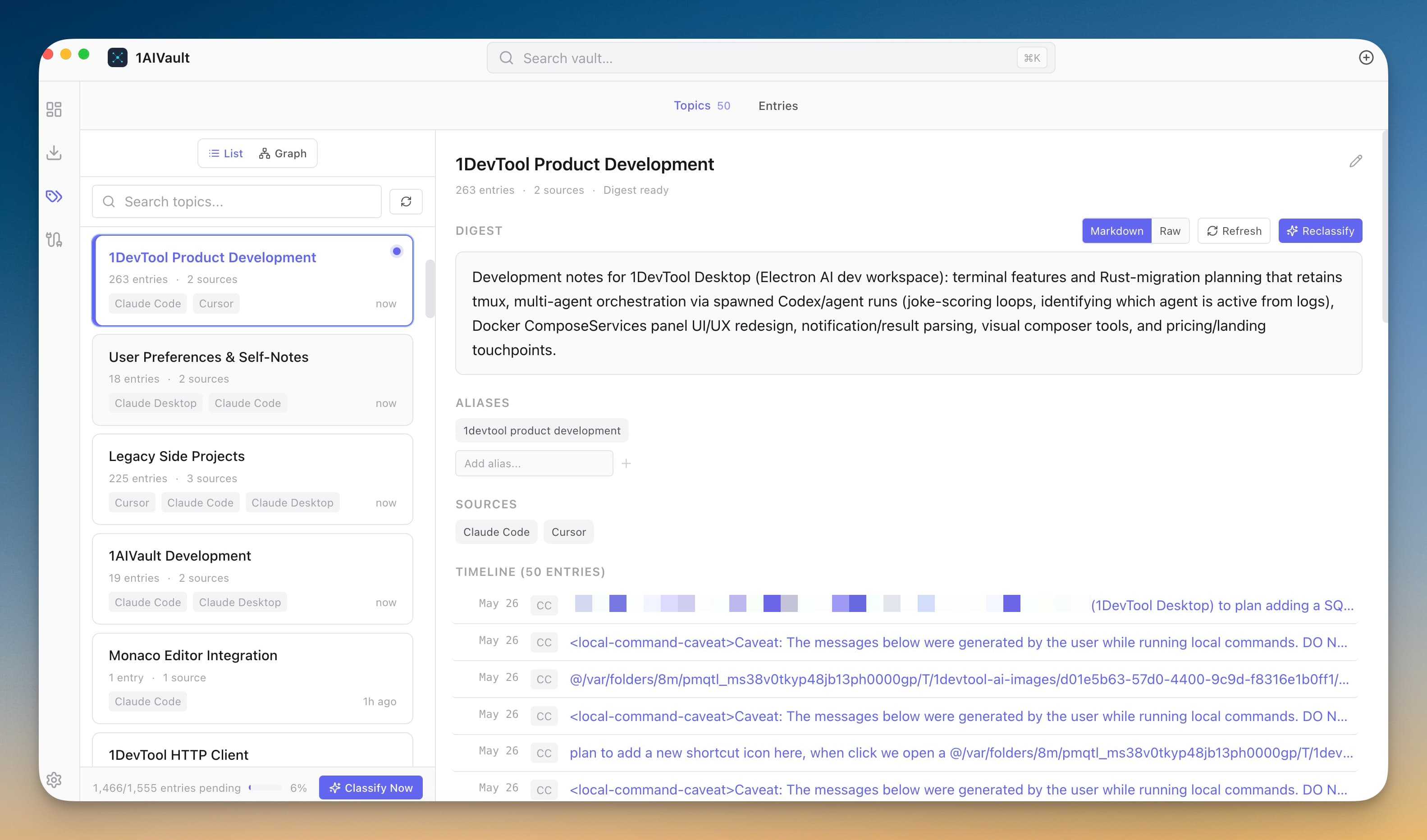
Point 1AIVault at a local Ollama model and it extracts topics from your entries, merges duplicates, and groups related memories — cross-classification across topics is the default.
A growing vault is only useful if you can find related context fast. Topic classification turns a flat list of entries into a navigable map of subjects, projects, and decisions — without sending anything to a remote service.
Ollama-powered extraction with `qwen2.5:7b` as the default model
Suggests topic merges with a side-by-side confirm/reject dialog
Cross-classification — an entry about Postgres for the analytics dashboard appears under both topics
Auto-generated topic digests so you can catch up at a glance
Import conversations so raw memories flow into the vault.
Let local classification group entries into topics automatically, or run a deeper pass with a connected AI client.
Browse the topic list to see every area of work at a glance.
Rename, merge, or refine topics until the map fits your mental model.
Yes for the classifier. If Ollama isn't running, classification is disabled and an inline banner in the Dashboard prompts you to set it up. The rest of the vault works without it.
Yes. Settings → Classification lets you pick any Ollama model you have locally. `qwen2.5:7b` is the default because it balances quality and speed on most laptops.
A 3-step wizard that picks an AI client, confirms the MCP connection, and seeds your vault from existing chats — with project pickers for Claude Code and Cursor.
Learn moreEach topic can carry a digest that is viewable as Markdown or raw text, editable, refreshable, and classifiable again.
Learn moreTopic detail shows the entries that formed a topic so you can inspect how an area of work evolved over time.
Learn moreStart free, import real conversations, and reuse your memory across every AI agent you already use.