
One predictable home
Theme, hotkey, notifications, and import watchers all sit under General, so everyday preferences never send you hunting through menus.
Every operational choice for your vault, organized into five predictable tabs.
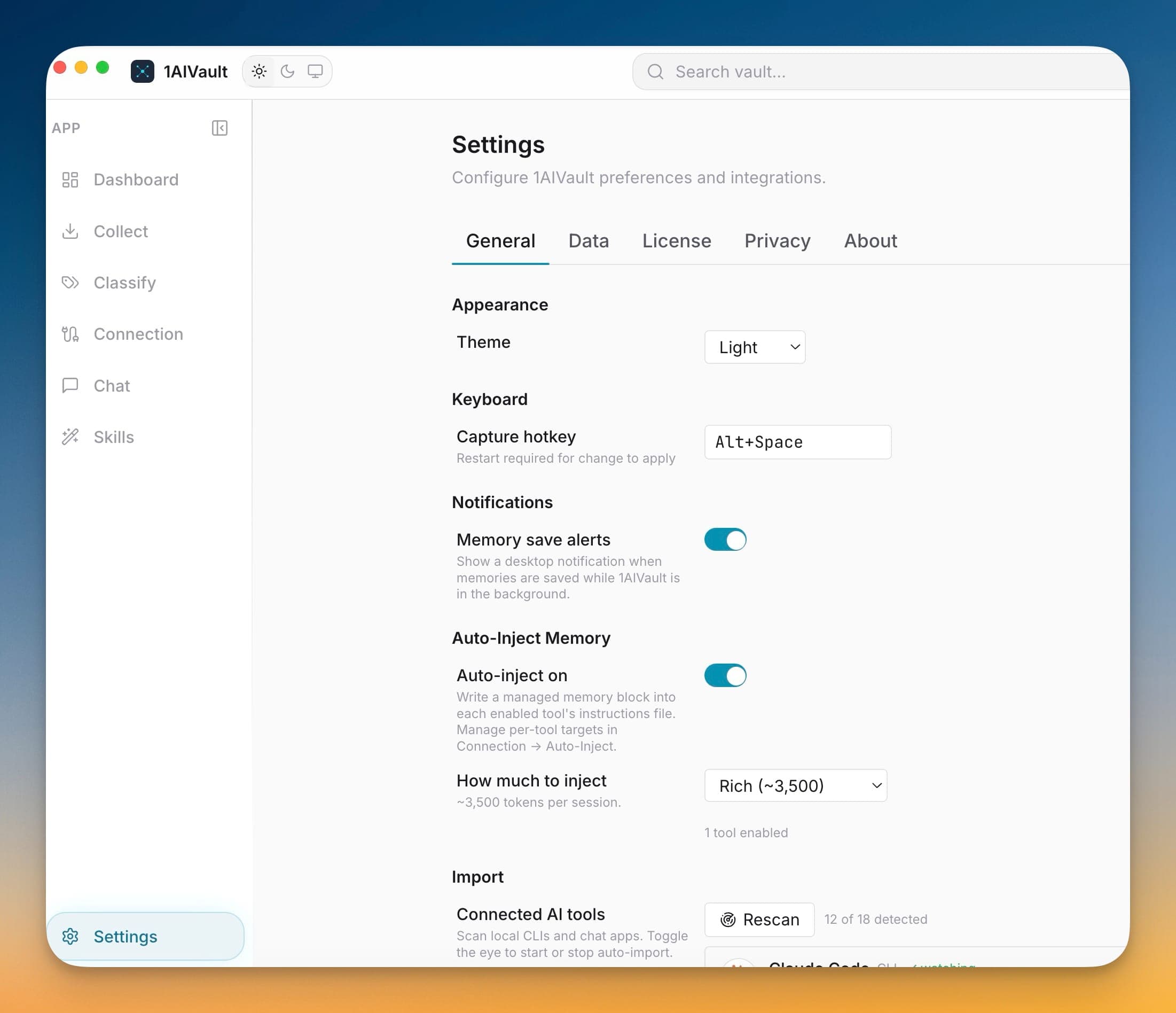
The Settings workspace is where 1AIVault keeps operational decisions instead of scattering them through the app. Five tabs — General, Data, License, Privacy, and About — group related controls so you always know where a setting lives. General covers the theme, the capture hotkey, memory-save notifications, Auto-Inject defaults, and which connected AI tools are watched for imports.
Splitting settings this way keeps the surface calm as the app grows. Data handles vault location and encrypted transfer, License tracks your plan and device activation, Privacy governs analytics and retention, and About reports the version and update status. Nothing hides behind an overflow menu, so tuning how your local memory vault behaves stays a two-click job.
Theme, hotkey, notifications, and import watchers all sit under General, so everyday preferences never send you hunting through menus.
Data, License, and Privacy live on their own tabs, keeping vault files, plan status, and telemetry choices from bleeding into each other.
Every operational control is a labeled tab away, so power-user settings stay discoverable instead of hidden behind silent defaults.
Open Settings from the 1AIVault sidebar.
Pick the tab that matches your task — General, Data, License, Privacy, or About.
Adjust the control you need; changes apply to the local vault immediately.
Open the Settings workspace from the sidebar. It is divided into General, Data, License, Privacy, and About tabs, each grouping a related set of controls.
General covers the app theme, the capture hotkey, memory-save notifications, Auto-Inject defaults, and which connected AI tools are watched for imports.
Bundle your entire vault — memories, skills, topics, links, settings — into a single passphrase-protected file. Drop it into 1AIVault on another machine, type the passphrase, and the whole vault appears intact.
Learn moreAnalytics, crash reports, MCP argument capture, and Memory Reads retention are explicit settings instead of hidden defaults.
Learn moreClassify's Forgotten tab centralizes remembered entries, hidden topics, search, restore, and permanent cleanup actions.
Learn moreStart free, import real conversations, and reuse your memory across every AI agent you already use.