
Sync memories, topics, skills, links, and freshness
Sync memories, topics, skills, links, and freshness through a folder Dropbox, OneDrive, iCloud, Syncthing, or a VPS already mirrors
Keep your memory vault current on every machine you work from. 1AIVault syncs through a folder your other tools already mirror — Dropbox, OneDrive, iCloud Drive, Syncthing, or a mounted VPS — with the option to encrypt everything it shares.
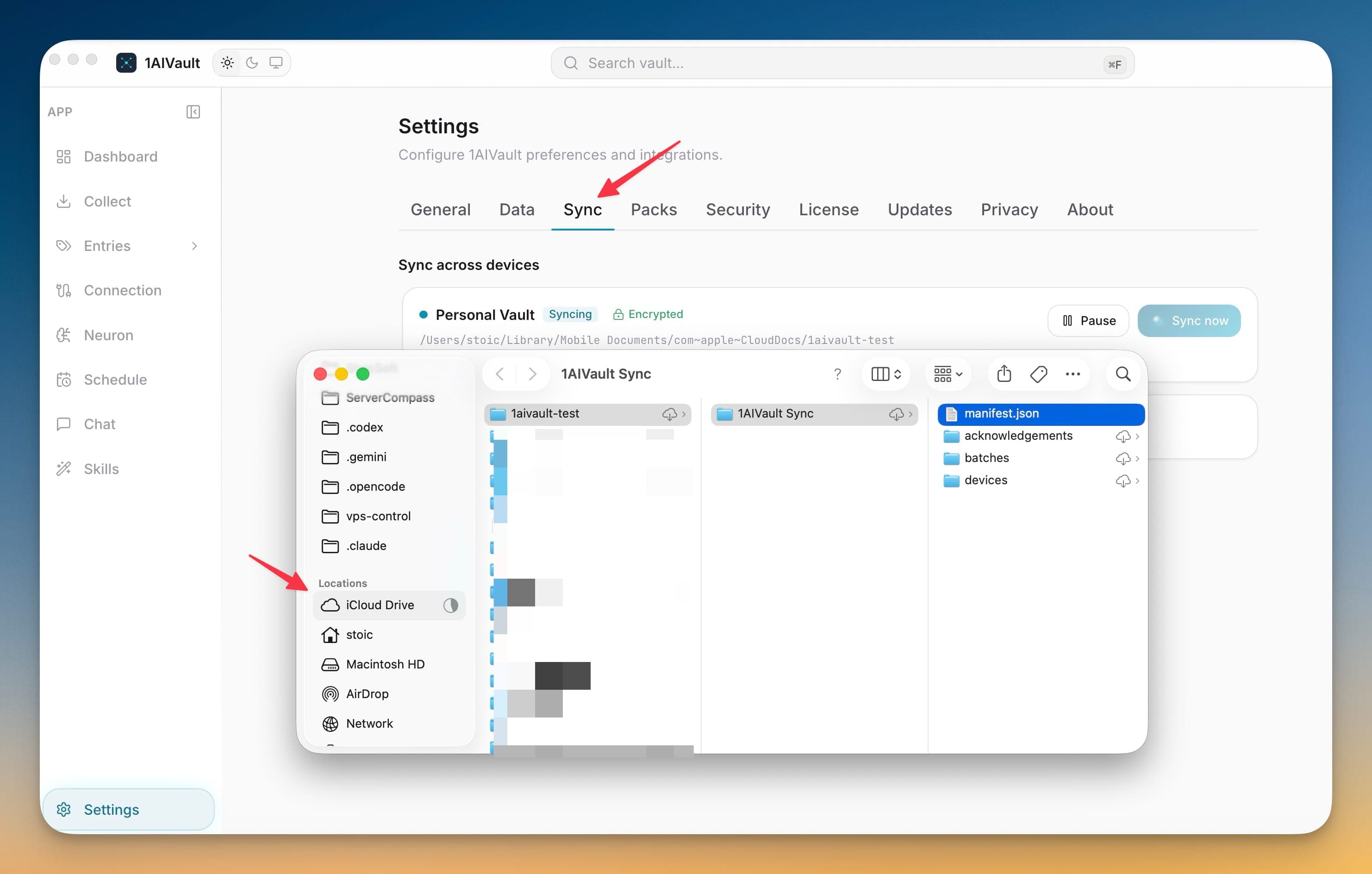
Keep your memory vault current on every machine you work from. 1AIVault syncs through a folder your other tools already mirror — Dropbox, OneDrive, iCloud Drive, Syncthing, or a mounted VPS — with the option to encrypt everything it shares.
A vault that only lives on one machine stops being useful the moment you switch computers. Sync Across Devices keeps the same memory current on every device you work from, using a folder your existing tools already mirror — so there is no new server to run and no account to create. Turn on encryption and your shared memory stays private even inside a cloud folder.
Sync memories, topics, skills, links, and freshness through a folder Dropbox, OneDrive, iCloud, Syncthing, or a VPS already mirrors
Encrypt shared content with a separate passphrase and recovery key, or keep readable files in a folder you trust
Add a Mac, Windows, or Linux device and merge the memory already on both sides instead of overwriting it
Review conflicts side by side — keep the current version, restore another, or dismiss it
Open 1AIVault and go to the relevant workspace.
Use Sync Across Devices as part of your capture, classify, recall, and connect workflow.
Reuse the resulting memory across your connected AI tools.
No. Sync runs through an ordinary folder that a tool you already use — Dropbox, OneDrive, iCloud Drive, Syncthing, or a mounted VPS — keeps mirrored across your devices. 1AIVault never needs its own server or login.
It can be. Choose encrypted sync to protect the shared files with a separate passphrase and recovery key, or keep readable files in a folder you already control. Freshness and origin data travel either way.
You get a conflict review that shows the competing versions side by side. Keep the current result, restore another version, or dismiss the conflict — nothing is silently overwritten.
Normal vault use continues. Pending changes wait until the folder is available again, then sync in the background whenever 1AIVault is open.
Settings are split into General, Data, License, Privacy, and About so operational controls stay predictable.
Learn moreBundle your entire vault — memories, skills, topics, links, settings — into a single passphrase-protected file. Drop it into 1AIVault on another machine, type the passphrase, and the whole vault appears intact.
Learn moreAnalytics, crash reports, MCP argument capture, and Memory Reads retention are explicit settings instead of hidden defaults.
Learn moreStart free, import real conversations, and reuse your memory across every AI agent you already use.