
Consolidate related memories overnight while your machine
Consolidate related memories overnight while your machine sits idle
Schedule a nightly dream and your own AI CLI consolidates your vault while you sleep — merging duplicates, fixing tags, and linking related memories, with a dream diary each morning.
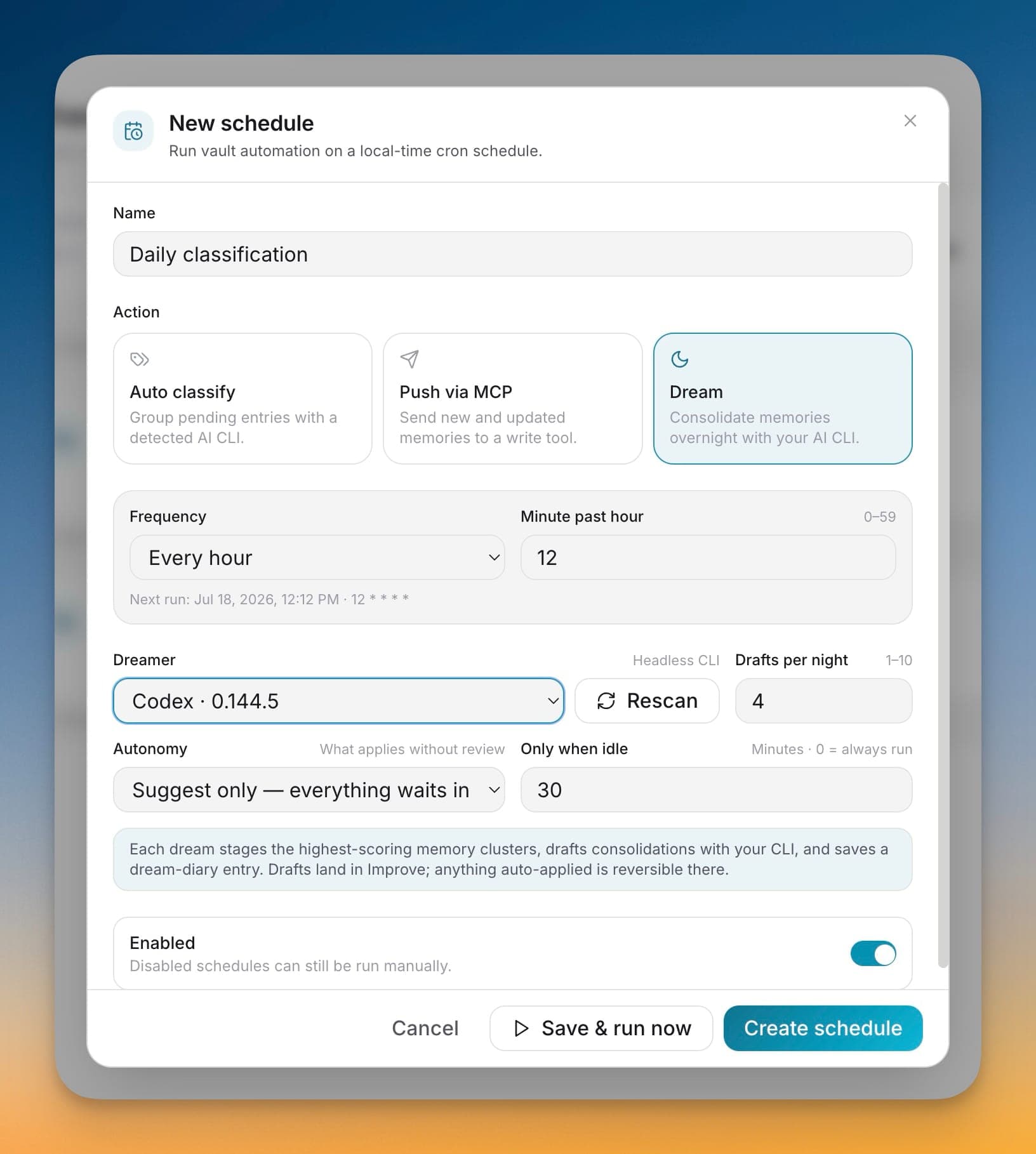
Schedule a nightly dream and your own AI CLI consolidates your vault while you sleep — merging duplicates, fixing tags, and linking related memories, with a dream diary each morning.
Every week of imports leaves sediment behind: near-duplicate entries, half-tagged topics, and links that were never drawn. Cleaning it up by hand never happens. Dreaming runs that maintenance on a schedule with your own AI CLI, so the vault gets tidier on its own — and every change it applies is reversible from Improve.
Consolidate related memories overnight while your machine sits idle
Set autonomy from suggest-only to safe changes to full so you decide what applies without review
Read a dream diary each morning summarizing what was reviewed drafted and applied
Undo anything it applies from the Improve revert flow so nothing is one-way
Open 1AIVault and go to the relevant workspace.
Use Dreaming — Overnight Vault Consolidation as part of your capture, classify, recall, and connect workflow.
Reuse the resulting memory across your connected AI tools.
No. Dreaming does nothing until you create a dream schedule under Schedule, and it needs one of your installed AI tools to do the thinking.
It depends on the autonomy you pick. Suggest-only holds everything for review; safe changes apply low-risk cleanups like retagging, topic assignment, and linking; full autonomy applies more. Merges, forgets, and skill changes always wait for you.
Yes. Every applied change lands in Improve and is a single undo away through the normal revert flow, no matter the autonomy level.
Only when idle. You set a minute threshold and Dreaming skips the run unless your machine has been idle that long — set it to 0 to always run.
Point 1AIVault at a local Ollama model and it extracts topics from your entries, merges duplicates, and groups related memories — cross-classification across topics is the default.
Learn moreA 3-step wizard that picks an AI client, confirms the MCP connection, and seeds your vault from existing chats — with project pickers for Claude Code and Cursor.
Learn moreEach topic can carry a digest that is viewable as Markdown or raw text, editable, refreshable, and classifiable again.
Learn moreStart free, import real conversations, and reuse your memory across every AI agent you already use.