
Imports Grok Build conversations into your shared
Imports Grok Build conversations into your shared memory vault
Connect Grok Build, xAI's agent CLI, to 1AIVault. Its conversations import into your vault and it can read your memory over MCP — joining Claude Code, Codex, Gemini, Antigravity, Cursor, Cline, and OpenCode.
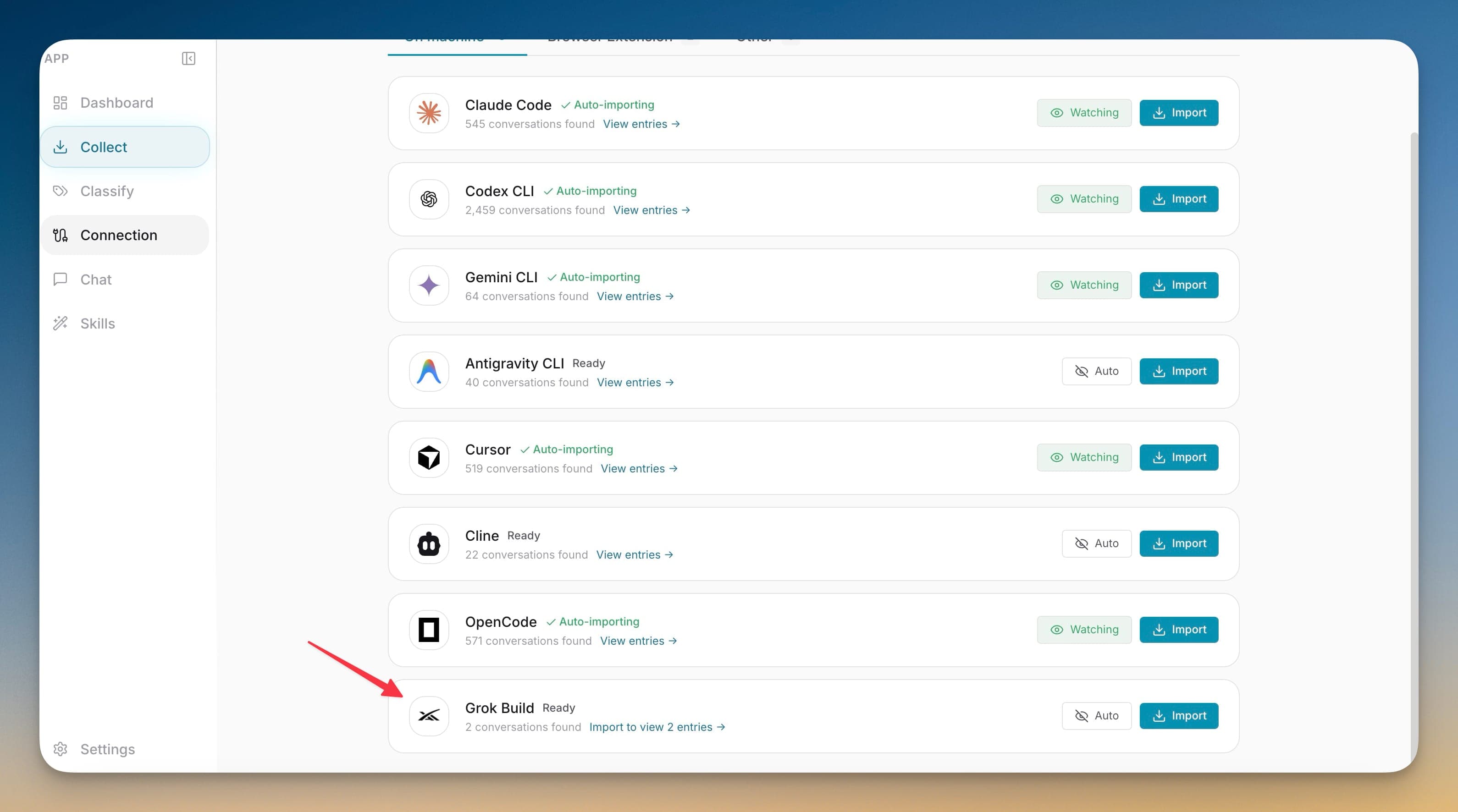
Connect Grok Build, xAI's agent CLI, to 1AIVault. Its conversations import into your vault and it can read your memory over MCP — joining Claude Code, Codex, Gemini, Antigravity, Cursor, Cline, and OpenCode.
If Grok Build is part of your rotation, its conversations were living outside your shared memory — a blind spot every time you switched to another tool. Grok CLI support closes it: 1AIVault imports Grok's conversations into the same vault and installs its MCP server into Grok's config, so Grok both contributes to and draws from the memory the rest of your AI tools already share.
Imports Grok Build conversations into your shared memory vault
One-click MCP install into Grok's ~/.grok/config.toml
Lets Grok read your vault memory over MCP like your other clients
Adds Grok to Claude Code, Codex, Gemini, Antigravity, Cursor, Cline, and OpenCode
Open 1AIVault and go to the relevant workspace.
Use Grok CLI Support as part of your capture, classify, recall, and connect workflow.
Reuse the resulting memory across your connected AI tools.
It installs its MCP server into Grok Build's ~/.grok/config.toml — the same TOML shape Grok uses for any MCP server — so Grok can read your vault over MCP with one click.
Yes. Grok Build shows up on the Connection screen with the conversations it found, and you can import them into your vault like any other tool.
Grok Build joins Claude Code, Codex CLI, Gemini CLI, Antigravity CLI, Cursor, Cline, and OpenCode as supported clients for both conversation import and MCP memory sharing.
Install the MCP bridge for Claude Desktop, Claude Code, Cursor, Cline, and Codex without hand-editing JSON. The Connection view writes the config, runs a diagnostic, and confirms the link is alive.
Learn moreDiagnostics check server script availability, vault database access, and client setup before troubleshooting starts.
Learn moreExisting Claude Desktop, Claude Code, Cursor, Cline, Codex, ChatGPT, and OpenCode connections can be refreshed before stale settings break.
Learn moreStart free, import real conversations, and reuse your memory across every AI agent you already use.