
Detect Gemini CLI from its config folder,
Detect Gemini CLI from its config folder, PATH, and common package locations.
Install the 1AIVault memory server into Gemini CLI from the Connection screen and use Gemini as a Classify Now agent. Detection separates the CLI installation from the vault connection so the right fix is obvious.
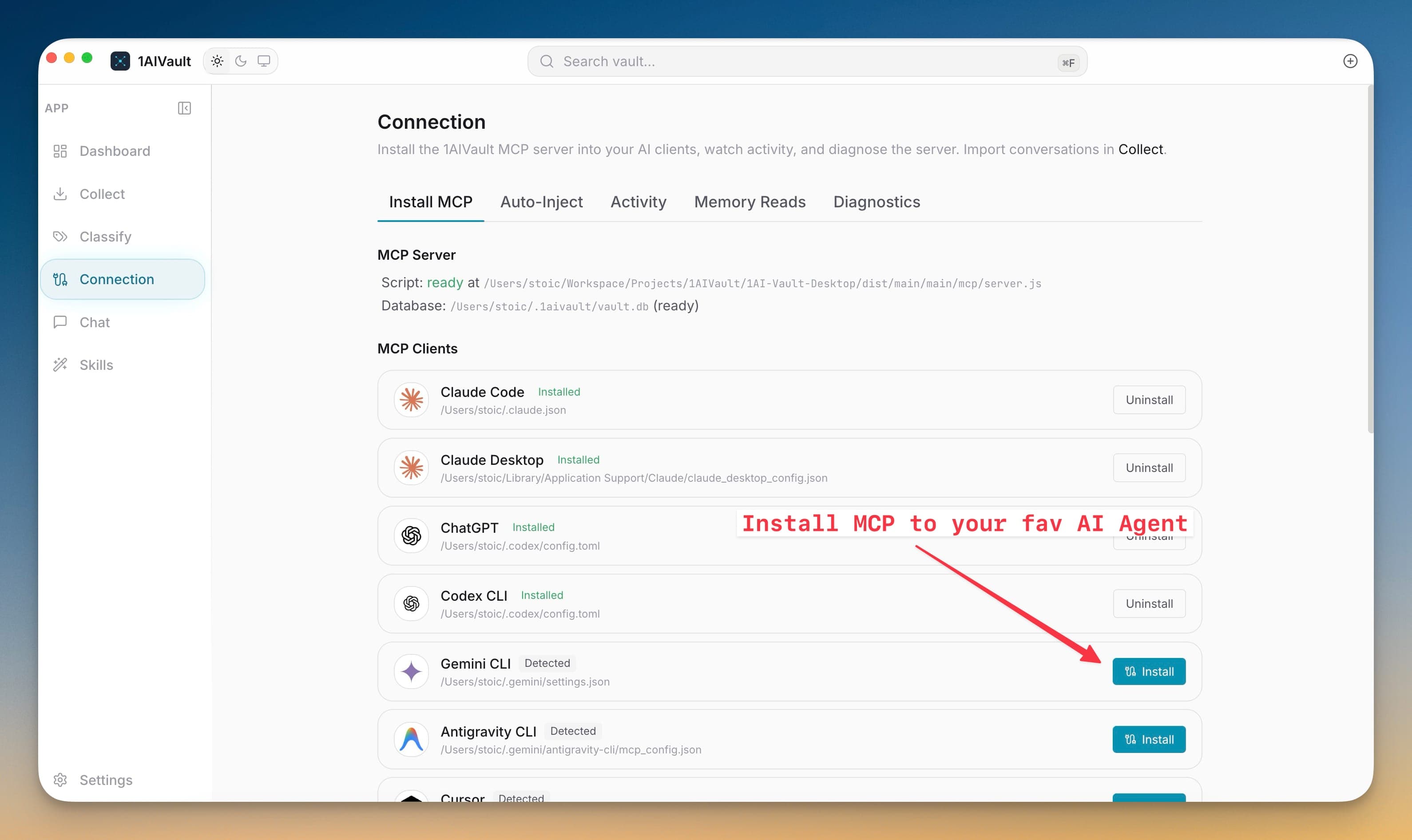
Install the 1AIVault memory server into Gemini CLI from the Connection screen and use Gemini as a Classify Now agent. Detection separates the CLI installation from the vault connection so the right fix is obvious.
Manually editing Gemini’s JSON settings and locating a packaged MCP server turns a memory connection into a fragile setup task. The installer validates both paths, merges only the vault entry, and lets the app repair stale configurations after updates.
Detect Gemini CLI from its config folder, PATH, and common package locations.
Merge the vault MCP entry into ~/.gemini/settings.json.
Validate the server path and config-directory permissions before writing.
Repair a stale 1AIVault entry after the desktop app updates.
Open 1AIVault and go to the relevant workspace.
Use Gemini CLI MCP Connection as part of your capture, classify, recall, and connect workflow.
Reuse the resulting memory across your connected AI tools.
The installer updates ~/.gemini/settings.json and leaves unrelated Gemini preferences untouched.
The Classify Now wizard shows those as separate states and offers Install for the vault connection.
Yes. Uninstall removes the 1AIVault MCP entry from Gemini settings without replacing the rest of the file.
Install the MCP bridge for Claude Desktop, Claude Code, Cursor, Cline, and Codex without hand-editing JSON. The Connection view writes the config, runs a diagnostic, and confirms the link is alive.
Learn moreDiagnostics check server script availability, vault database access, and client setup before troubleshooting starts.
Learn moreExisting Claude Desktop, Claude Code, Cursor, Cline, Codex, ChatGPT, and OpenCode connections can be refreshed before stale settings break.
Learn moreStart free, import real conversations, and reuse your memory across every AI agent you already use.