
Replay every recall your AI tools run
Replay every recall your AI tools run against the vault stage by stage
See exactly how your AI tools recall your vault — Neuron records every memory search they run and lets you replay it, so you can tell what was used and why.
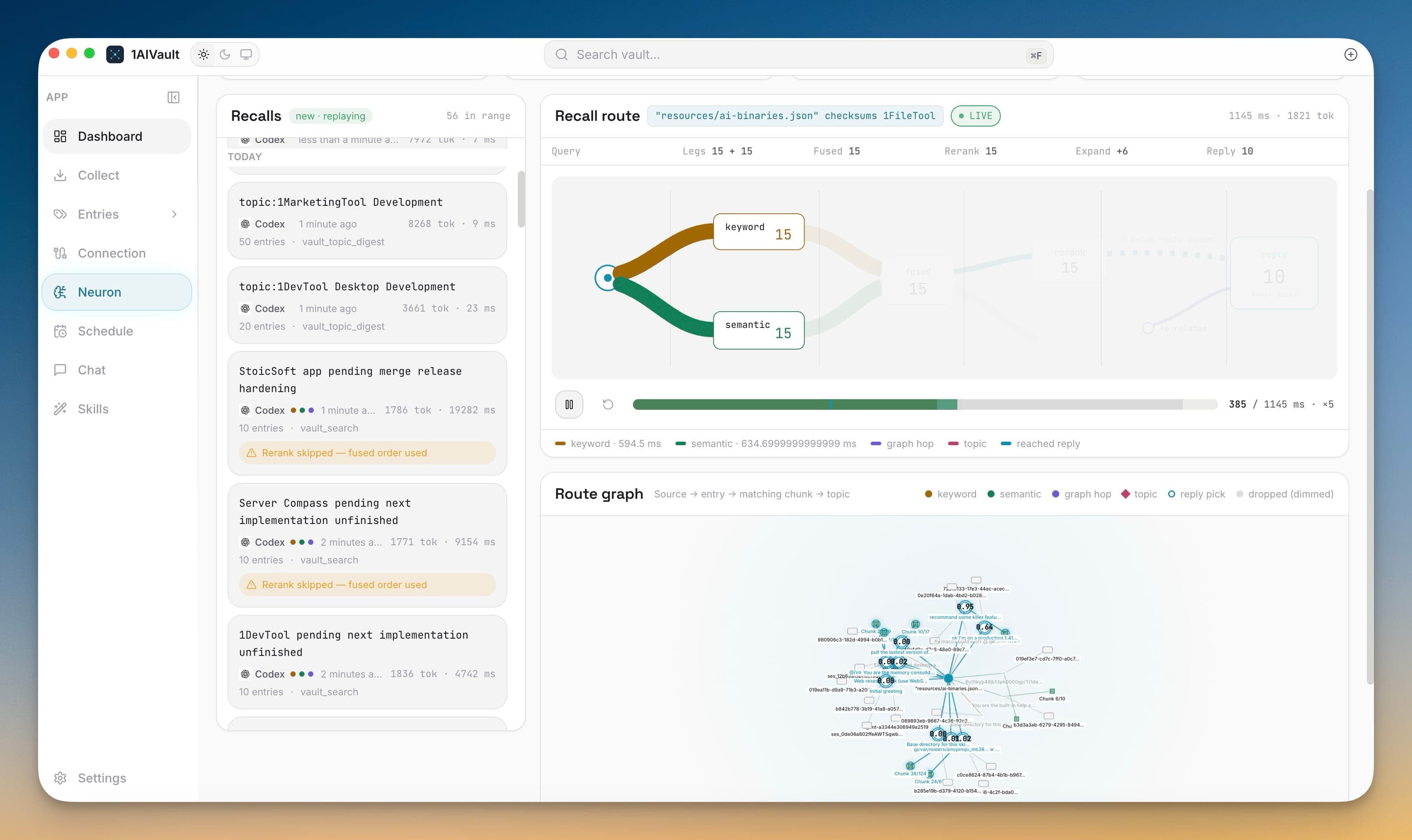
See exactly how your AI tools recall your vault — Neuron records every memory search they run and lets you replay it, so you can tell what was used and why.
Once several AI tools share one vault, a thin answer could mean your AI ignored the vault, searched it and found nothing, or found the right memory and buried it under three wrong ones. Neuron replaces that guesswork with a recorded, replayable trace of every recall — the candidates it considered, the ones it dropped, and the ones that shaped the reply.
Replay every recall your AI tools run against the vault stage by stage
See why each memory won or lost with per-candidate BM25 cosine and rerank scores
Follow the route graph from your question to the matching chunks and topics behind an answer
Watch embedding coverage recall latency and semantic leg health fill in as recalls come through
Open 1AIVault and go to the relevant workspace.
Use Neuron — Watch Your AI Recall as part of your capture, classify, recall, and connect workflow.
Reuse the resulting memory across your connected AI tools.
No. Passages, meaning maps, and recall traces are stored locally beside your vault, and the indexing activity log records counts only — never your entry titles or content.
Each considered memory shows its BM25 keyword score, cosine distance, and rerank score, plus a route verdict of reply or dropped — so you can see why one memory won and another lost its place.
Yes. Semantic recall and route tracing each have a toggle under Settings → Privacy → Neuron. Turning tracing off stops Neuron from recording new recalls.
No. Recall improvements are on from the first launch and index in the background. Completed entries are searchable by meaning immediately, while the rest keep using keyword search.
Dashboard view shows a vault summary plus a live activity feed of every read, write, and classification across all connected AI tools. Deep links via `aivault://` open the app from anywhere.
Learn moreEvery entry detail header shows 'Last used X ago by Source · Nx this week' so you know which AI tools are touching a memory and how often.
Learn moreLocal embeddings — via Xenova Transformers (ONNX), llama.cpp (GGUF), or a remote embedding API — so AI clients can recall memories by meaning, not just keywords.
Learn moreStart free, import real conversations, and reuse your memory across every AI agent you already use.