
Renders pasted image paths inline in the
Renders pasted image paths inline in the entry detail view
Memory entries that reference pasted images now render them inline. The image paths AI CLIs write into a conversation — like @/…/paste.jpg — show up as the actual screenshots in the entry detail view.
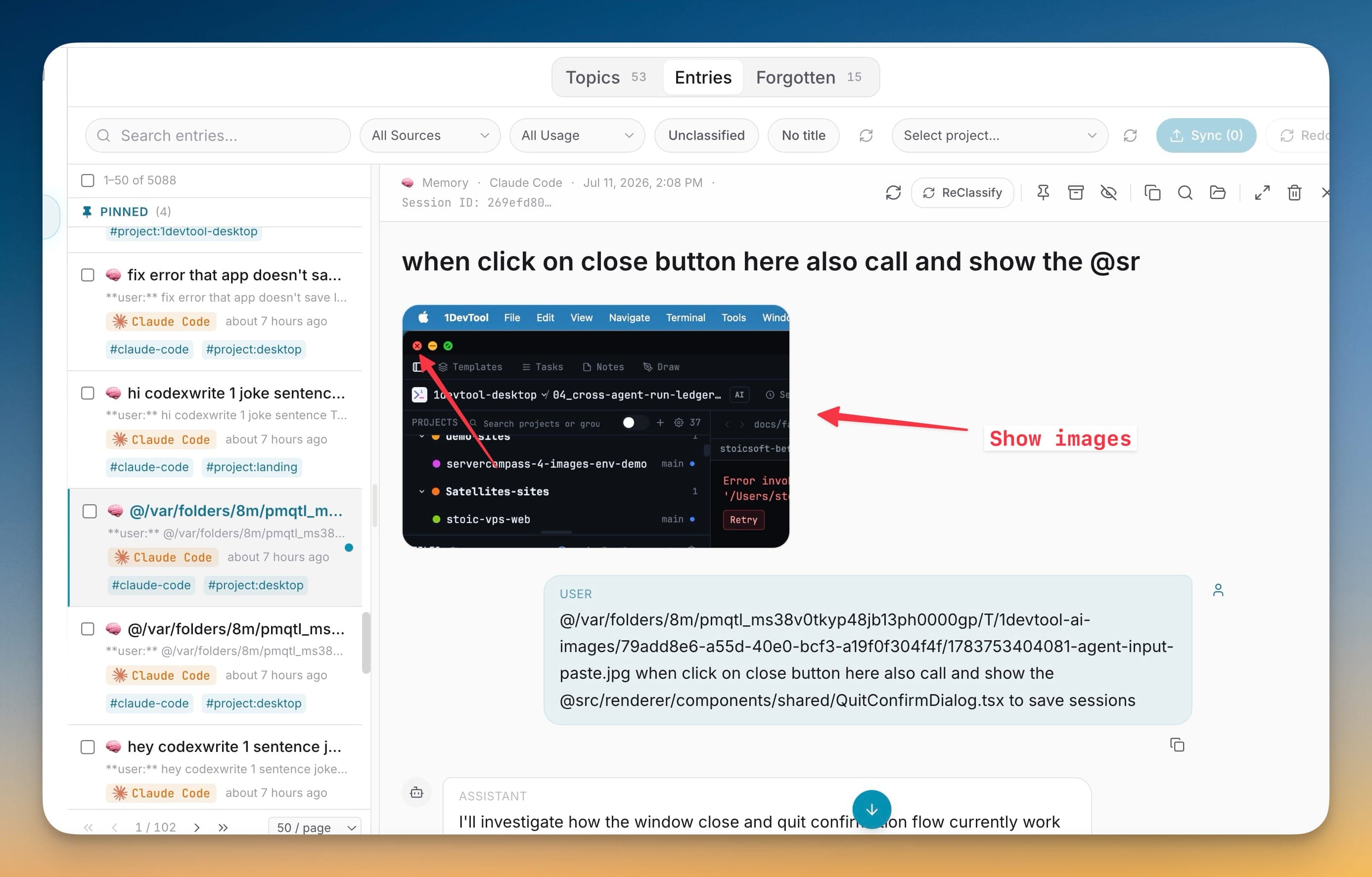
Memory entries that reference pasted images now render them inline. The image paths AI CLIs write into a conversation — like @/…/paste.jpg — show up as the actual screenshots in the entry detail view.
When you paste a screenshot into an AI CLI, the conversation records a file path, and until now your captured memory of that moment was just an unreadable @/…/paste.jpg string. Inline images turn those references back into the pictures they point to, so a memory that was really about a screenshot is legible again instead of a dead path.
Renders pasted image paths inline in the entry detail view
Recognizes the @/…/paste.jpg references AI CLIs write into conversations
Shows title images by the heading and body images below the text
Turns captured screenshots back into readable memories instead of raw paths
Open 1AIVault and go to the relevant workspace.
Use Inline Images in Entries as part of your capture, classify, recall, and connect workflow.
Reuse the resulting memory across your connected AI tools.
Local image files referenced in an entry's title or body — the @-prefixed paths AI CLIs use for pasted images and files. 1AIVault detects those paths and renders the images they point to.
Images referenced in the title render as thumbnails near the heading, and images referenced only in the body render below the text, so the layout follows how the conversation used them.
Pull existing chat history from Claude Code, Cursor, Cline, Codex, plus ChatGPT and Claude.ai via the paired browser extension. A live watcher keeps new sessions flowing into the vault as they happen.
Learn moreCapture Claude Code and Codex sessions sooner while 1AIVault is running, with next-launch recovery when the app was closed.
Learn moreA local browser bridge accepts captured ChatGPT and Claude.ai conversations so web chats can land in the vault too.
Learn moreStart free, import real conversations, and reuse your memory across every AI agent you already use.