
Describe your task in Neuron and get
Describe your task in Neuron and get the key memories, related context, and topics that matter for it
Ask your vault for a task-ready brief instead of a raw search. Focus Briefs gather the pivot memories, related context, and topics that matter for what you are working on, each with the reason it was chosen and whether it is still fresh.
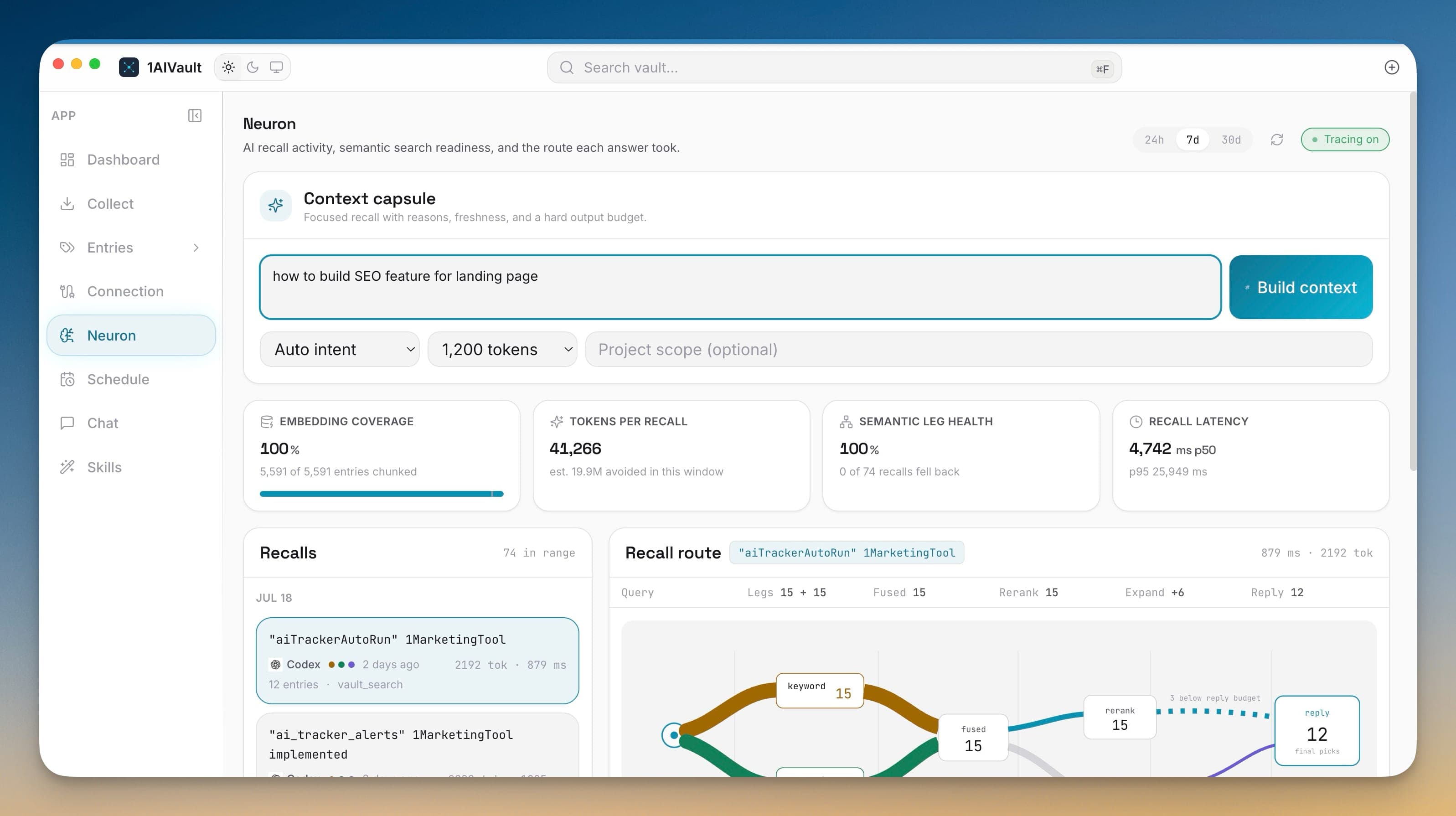
Ask your vault for a task-ready brief instead of a raw search. Focus Briefs gather the pivot memories, related context, and topics that matter for what you are working on, each with the reason it was chosen and whether it is still fresh.
When an AI tool searches your whole vault, it gets a pile of loosely related hits and has to sort them out before it can start. A Focus Brief flips that: you describe the task, and 1AIVault assembles the exact memories that matter — pivots first, with reasons and freshness — so a connected agent starts already oriented and spends its tokens on the work, not the search.
Describe your task in Neuron and get the key memories, related context, and topics that matter for it
Match the brief to a goal — find a memory, continue work, make a decision, compare options, or prepare for a task
See why each memory was selected — exact keyword match, semantic chunk match, or project tag — and its freshness
Hand a focused brief to Claude Desktop, Claude Code, Cursor, or Cline in one step instead of piecing context together
Open 1AIVault and go to the relevant workspace.
Use Focus Briefs as part of your capture, classify, recall, and connect workflow.
Reuse the resulting memory across your connected AI tools.
In Neuron, through the Context capsule panel or the Focus Brief button. Type what you are working on, pick a goal and detail level, optionally scope it to a project, and build the brief.
Search returns everything that matches. A brief returns a curated set — pivot memories, related context, and topics chosen for your specific task — and explains why each was picked and whether it can still be trusted.
Copy the brief into any chat, or use the built-in prompt that tells the agent to read the pivots first and pull a full memory only when needed, through a single vault_get call on the 1AIVault MCP server.
Claude Desktop, Claude Code, Cursor, Cline, and other connected MCP clients can request focused context in one step instead of running separate searches.
Dashboard view shows a vault summary plus a live activity feed of every read, write, and classification across all connected AI tools. Deep links via `aivault://` open the app from anywhere.
Learn moreEvery entry detail header shows 'Last used X ago by Source · Nx this week' so you know which AI tools are touching a memory and how often.
Learn moreLocal embeddings — via Xenova Transformers (ONNX), llama.cpp (GGUF), or a remote embedding API — so AI clients can recall memories by meaning, not just keywords.
Learn moreStart free, import real conversations, and reuse your memory across every AI agent you already use.