
Imports from a ChatGPT data export of
Imports from a ChatGPT data export of conversations and saved memories
Seed your vault from the AI memory you already have — a ChatGPT export, exported claude.ai memory, an Obsidian vault, or a folder of CLAUDE.md and rules files. Every imported entry is tagged with where it came from.
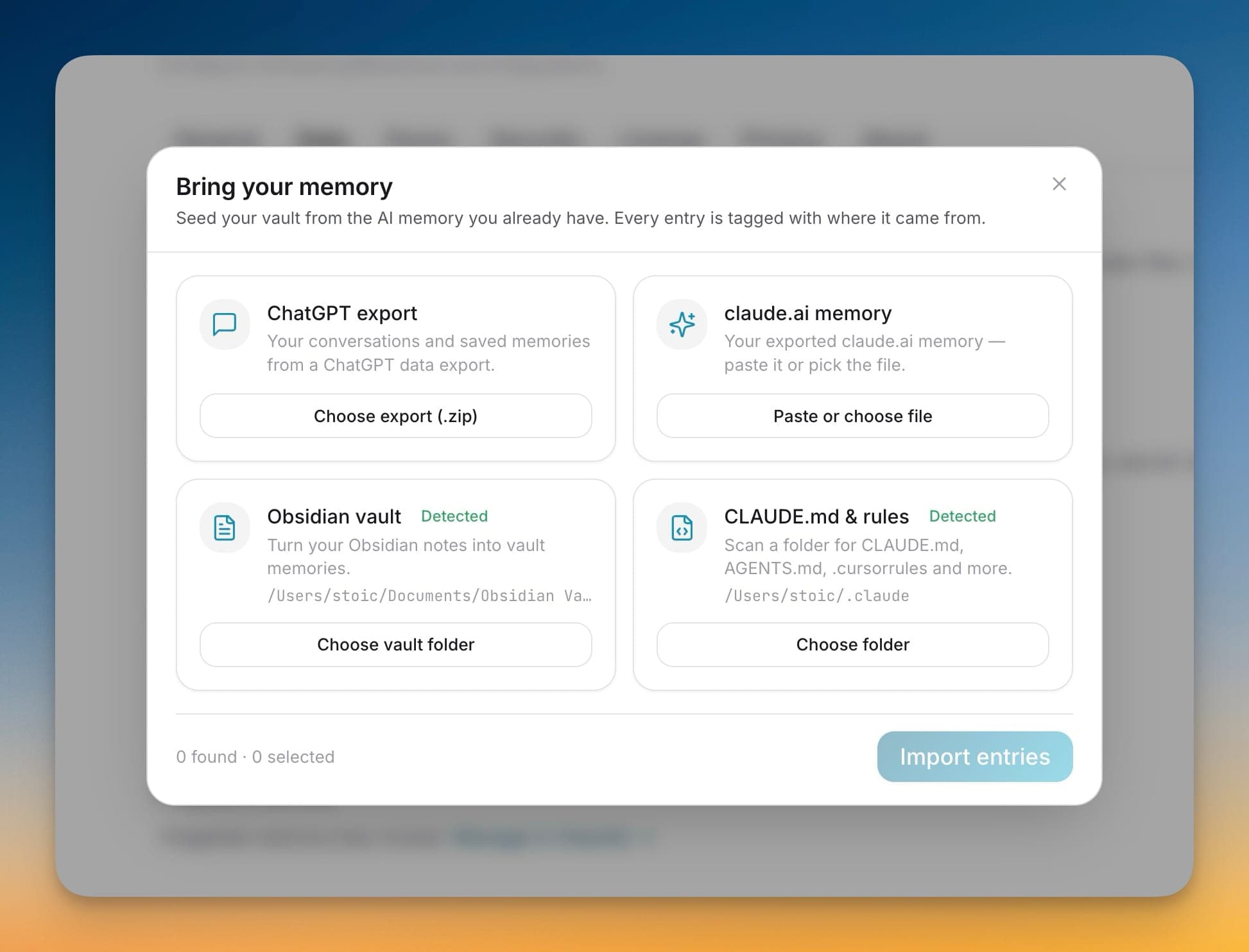
Seed your vault from the AI memory you already have — a ChatGPT export, exported claude.ai memory, an Obsidian vault, or a folder of CLAUDE.md and rules files. Every imported entry is tagged with where it came from.
A fresh vault is an empty vault, and re-teaching every AI tool the context you have already built is the slowest part of switching. Bring Your Memory seeds 1AIVault from the memory already scattered across ChatGPT, claude.ai, Obsidian, and your CLAUDE.md rules — so your vault starts full, with each entry tagged by origin so you always know where a memory came from.
Imports from a ChatGPT data export of conversations and saved memories
Brings in exported claude.ai memory by paste or file selection
Turns an Obsidian vault's notes into memories, auto-detected on your machine
Scans a folder for CLAUDE.md, AGENTS.md, .cursorrules and more, auto-detected
Open 1AIVault and go to the relevant workspace.
Use Bring Your Memory as part of your capture, classify, recall, and connect workflow.
Reuse the resulting memory across your connected AI tools.
A ChatGPT data export, exported claude.ai memory, an Obsidian vault, and a folder of agent rules files like CLAUDE.md, AGENTS.md, and .cursorrules. Obsidian vaults and rules folders are auto-detected where 1AIVault can find them.
Yes. Each source shows how many entries it found, and you review and select which ones to import before anything lands in your vault.
Every imported entry is tagged with its origin, so a memory seeded from Obsidian or a ChatGPT export stays distinguishable from anything you captured live.
Pull existing chat history from Claude Code, Cursor, Cline, Codex, plus ChatGPT and Claude.ai via the paired browser extension. A live watcher keeps new sessions flowing into the vault as they happen.
Learn moreCapture Claude Code and Codex sessions sooner while 1AIVault is running, with next-launch recovery when the app was closed.
Learn moreA local browser bridge accepts captured ChatGPT and Claude.ai conversations so web chats can land in the vault too.
Learn moreStart free, import real conversations, and reuse your memory across every AI agent you already use.