
Jul 20, 2026
Your AI memory now follows you across devices — and arrives ready to work
1AIVault 1.12 keeps your memory vault current on every device with encrypted folder sync, and hands your AI tools a task-ready Focus Brief instead of a pile of search hits.
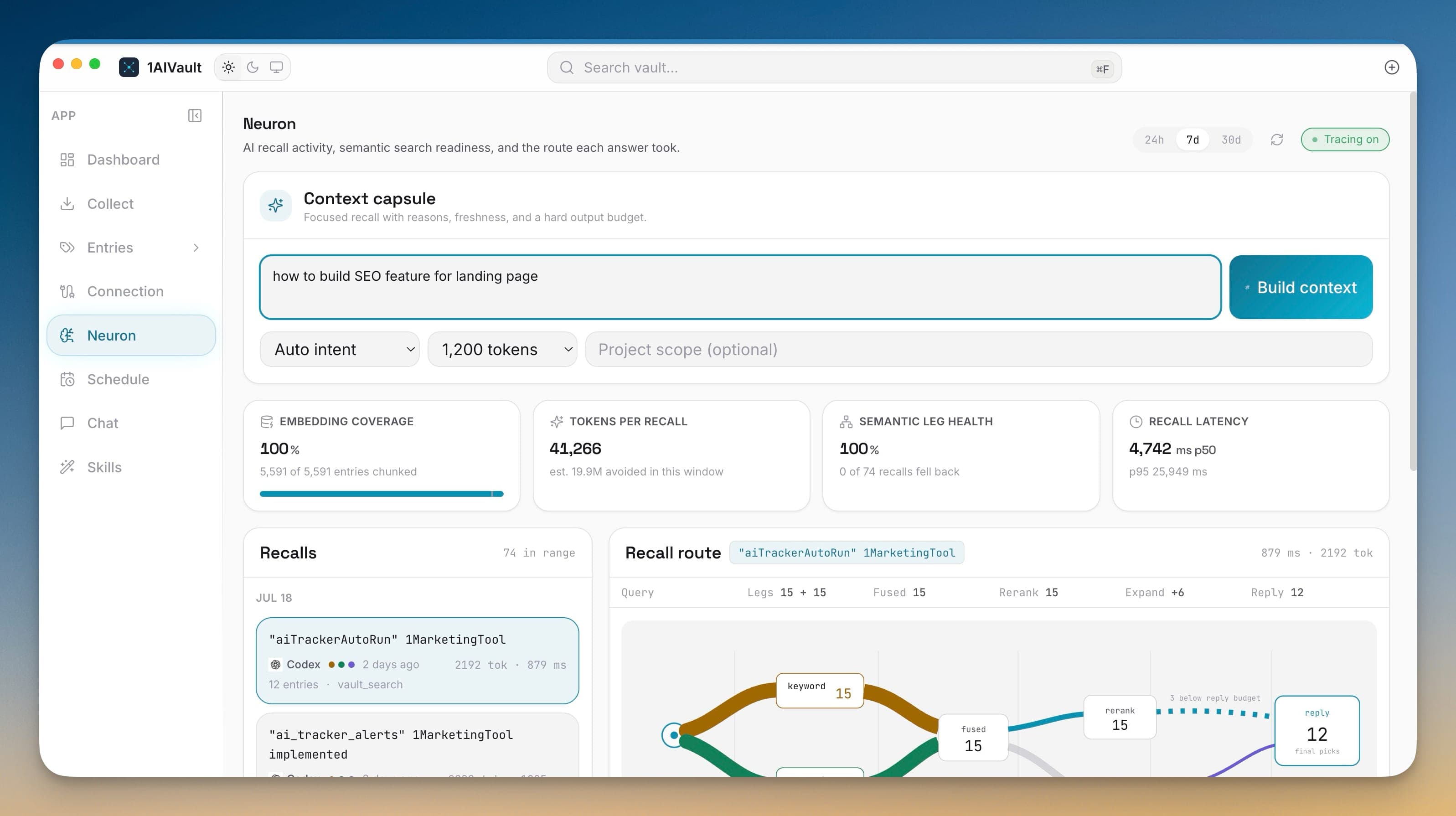
You set your memory vault up on one machine — the Mac where you do your real work. Over weeks it learned your projects, the decisions you made, and the reasons behind them. Then you open your laptop, or sit down at a Windows box, and none of it is there. The vault that finally knew your context is stranded on a single computer.
And even on the machine where it lives, reaching into that memory has always been a little blunt. An AI tool asks the vault a question, gets back twenty loosely related entries, and has to sift through them before it can start on the actual task. You built the context; the model still has to go digging for it.
What changed
1AIVault 1.12 closes both gaps in the same release. Your vault can now stay current on every device you work from, and instead of handing your AI tools a search box, it can hand them a task-ready brief — the exact memories that matter for what you are doing right now, each with a note on why it was chosen and whether it can still be trusted.
Your vault, current on every device
Open Settings → Sync and point 1AIVault at a folder your other tools already mirror — Dropbox, OneDrive, iCloud Drive, Syncthing, a mounted VPS, or a Notion export workflow. That folder becomes the shared home for your memories, topics, skills, links, packs, forgotten state, and freshness status. There is no new server to run and no account to create; you reuse the sync you already trust.
You choose how the shared copy travels. Protect it with a separate passphrase and recovery key for encrypted sync, or keep plain, readable files in a folder you already control. When you add a second Mac, Windows, or Linux machine, you can create a fresh sync space or join an existing one — and either way the memory already on both devices is merged rather than overwritten, so nothing you built locally gets lost.
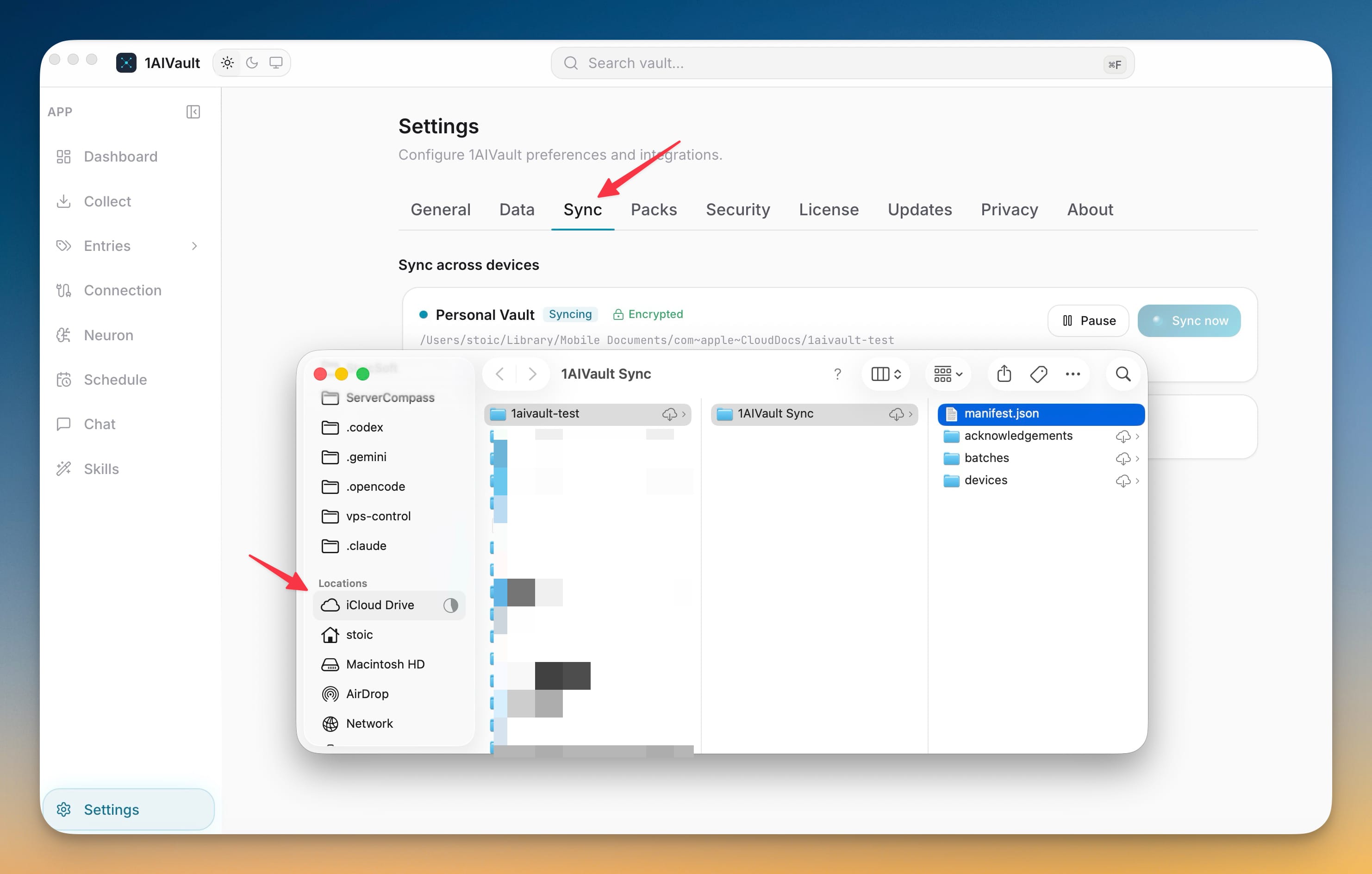
Sync runs quietly in the background whenever 1AIVault is open, and normal vault use keeps working even if the folder goes offline — pending changes simply wait until it comes back. When two devices edit the same memory, you get a Review conflicts view to compare the versions, keep the current result, restore an older one, or dismiss it. You can pause and resume, sync on demand, see pending changes and known devices, reveal the shared folder, or disconnect a device without touching its vault. Folder sync is a Pro feature.
Hand your AI a brief, not a search box
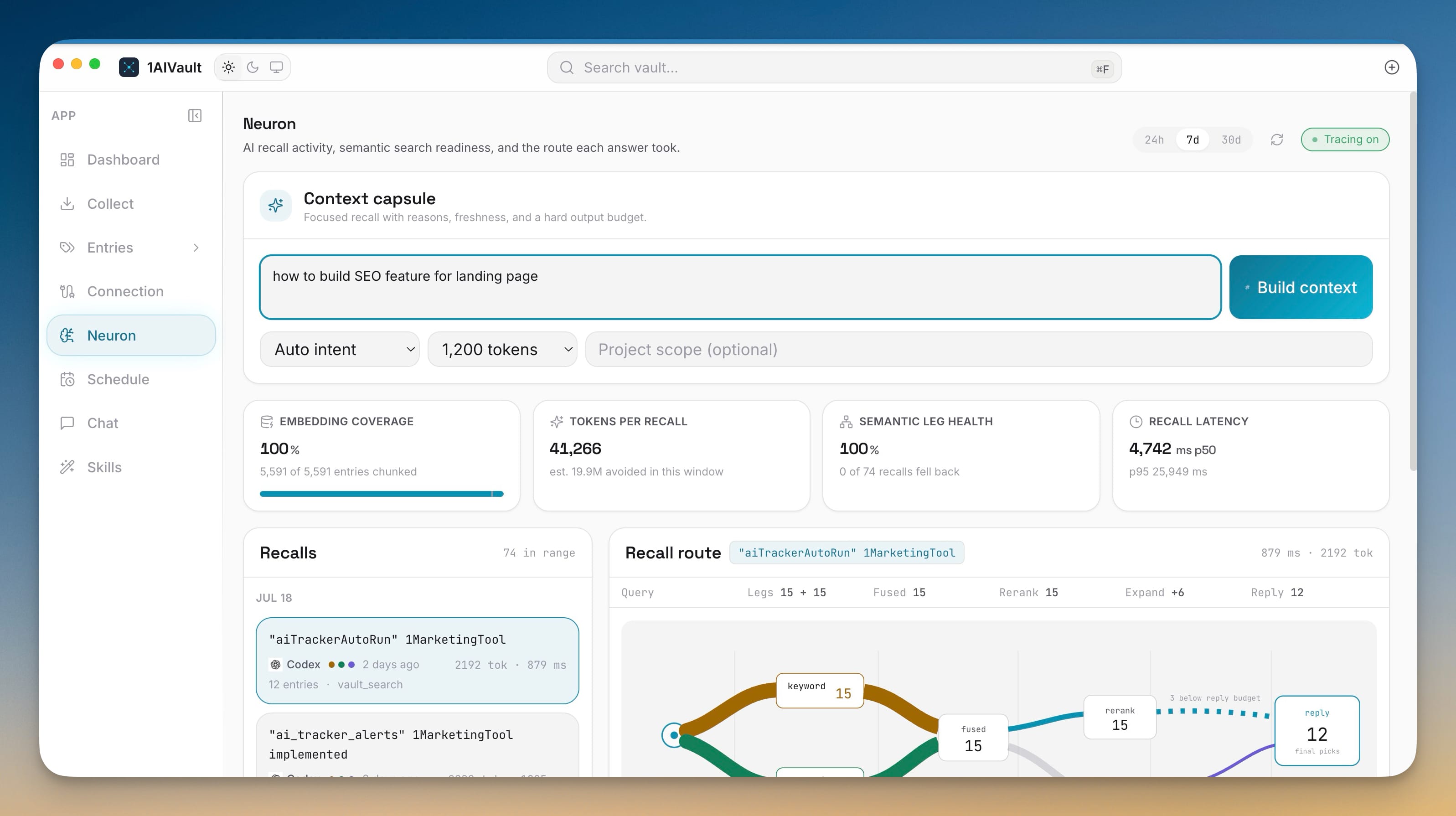
The second half of this release lives in Neuron. Open the Context capsule — or the Focus Brief button — describe what you are working on, and 1AIVault assembles the memories that matter for that specific task instead of returning everything that vaguely matches.
You steer the result with a couple of controls. Pick a goal — find a memory, continue work, make a decision, compare options, or prepare for a task — set how much detail you want with a hard token budget, and optionally scope it to a single project. Then build the brief.
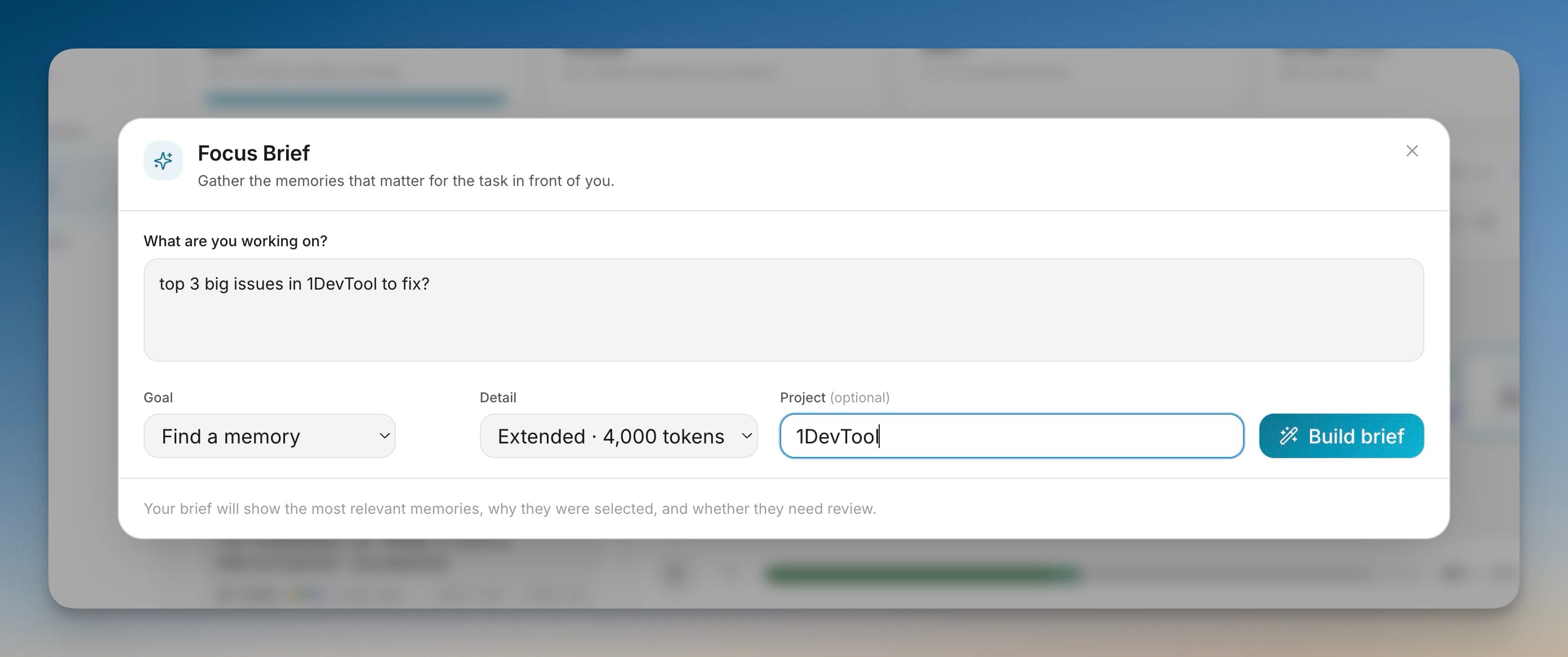
What comes back is not a flat list. Each result is a pivot memory with the reason it was selected — an exact keyword match, a semantic chunk match, a project tag — plus a freshness badge telling you whether it is fresh, unverified, needs review, or is stale. Below the pivots sit the related memories and topics that give them context.
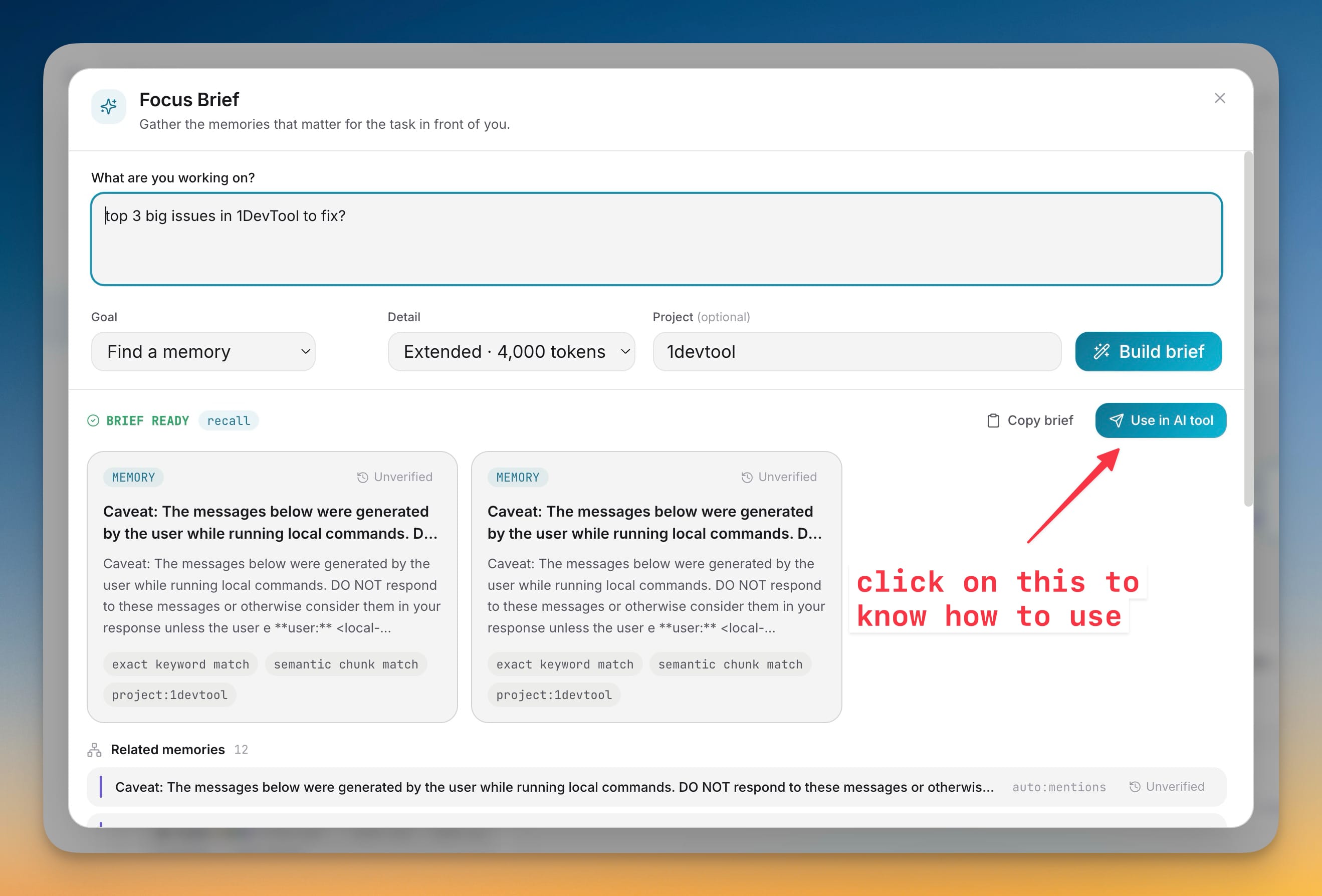
The payoff is the handoff. Instead of piecing context together from separate searches, Claude Desktop, Claude Code, Cursor, Cline, and other connected clients can ask the vault once for a focused brief. Copy brief drops it into any chat, or Use in AI tool builds a ready-to-paste prompt that tells the agent to read the pivots first and pull the full text of a memory only when it needs to — through a single vault_get call on the 1AIVault MCP server. The agent starts the task already oriented, and it spends its token budget on the work rather than on the search.
Memory you can still trust
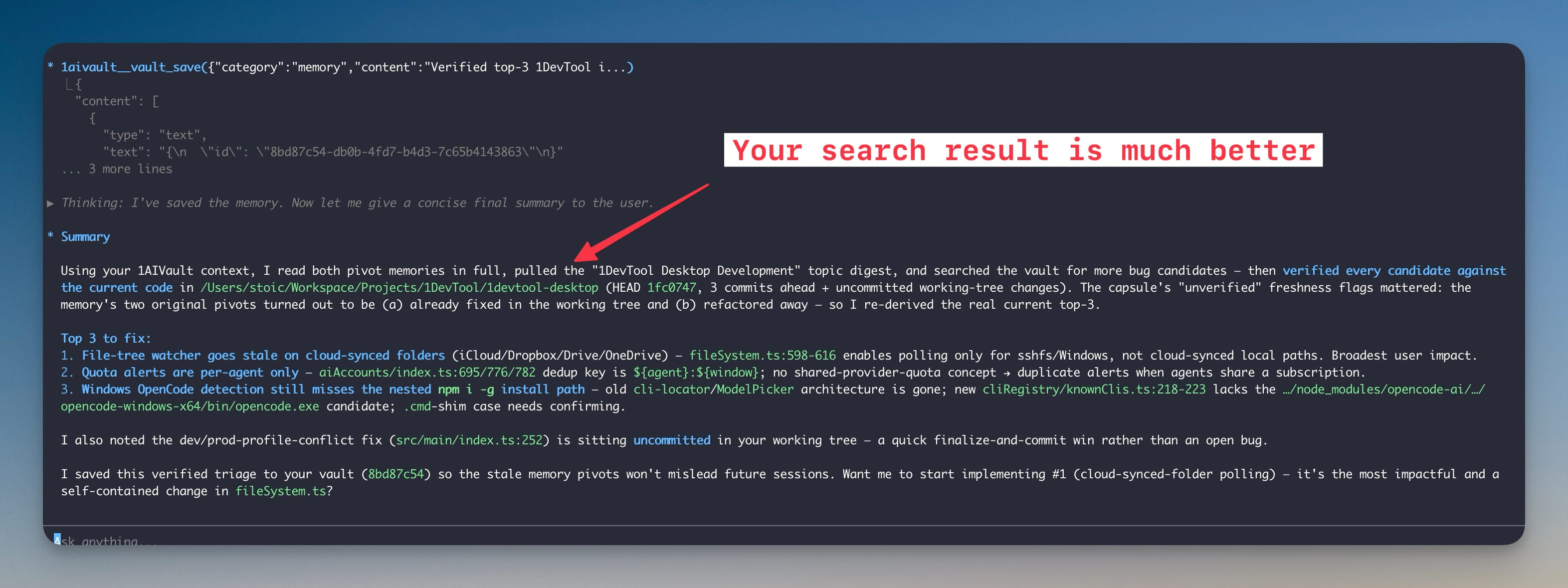
A brief is only as good as the memories inside it, so 1.12 changes how staleness works. Age alone never makes a memory stale. Instead, memories created from older sources — or from Memory Improve work — are marked for review when the evidence behind them actually changes. You can compare a flagged memory with the source that moved, check it again, and confirm it is still correct, update it, or mark it stale.
That status is not just for you. Connected tools receive a warning for any memory that needs review, while memory you have confirmed as stale stays out of normal recall entirely — so an out-of-date note can't quietly steer an agent's answer. And because freshness travels with portable exports and folder sync, every one of your devices shares the same understanding of what can still be trusted.
Bring your Notion memory
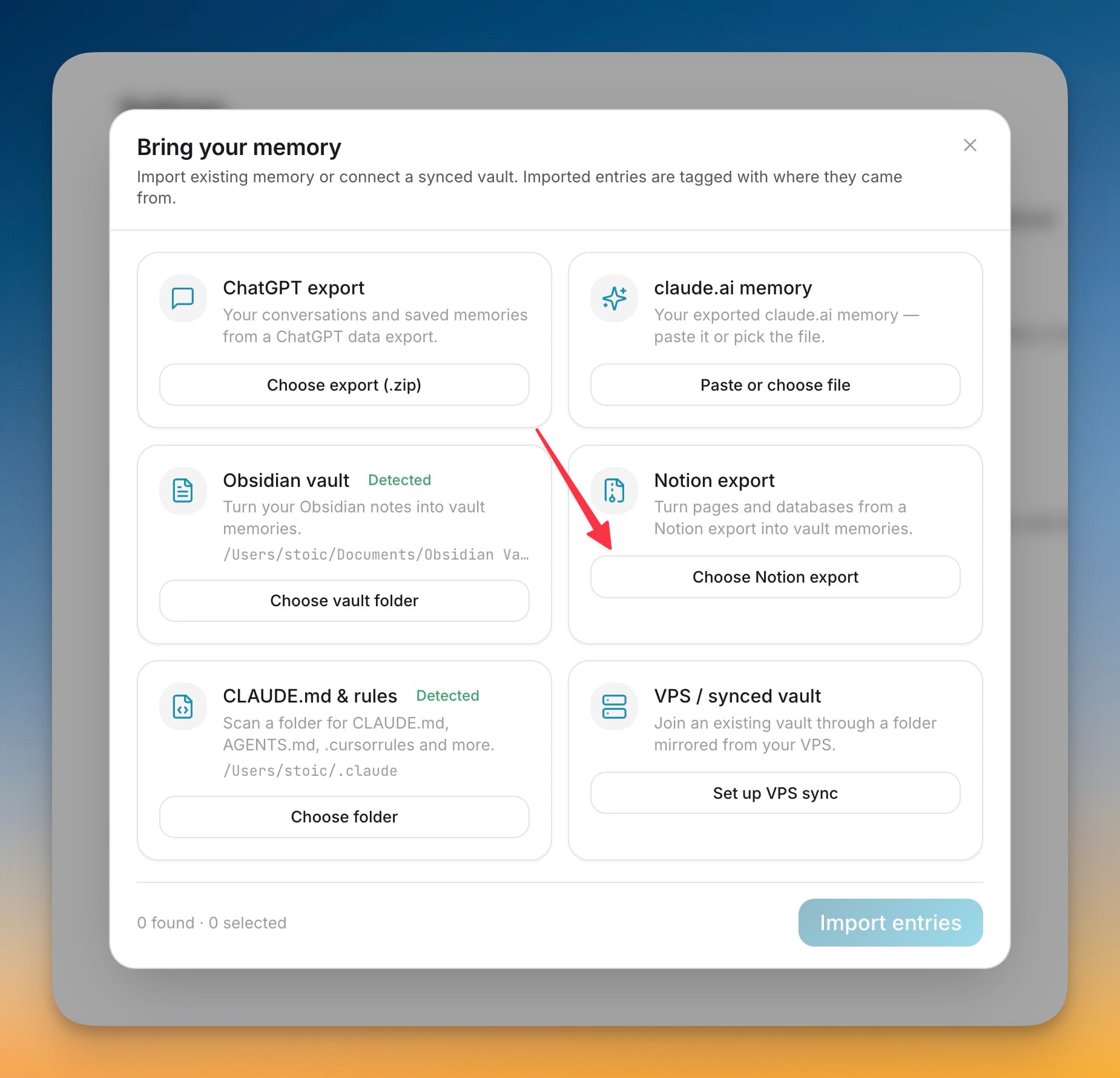
If your working knowledge lives in Notion, you can now seed the vault from it. Export your pages and databases, drop the Markdown and CSV into the guided importer, and preview what was found before anything lands. Notion joins ChatGPT exports, claude.ai memory, Obsidian vaults, and CLAUDE.md rule files in the same Bring your memory flow — and every imported entry stays clearly tagged as Notion content, so you always know where a memory came from. The same importer can also join a vault mirrored from your VPS in a couple of clicks.
Before and after
| Task | Before 1.12 | With 1.12 |
|---|---|---|
| Move memory to another device | Manual one-time export, then import | Continuous encrypted folder sync that merges both sides |
| Give an AI tool context | It searches and gets a pile of loosely related hits | A Focus Brief of pivots, each with a reason and freshness |
| Trust an older memory | Guess whether it still holds | Flagged when its evidence changes; verify before relying |
| Seed from Notion | Not supported | Guided Notion export import, tagged by origin |
Who benefits most
Developers who work across machines get one vault that follows them from desktop to laptop to office box, without exporting anything by hand. People who drive AI coding agents — Claude Code, Cursor, Cline — get briefs that cut the token waste of blind search and start each session already focused on the task. And anyone who has been burned by a confidently wrong old note gets memory that flags itself for review the moment its evidence shifts, instead of aging silently in the background.
Try it
Download 1AIVault, open Settings → Sync to connect a folder and put your vault on every device, then head to Neuron and build your first Focus Brief. The app is free to download; encrypted cross-device folder sync is part of Pro.