
Jul 13, 2026
Train a Local AI Model on Your Own Memories
1AIVault 1.8.0 can fine-tune a compact AI model on your own memories — entirely on your machine — so you can load it in LM Studio and ask your own knowledge questions offline.
You have spent months building up a vault of memories — decisions you made, problems you solved, the context behind why a project is shaped the way it is. It is all sitting there, searchable, feeding your AI tools through MCP. But there is one thing you still cannot do with it: hand the whole body of knowledge to a model and just ask it — the way you would ask a colleague who has been in every meeting with you.
Retrieval gets you close. It finds the right memory and pastes it into context. But it is still fetch-then-answer, one snippet at a time, and it needs the vault reachable and online. What if the knowledge itself lived inside a model — one small enough to run on your laptop, private enough to keep on your laptop, and yours to keep even when you are offline?
What changed
1AIVault can now train a small AI model on your own memories — built entirely on your machine and private by default. You pick the memories, the app fine-tunes a compact local model on them, and you end up with a model you can load in LM Studio and question offline, or export and share like any other file.
No cloud training. No uploading your vault anywhere. On an Apple Silicon Mac, the whole thing happens on-device: your memories never leave the machine, and only a base model is downloaded once to build on.
How it works in practice
The whole flow is a four-step wizard — Memories → Privacy → Model → Train — that you can start from the memory model card on your Dashboard.
Choose exactly what it learns
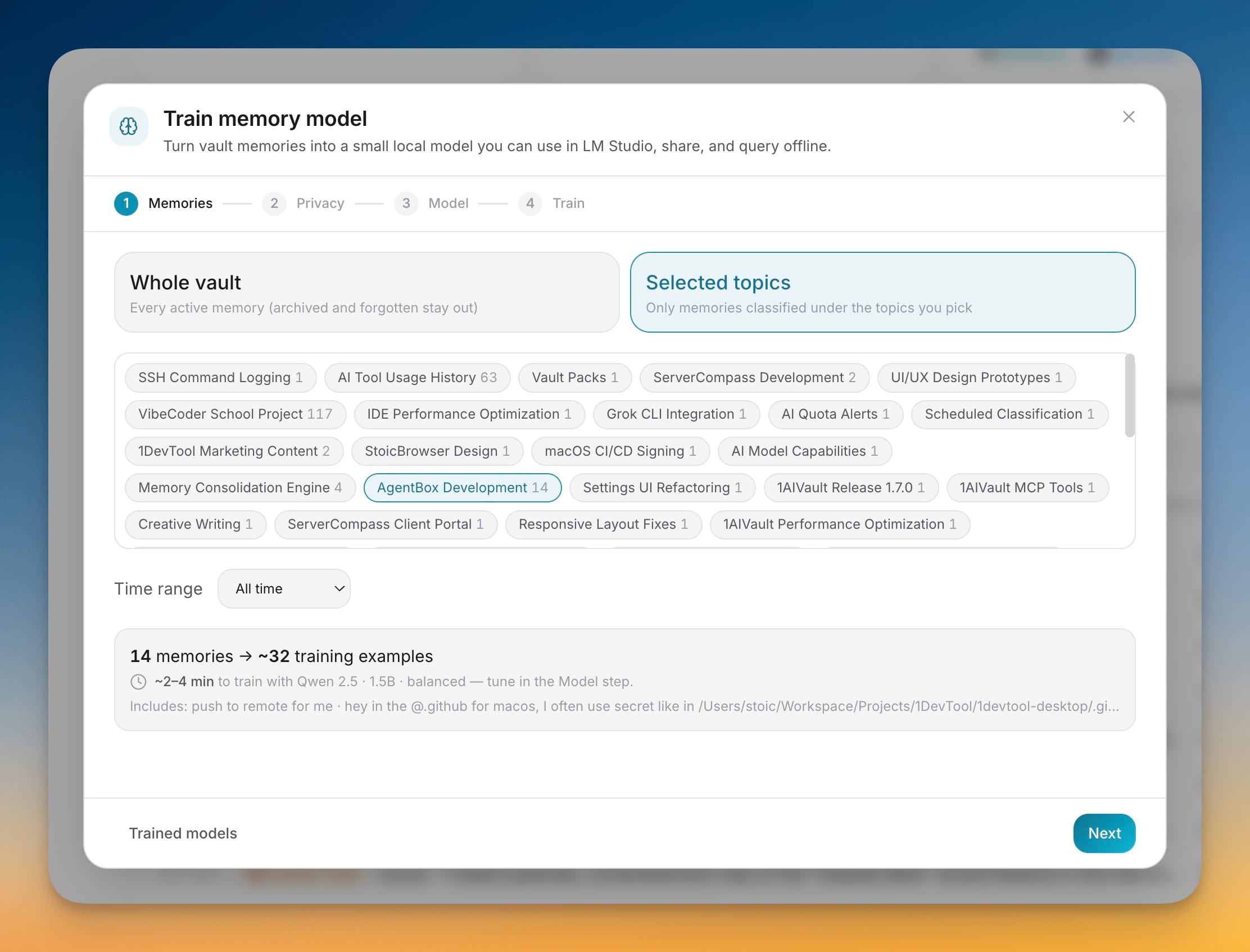
You start by scoping the model. Pick Whole vault to train on every active memory, or Selected topics to hand-pick the topics that matter — just your ServerCompass work, say, or a single client project. A Time range control lets you narrow it further to the last 90 days or the last year, so a model can capture recent thinking rather than everything you have ever written.
Before anything runs, you see the scope in plain numbers: how many memories are in play, roughly how many training examples they will produce, and a few sample titles so you know you selected the right slice. There is no guessing about what is about to be baked into the model.
Keep secrets out before they are ever written
This is the step that makes training on personal notes safe. With Redact secrets on, API keys, tokens, and private keys are detected and replaced with [redacted] before a single training example is written to disk or shown to a drafting engine. A pre-scan tells you exactly how many secrets it found and what kinds. You can also add your own terms to redact — an internal hostname, a codename, a person's name — so nothing you would not want inside a shareable model makes it in.
Pick a base model and how the questions get written
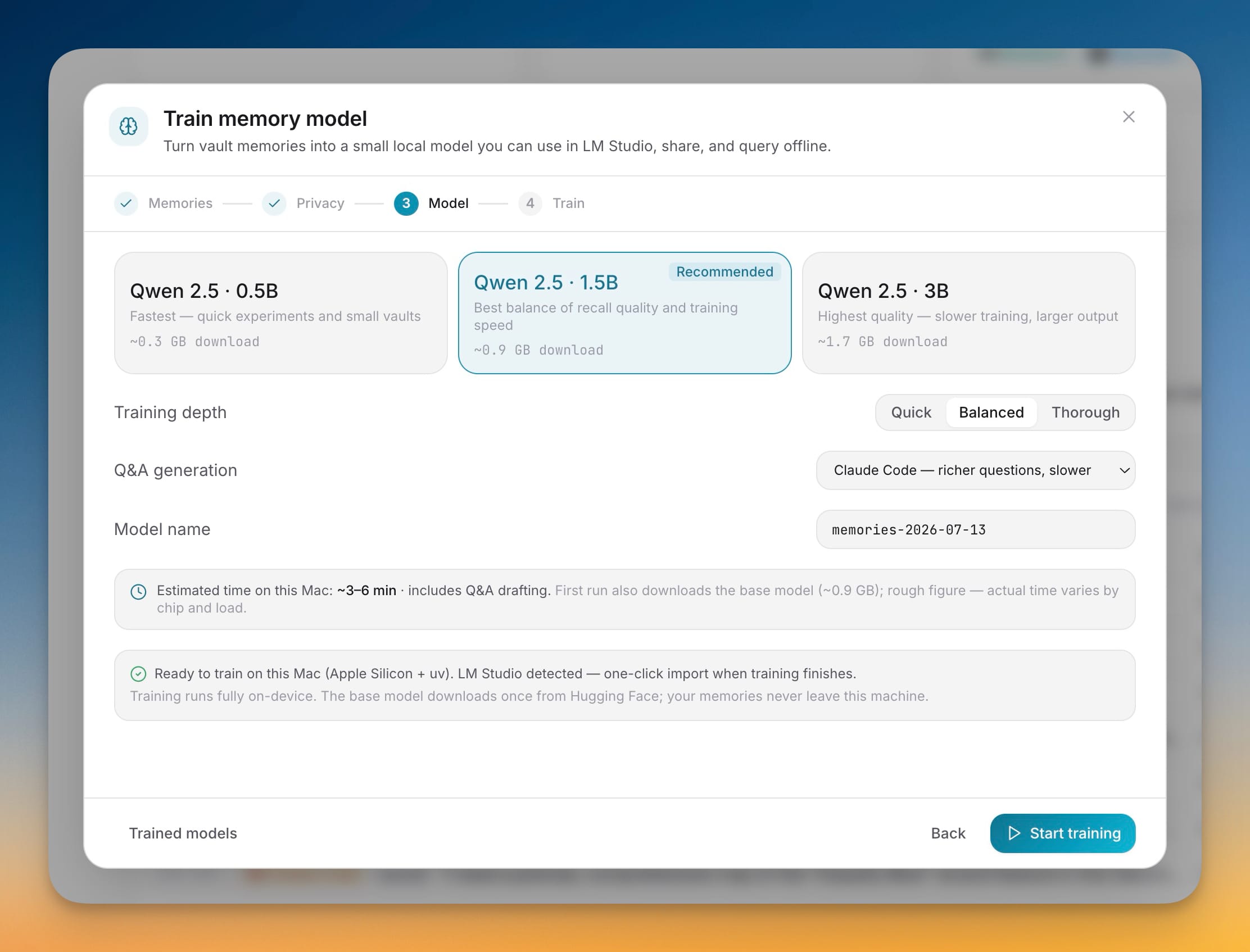
A model learns from question-and-answer pairs grounded in your memories, and you get to choose how good those questions are. Under Q&A generation you can use fast built-in templates offline, hand the job to a local Ollama model, lean on an installed AI CLI like Claude Code for richer questions, or route it through any MCP-connected tool with no per-run cap.
Then you pick the base to fine-tune: Qwen 2.5 in 0.5B, 1.5B, or 3B — smallest for quick experiments, 1.5B as the recommended balance of recall quality and speed, 3B for the highest quality. Choose a Training depth of Quick, Balanced, or Thorough, and the app shows an honest time estimate for your Mac before you commit.
Watch it train — and keep working
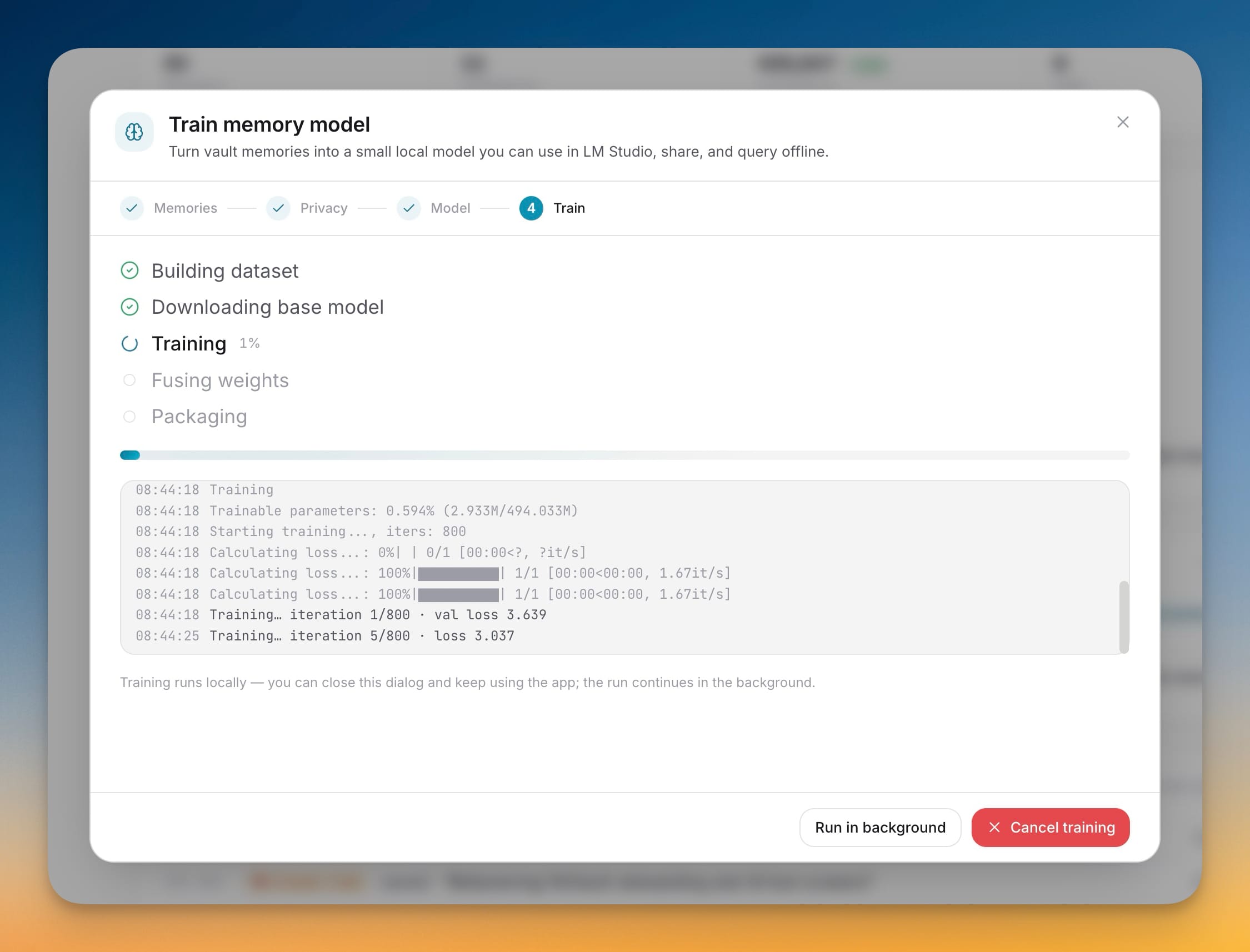
Hit Start training and the run walks through five visible stages: building the dataset, downloading the base model, training, fusing weights, and packaging. A live log streams the actual iterations and loss as they happen, so you can see progress rather than stare at a spinner. If you would rather get back to work, Run in background tucks the run into a pill and the fine-tune keeps going while you use the rest of the app.
Use the result anywhere
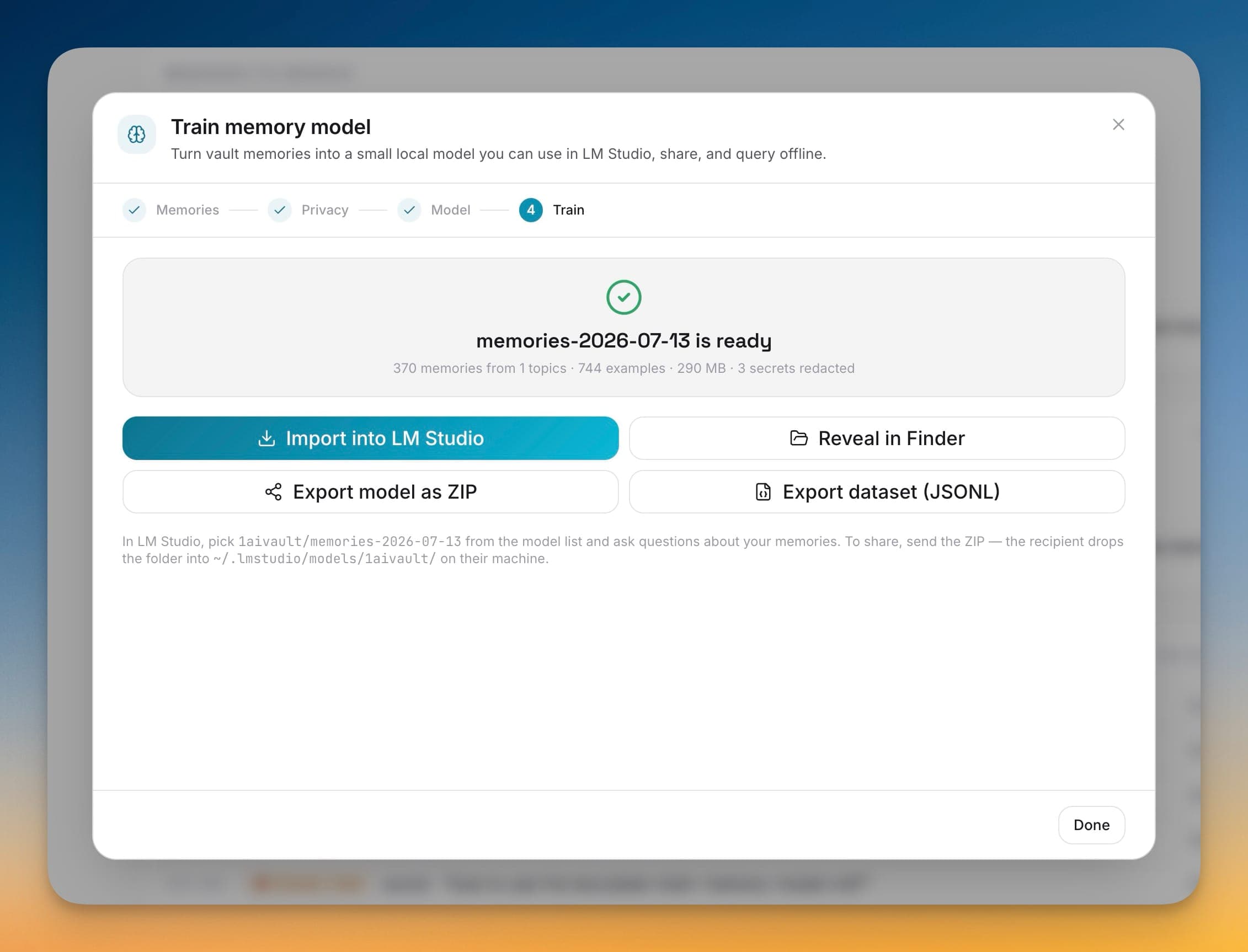
When it finishes, you get a ready-to-use model with a one-line summary — how many memories and examples went in, its size, and how many secrets were redacted. From there you can Import into LM Studio with one click, Reveal in Finder, Export model as ZIP to share, or Export dataset (JSONL) if you want the training data itself.
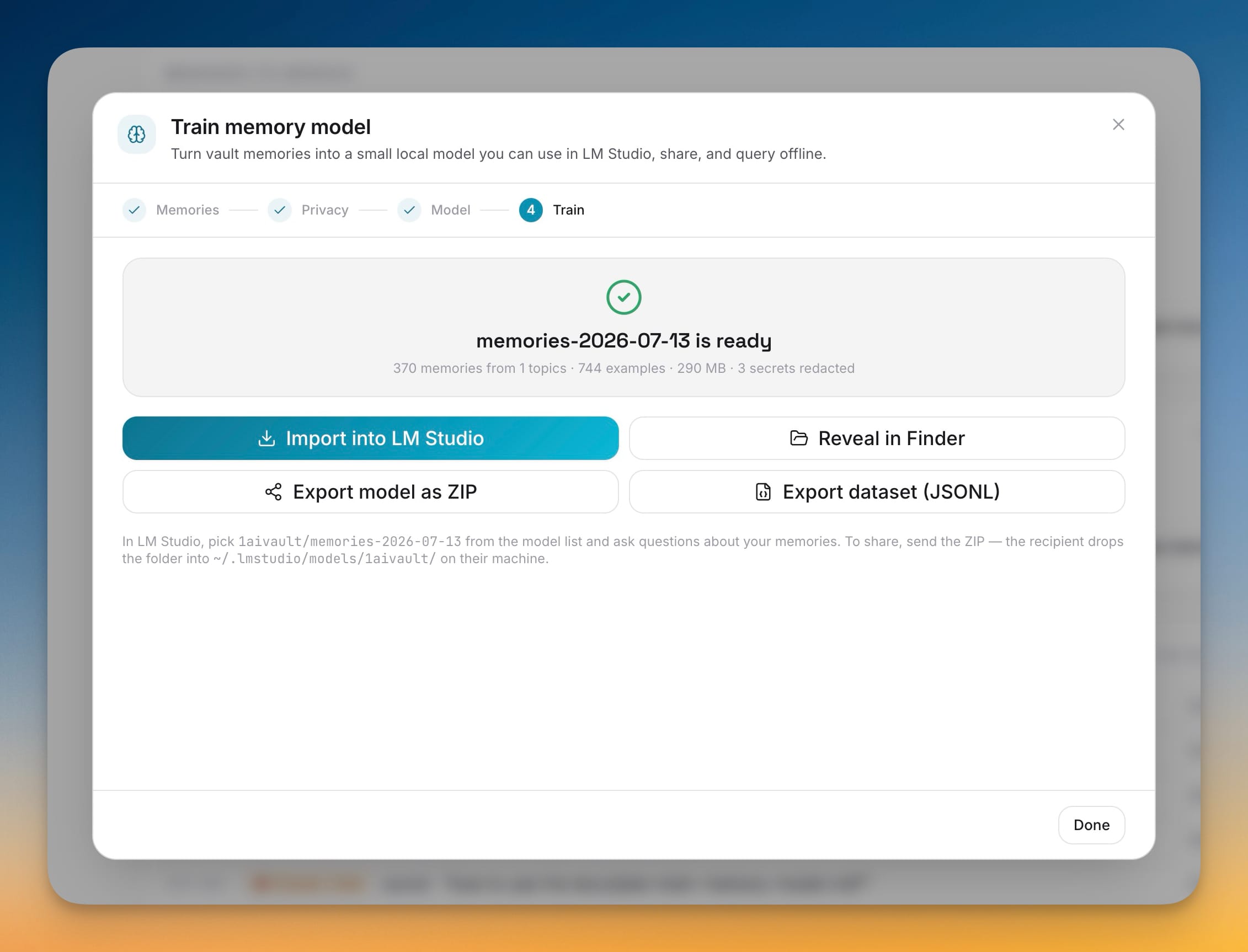
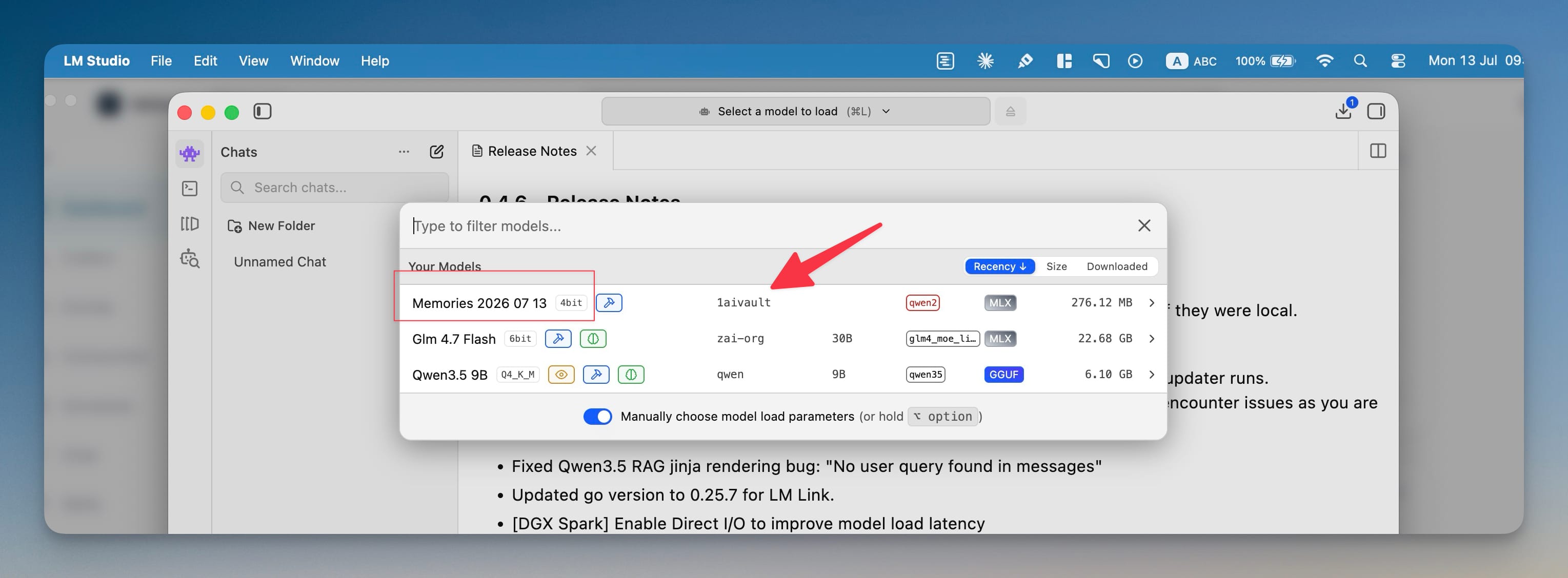
Once it is in LM Studio, your model shows up under the 1aivault/ namespace in the model list. Load it, and you can ask questions about your own knowledge with nothing connected — no vault open, no network, no API key. To share it with a teammate, you send the ZIP and they drop the folder into their own LM Studio. Every run is kept in a full history alongside its dataset and settings, ready to re-export or delete.
Before vs after
| Getting an answer from your knowledge | Before | Now |
|---|---|---|
| Where the knowledge lives | Fetched snippet-by-snippet from the vault | Baked into a model you hold |
| Works offline | Needs the vault reachable | Fully offline in LM Studio |
| Sensitive details | You watch what you paste | Secrets redacted before training |
| Sharing it | Export notes, re-explain context | Send one model ZIP |
| Where it runs | Depends on the tool | On your machine, on-device |
Who benefits most
People with large, well-classified vaults. If you have hundreds of memories organized into topics, you can train a focused model per topic and query each one like a specialist.
Privacy-first users and regulated teams. On-device training plus automatic secret redaction means personal or client context can become a usable model without any of it leaving the machine.
Anyone who works offline. On a plane, in a secure environment, or just off the grid, your memory becomes something you can question without a connection.
Try it
Update to 1AIVault 1.8.0, open the memory model card on your Dashboard, and train your first model on a single topic — it is the fastest way to feel the difference. In a few minutes you go from a vault you search to a model you can simply ask, and it is yours to keep, offline, for good.