
May 31, 2026
Stop rebuilding context every time you switch AI tools
Save context once and every AI tool — Claude Desktop, Claude Code, Cursor, Cline, Codex — can read it through a single MCP connection. 1AIVault v1.0.0 ships your portable, local-first AI memory vault.
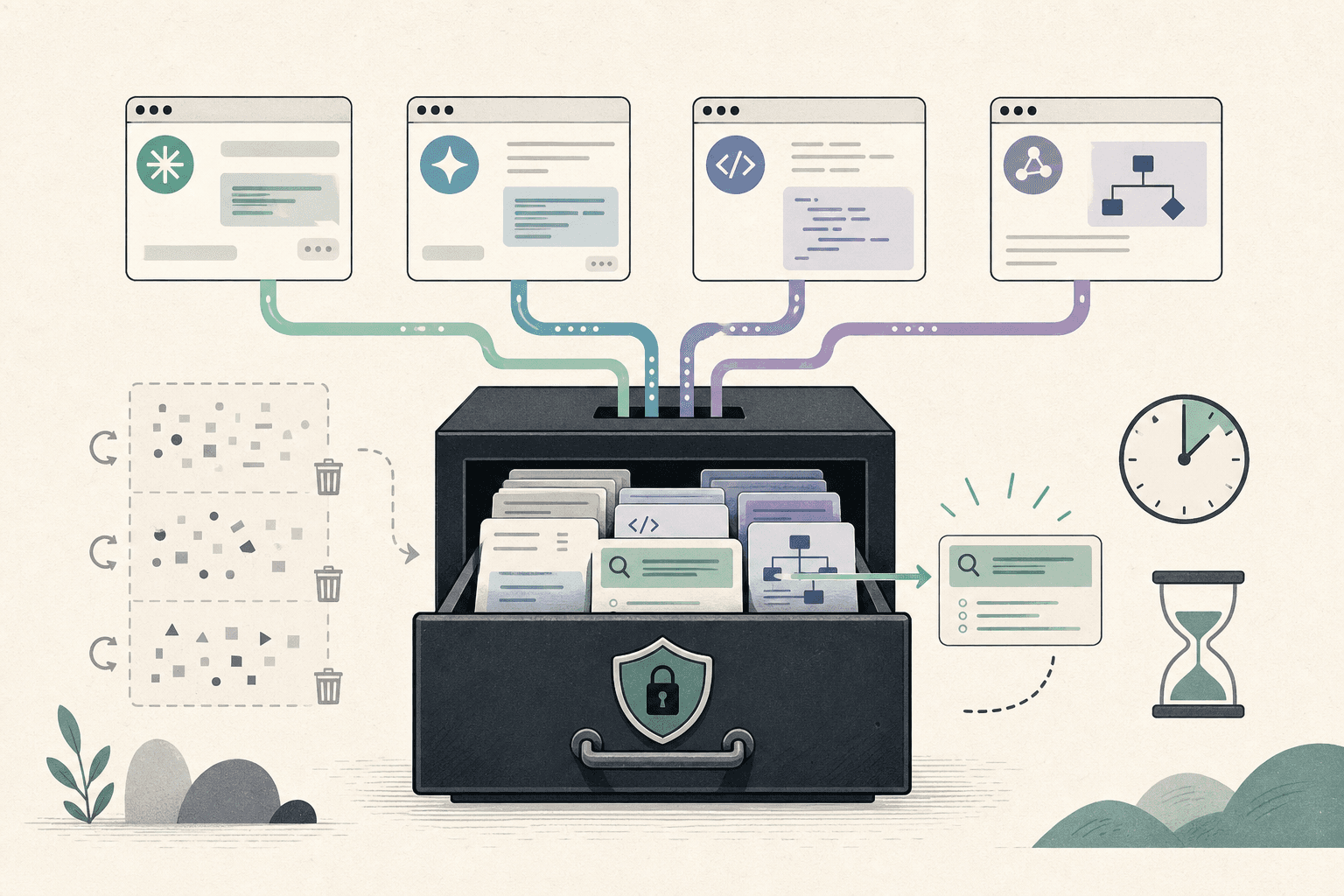
You set up Claude Desktop with the project context. Then you open Claude Code and re-explain the same thing. Then Cursor needs it too. Then Codex. By the time you've finished onboarding the fifth AI tool to your codebase, you've typed the same decisions, the same constraints, and the same "we don't use class components anymore" reminder so many times that you wonder if the tools are even helping.
The friction isn't the tools. It's that none of them share what you've told them. Every chat is a fresh start. Every preference, every quirk, every hard-won architectural decision lives in the head of whoever you last talked to — and the next AI tool doesn't get the briefing.
What changed
Now you can save context once and every AI tool you connect can read it. 1AIVault is a local vault for the memories, decisions, preferences, facts, and skills you want your AI tools to share — Claude Desktop, Claude Code, Cursor, Cline, and Codex all talk to the same vault through a single MCP connection.
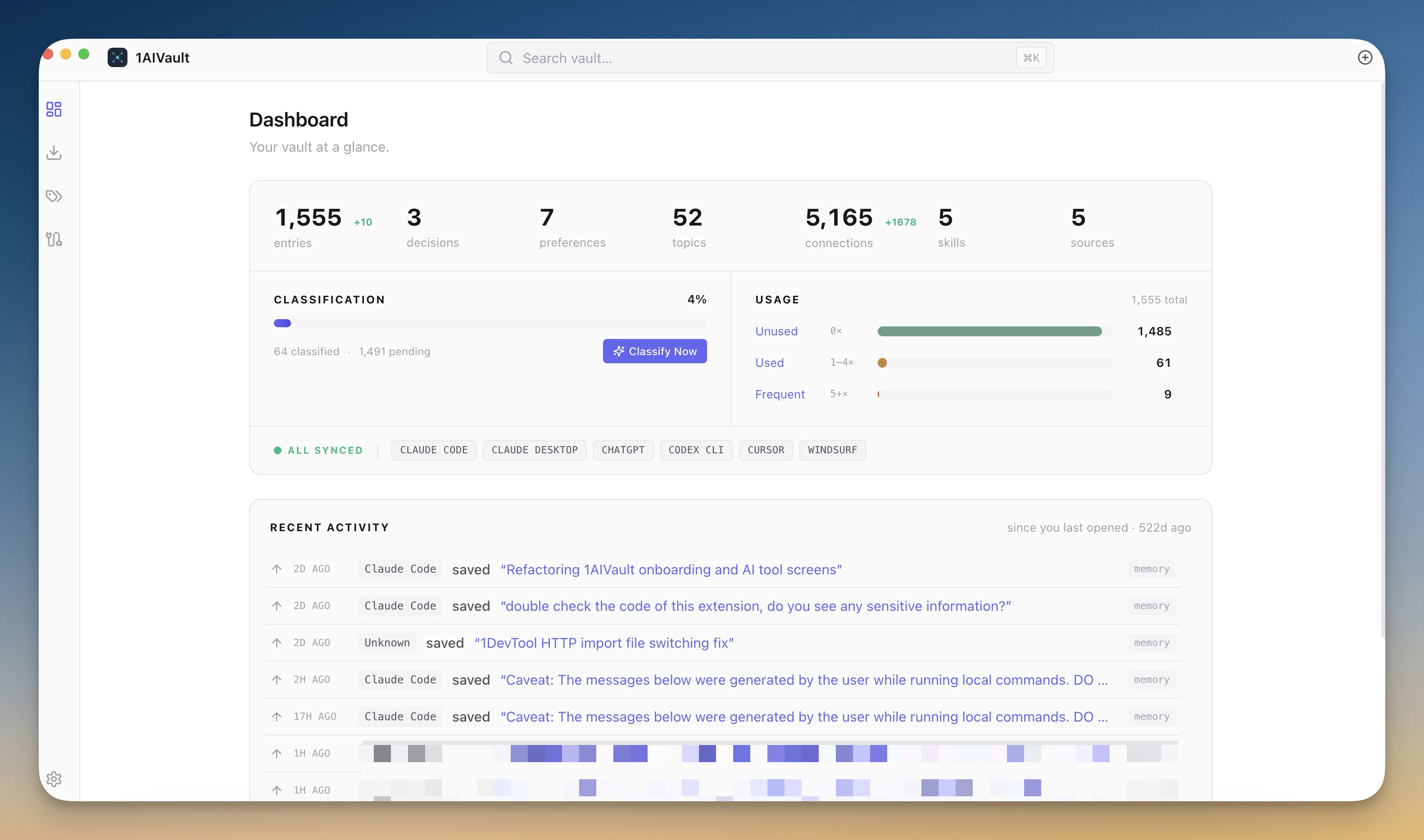
How it works in practice
Save once, recall everywhere
You drop a memory into the vault — "we use Tailwind, not styled-components" — and every connected AI client can pull it back through MCP the next time it needs it. Claude Desktop saves a preference; Claude Code reads it; Cursor reads it; nothing diverges. The vault is the canonical store and the AI tools are clients.
Categories match the way you think about context: memory, decision, preference, fact, skill. Save a memory for a fact you want to remember, a decision for a choice you've made and don't want to relitigate, a preference for how you like things done. Each category surfaces differently in the AI tool that consumes it.
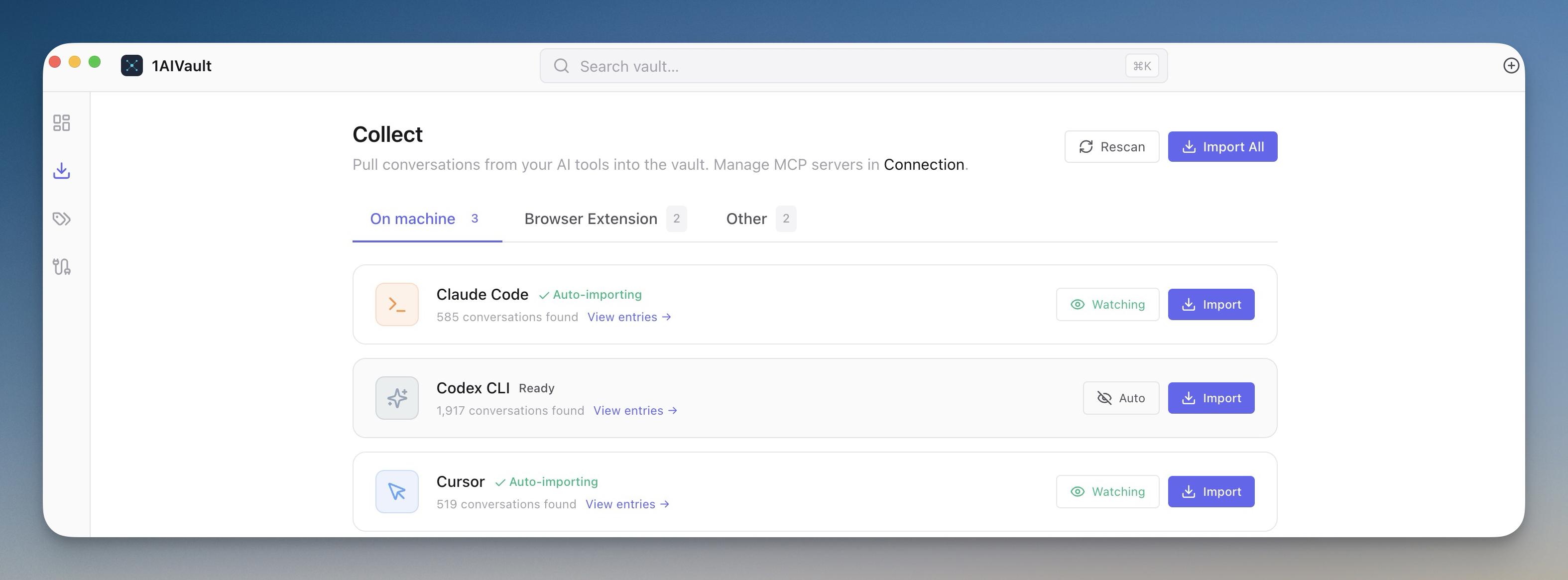
Connect every AI tool in one click
The Connection view installs the MCP bridge for each AI client without you hand-editing JSON files. Pick Claude Desktop and the config file gets written. Pick Cursor and the settings entry appears. Cline gets the VS Code extension wired up. Codex CLI gets its config touched. Each install runs a diagnostic so you know the connection is alive before you walk away.
For Claude Code specifically, your saved entries map to its native memory file shape: memory becomes user, decision becomes project, preference becomes feedback, fact becomes reference. The vault doesn't replace Claude Code's .claude/memory/ files — it generates them.
Pull conversations back in
If you've been talking to AI tools for a while, the context is already there — it's just trapped in chat histories. The vault has importers for Claude Code (~/.claude/projects/), Cursor, Cline, Codex, plus a local HTTP receiver on 127.0.0.1:54330 that the paired browser extension uses for ChatGPT and Claude.ai chats. Point it at the source, hit import, and your past conversations become searchable memories.
A file watcher keeps the door open after the initial import: new sessions land in the vault as they happen, so the next AI tool you open already has the chat you just finished elsewhere.
Group memories into topics automatically
Point 1AIVault at a local Ollama model (default qwen2.5:7b) and the topic classifier scans your vault, extracts topics, merges duplicates, and groups related memories together. A memory about "Postgres performance for the analytics dashboard" shows up under both Postgres and the dashboard project — cross-classification is the default, not the exception.
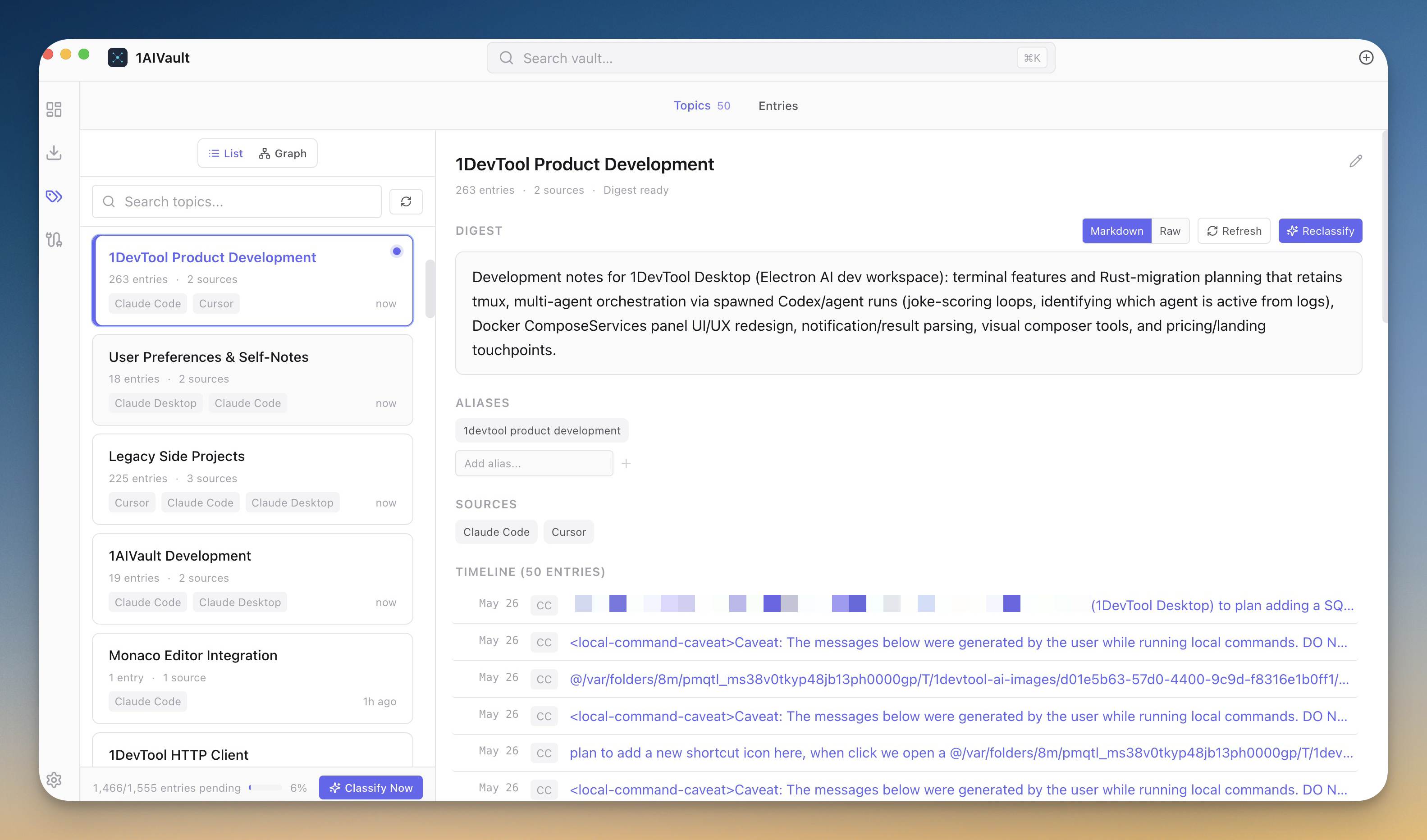
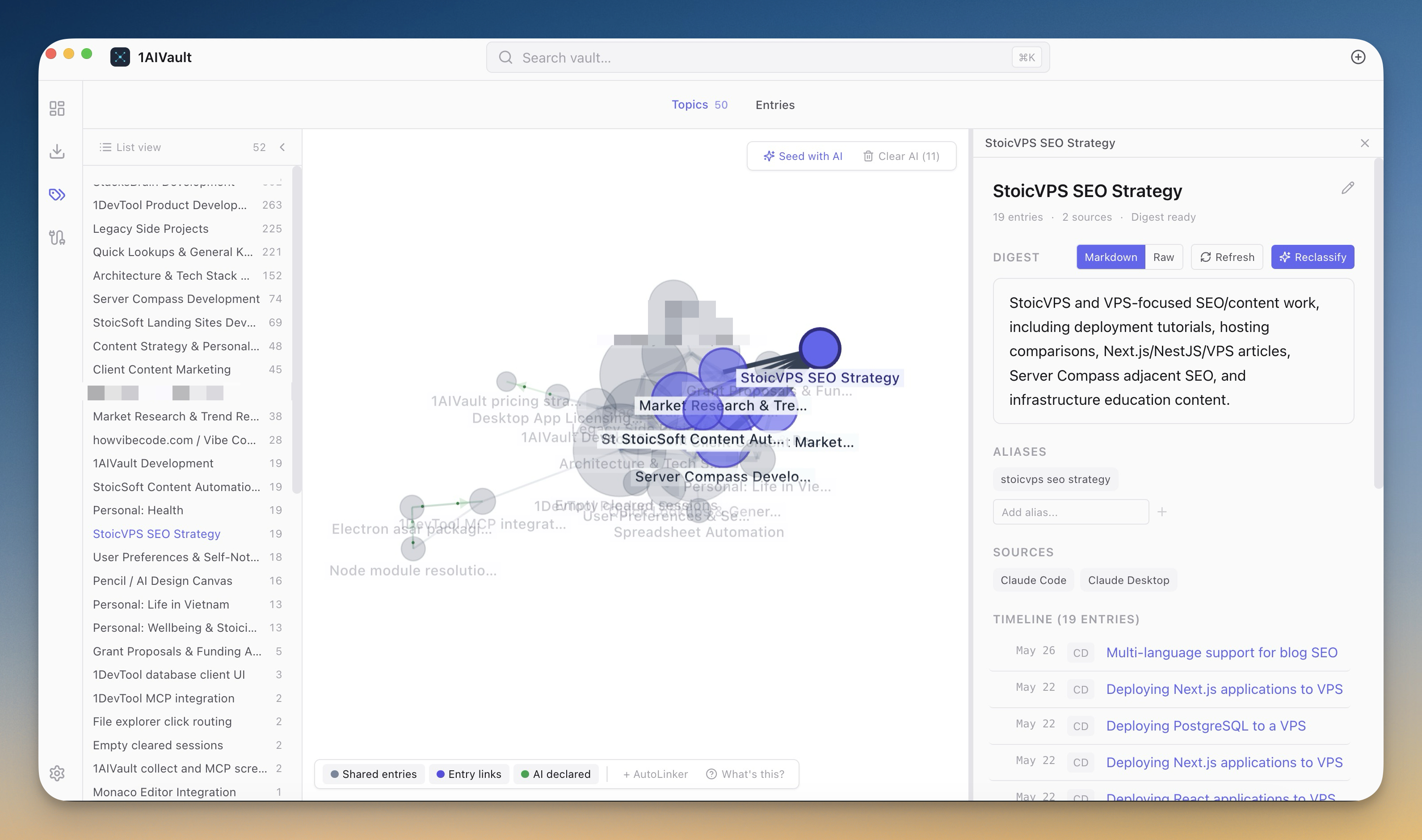
The topic graph view turns those connections into a map: clusters of related work, lines between topics that often appear together, drill-down into any node for a digest. It's the first time you can see the shape of what you and your AI tools have been working on.
Skills your AI can call
Drop a .skill.md file into the skills folder and the vault picks it up automatically. Connected AI tools can load any skill on demand: code review, decision logs, email drafting, meeting summaries, weekly reviews — the starter set covers the routines most people repeat. Write your own and they sync the moment they hit disk.
Watch the AI work
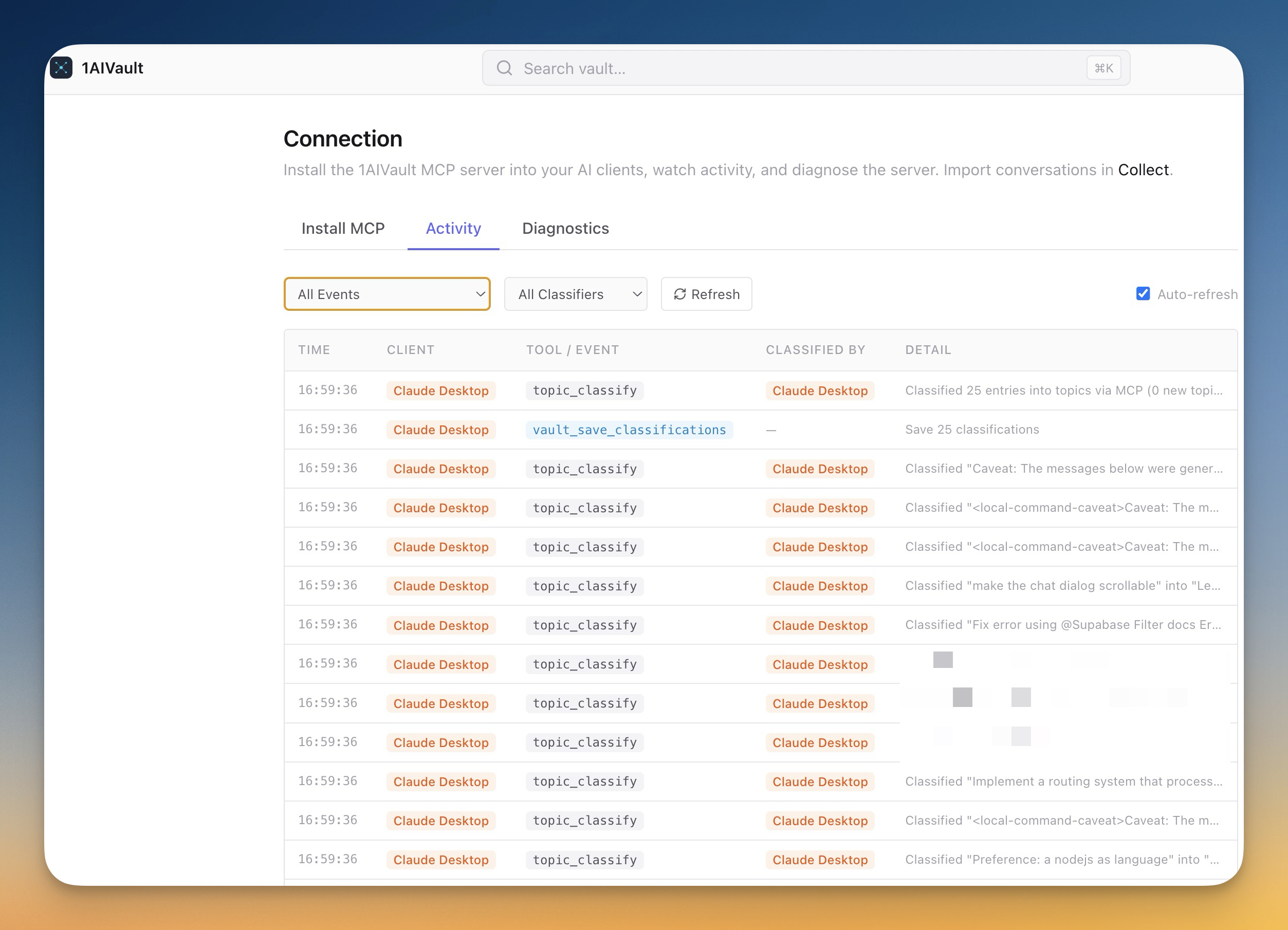
The Activity feed is a live stream of every read, write, and classification across all connected AI tools. You can see Claude Code pulling a memory while you watch Cursor write a new one — useful for catching surprises, useful for noticing which memories your AI actually reaches for.
Before vs after
| Before 1AIVault | With 1AIVault |
|---|---|
| Repeat the same context in every new AI chat | Save it once, every AI client can recall it |
| Each AI tool keeps its own private memory file | One vault, every tool reads from and writes to it |
| Past ChatGPT and Claude.ai conversations are trapped in the browser | Importers pull them into a searchable local store |
| AI tools fall back to keyword search of your project | Semantic recall finds memories by meaning |
| You guess which AI tool has which preference | The vault is the canonical source — no divergence |
Who benefits most
Multi-tool AI users. If you switch between Claude Desktop in the morning, Claude Code at the keyboard, Cursor for the IDE work, and Codex for the CLI tasks, the cost of re-briefing each tool eats hours a week. The vault collapses that to one source.
Long-running projects. Decisions you made six months ago — about the auth stack, the deployment pipeline, the "we tried Redis Streams and it didn't work" lesson — survive across AI tool versions, model upgrades, and IDE rewrites because they live in the vault, not in any one chat window.
Privacy-conscious teams. Everything stays local. The vault is on your machine, the MCP server runs on your machine, the optional Ollama classifier runs on your machine. Memories never leave unless you choose to export them.
Try it
Install 1AIVault, run the first-run onboarding to install your first MCP connection, and import a conversation from whichever AI tool you've been using. Free plan covers the full experience — Pro is a one-time $29 for unlimited entries and topics with twelve months of updates. No subscription.
Download at 1aivault.com.