
Jul 5, 2026
Forget Context Without Deleting Memory
1AIVault 1.5.0 adds forget and remember controls so stale, sensitive, or noisy memory can stay recoverable without being reused by search, topics, MCP reads, or injected context.
1AIVault 1.5.0 adds a control that matters once your vault starts working: the ability to forget memory without deleting it.
Durable AI memory is useful only if you can govern it. A vault that captures every project note, prompt, mistake, decision, and imported session will eventually include things that are true but no longer useful, private but not worth deleting, or noisy enough that they should stay out of normal retrieval. Deleting those records is too destructive. Leaving them active pollutes search, topic views, MCP reads, and automatic context injection.
The new forget and remember flow is built for that middle state. A forgotten entry stays in the local vault, but it is hidden from normal memory surfaces until you deliberately bring it back.
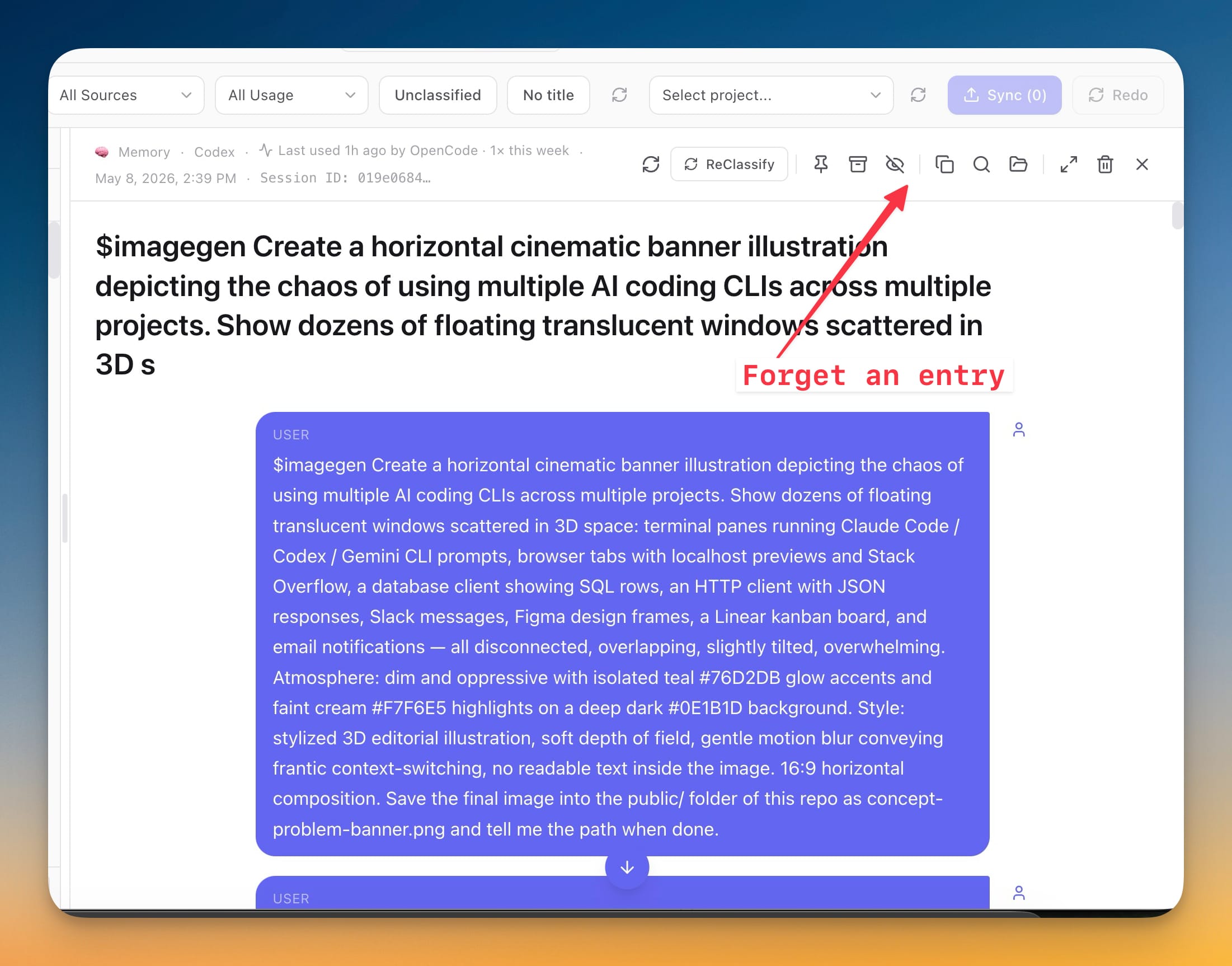
Forget one entry
In 1AIVault 1.5.0, every memory entry can be forgotten from the entry detail toolbar. Forgetting a single entry hides it from search results, topic timelines, imports, MCP reads, and injected memory. The record is not erased. It remains recoverable from Settings, and the vault remembers the source conversation so future imports of the same conversation do not quietly reactivate it.
That distinction is important for real work. Sometimes a memory is no longer relevant, but you still want an audit trail. Sometimes a project detail is sensitive, but you may need to recover it later. Sometimes an imported chat contains one bad instruction that should not be recalled by Claude Desktop, Claude Code, Cursor, Cline, Codex, or another connected client.
Forget lets you suppress that record without pretending it never existed.
Forget a whole topic
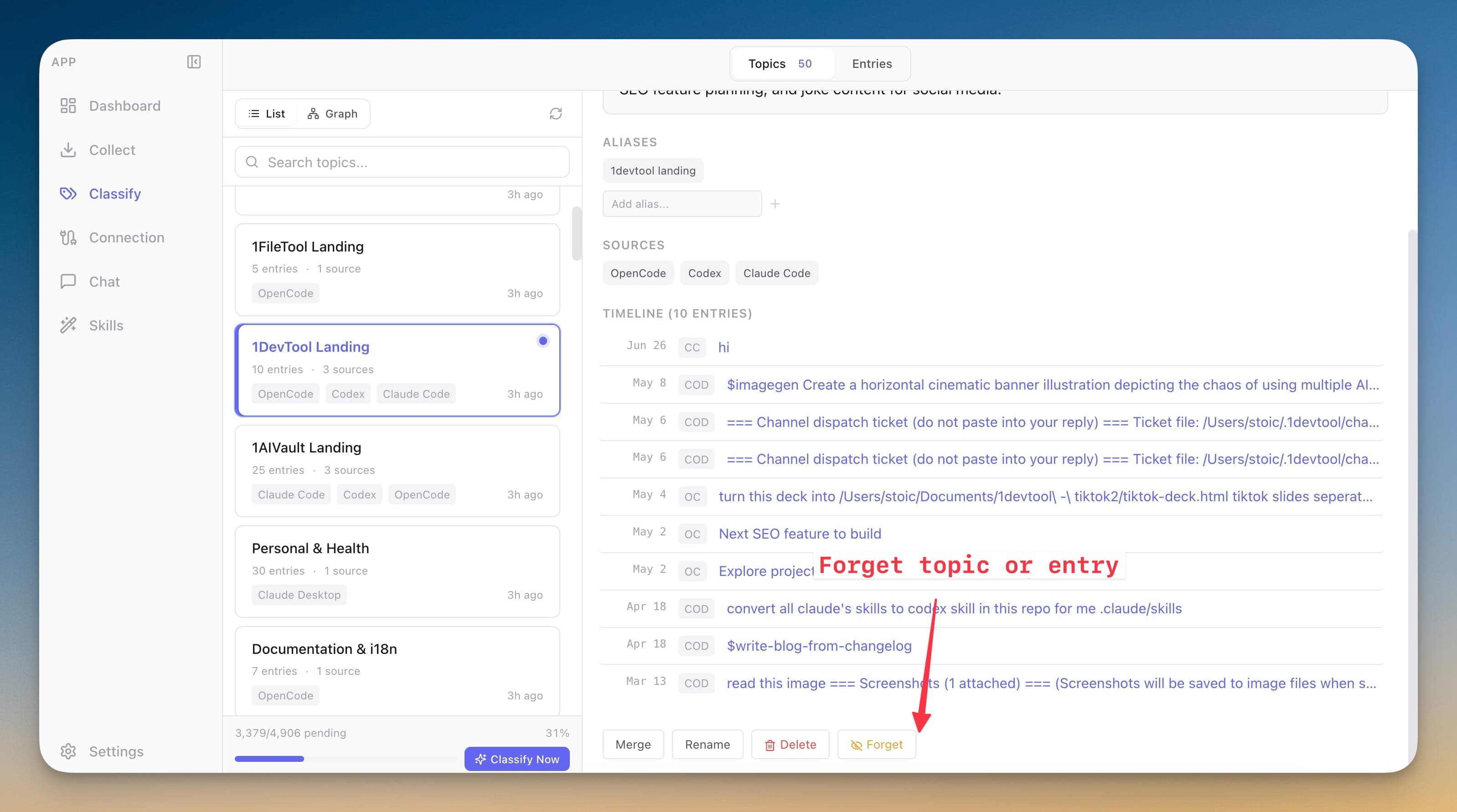
1.5.0 also adds topic-level forgetting. If an entire project area, client, experiment, or obsolete direction should disappear from active recall, you can forget the topic and its assigned memories in one action.
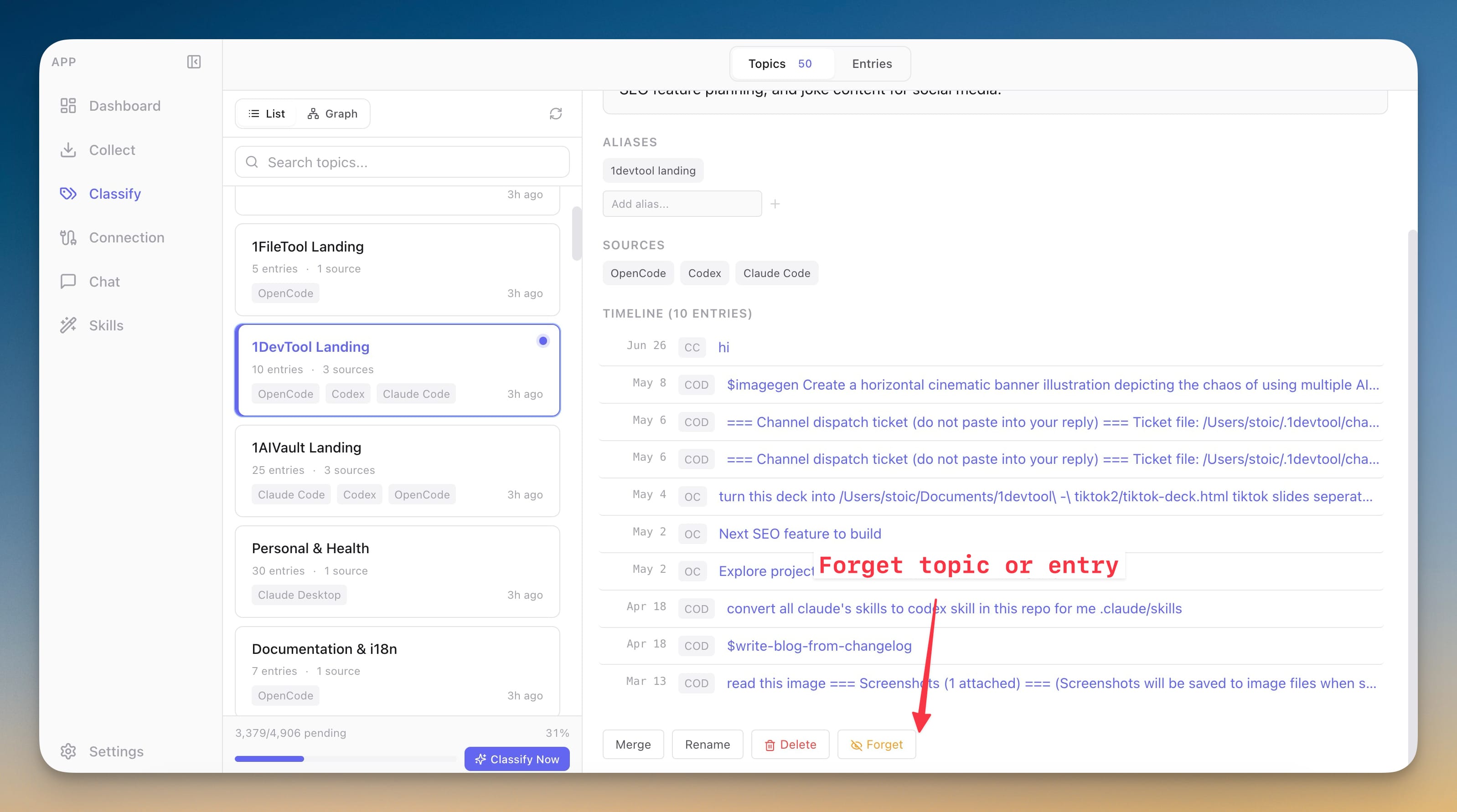
Remembering the topic brings the timeline back. Entries that were individually forgotten stay forgotten, which keeps the hierarchy predictable: a broad restore should not undo a precise decision you made at the entry level.
| Control | What it hides | What stays recoverable |
|---|---|---|
| Forget entry | One saved memory | The original entry and source metadata |
| Forget topic | A topic and its assigned timeline | The topic and entries, unless individually forgotten |
| Remember | A forgotten entry or topic | The rest of the forget state remains intact |
AI clients can forget when you ask
The forget controls also reach connected AI clients through the vault. When you explicitly ask, clients such as Claude Desktop, Claude Code, Cursor, Cline, and other MCP clients can forget or remember entries and topics through 1AIVault.
That makes memory maintenance part of the same workflow where the memory is used. If an assistant retrieves context and you notice one entry is stale, you do not have to switch modes, hunt through the vault manually, and delete the record. You can ask the connected client to forget it, and the vault applies the same local rules.
The explicit-request requirement is the key product boundary. Memory control should be available to AI clients, but it should remain user-directed.
Antigravity joins the vault
This release also adds Antigravity CLI support. 1AIVault can import Antigravity conversations, launch chat with detected Antigravity models, label activity with the right source, and classify Antigravity sessions into the same topic and memory surfaces used by Claude Code, Codex, OpenCode, Cursor, and Cline.
For users who move between CLI agents, that matters because the useful context often lives in the transitions. A decision made in one tool should still be findable when you are working in another.
Faster live capture for Claude Code and Codex
1.5.0 improves live capture for Claude Code and Codex so new sessions become available sooner while the app is running. If 1AIVault was closed, saved sessions are detected and processed on the next launch. The background scanner still backfills anything the live path misses.
Together, these changes make the vault more practical at higher volume. Capture is faster, more AI tools are covered, and the new forget controls keep active memory from becoming a junk drawer.
Download 1AIVault 1.5.0 from the pricing and download page, or read the release notes.