
Jun 3, 2026
Shared project context across AI tools — without forcing the team into one app
Teams that mandate a single AI tool per project keep losing context whenever someone reaches for the tool that fits their job. A shared vault underneath multiple clients keeps the team aligned without forcing the workflow.
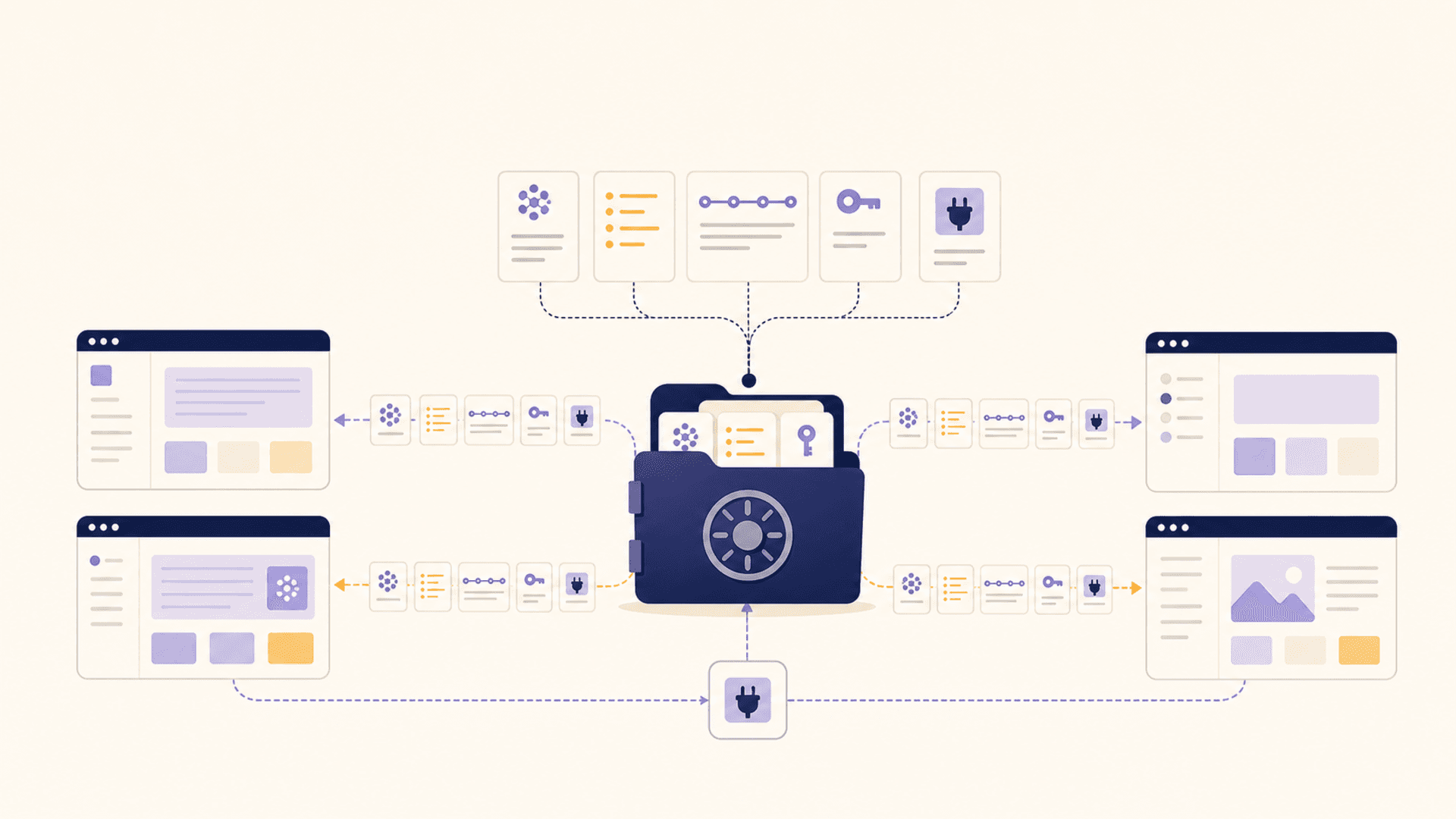
The first instinct when a team starts adopting AI is to standardize. "We're a Cursor shop now." "We're a Claude Code team." "Everyone use Copilot." It feels like the right move — fewer tools, one onboarding story, one bill, one shared mental model.
Then the second week happens.
The backend person likes Claude Code because it handles their shell-heavy workflow. The frontend person wants Cursor because of the inline diffing. The PM is in ChatGPT because that's where they think out loud. The designer is in Claude Desktop because the artifact previews are clearer. The data person has a private MCP-driven workflow that doesn't fit any of those.
You can either fight that — and lose, because people will use what makes them faster — or you can accept that the tool is the wrong unit to standardize on.
The thing teams actually need to share
What a team actually needs in common is not a vendor. It's the project's living context: the prompts that work, the decisions that have been made, the conventions someone wrote down, the snippets that get reused, the notes from yesterday's spike, the names of the customers and systems involved.
That context is what makes a team's AI usage stop sounding generic. "Write a function" produces vapor; "write a function that follows our patterns for X, knows about our table Y, and matches the style of our existing module Z" produces something the team can use. Today, getting that level of grounding usually means pasting the same setup paragraph into every chat, every day, for every person.
Nobody does it twice. So everybody's AI is working from a worse picture than the human can articulate. The team's collective knowledge stays trapped in the person who happens to have re-pasted the most context this morning.
What a tool-agnostic vault changes
If the shared layer sits underneath the AI tools instead of inside one of them, the standardization problem dissolves. Each person picks the client that fits their hands. The vault is what they all reach into.
Concretely: the vault holds the project's reusable prompts, its memories, its decisions, its style guides, its known-good code snippets, and its named entities. Whichever client a teammate opens — Cursor, Claude Desktop, Claude Code, Cline, ChatGPT through a connector — that client can pull the right vault entries when the conversation needs them.
The shared context becomes additive rather than substitutive. A backend engineer's vault entries about the queue system show up when the frontend person asks about a queue-related bug. The PM's note about "customer X's compliance constraint" shows up when an engineer is writing the feature for customer X. Nobody had to remember to forward anything.
The team behaviors this enables
A few patterns start showing up once shared project context exists outside any individual client:
Promotions. A prompt that someone wrote for their own use this morning gets promoted to a shared entry by the afternoon, because it would obviously help the rest of the team. Promotion is one click instead of "let me message you what I used."
Recent decisions. "We decided not to upgrade to v4 yet because of the auth break" goes into the vault when the decision is made. Three weeks later, when a different teammate asks the AI about the upgrade path, that decision shows up automatically and stops the loop.
Customer-specific memory. Anything customer-specific — preferences, constraints, billing details, communication style — can live in the vault under a customer scope. Whoever is touching that customer's account gets the right context regardless of which client they're in.
Onboarding. A new teammate doesn't need to be retrained on the team's AI habits. Their client pulls the same vault. Their conversations are grounded the same way. The onboarding cost drops to "here is the vault, here is how to connect your client to it."
Why a single app fails at this
The naive version of this idea is "our shared AI tool will hold the shared context." But that's exactly the move that fails — because the tool that holds the context is also the tool you're now forced to use.
A team that picks Cursor for shared context loses access to it whenever someone is in Claude Code. A team that picks Claude Desktop loses access whenever someone is in Cursor. The shared context becomes friction: "I have to switch back into the official tool to grab that."
The substrate has to be tool-neutral. It can't be a feature of any one client. It has to live below them and surface into each of them.
The privacy and ownership angles
A vault underneath multiple AI clients is also where a team gets to decide what it owns versus what it rents.
If the vault is local-first and encrypted, the team's context never has to leave the team's machines. The prompts that contain customer names stay local. The decisions that mention internal projects stay local. The clients see only what gets retrieved into a specific conversation — not the full library.
If the vault is cloud-hosted by the vendor of one of the AI clients, the team's context becomes that vendor's asset. Even if the data is technically yours, moving it later means rebuilding the surface. The lock-in is real even when the contract says it isn't.
A tool-agnostic vault keeps the long-term option open. The team can change AI clients next year and the project context survives the change. That alone is worth more than any single vendor's feature list.
The practical pattern
For a team that wants to try this without rebuilding their workflow:
- Pick one vault that exposes itself to multiple clients (MCP or equivalent).
- Start small — promote five or ten prompts and three or four standing decisions into the vault.
- Have each teammate connect their preferred client to the vault.
- Watch which entries get retrieved most often; refine those first.
- Resist the urge to forklift everything in. The shared layer is most useful when it's curated, not exhaustive.
The team won't end up looking like a tool-monoculture. It will end up looking like a group of people using different clients to reach into the same context — which is what the team actually needed all along.