
Jun 3, 2026
Prompts have to follow users into their AI clients — connectors are the proof
Prompt tool builders are shipping Claude connectors because their users want prompts inside Claude, not on a separate website. The pattern reveals where prompts actually want to live — inside the client where the work happens.
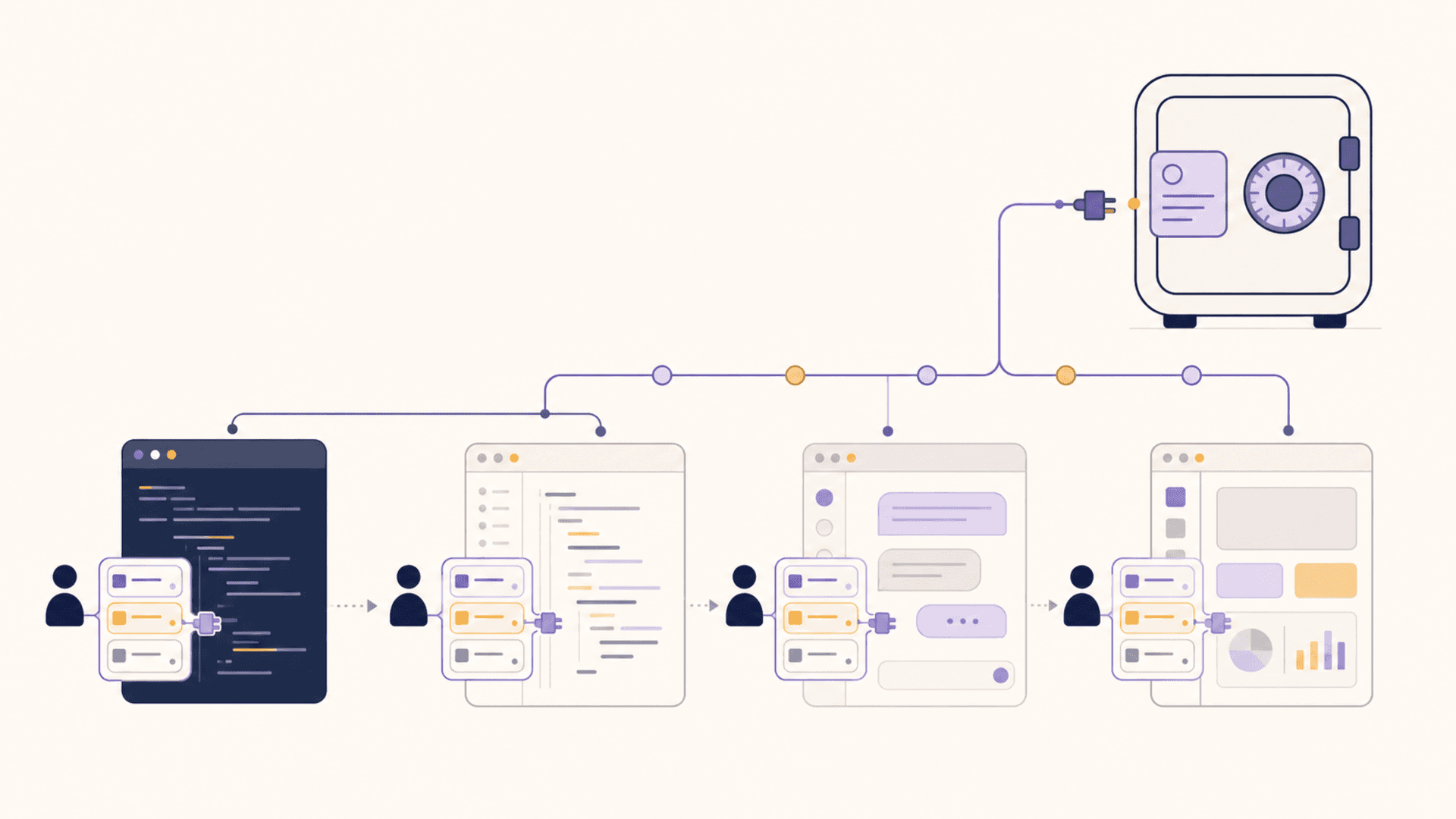
A pattern is showing up among prompt-tool builders. The product starts as a web app — "organize your AI prompts in one place" — and the launch goes fine. Users sign up. They save prompts. They organize.
Then the user feedback starts. "How do I get these into Claude?" "Can I use them inside Cursor without copy-pasting?" "I want to reach for them without leaving the chat."
A few months later, the product ships a Claude connector. Sometimes an MCP server. Sometimes both. The prompt library that used to live on a website starts living inside the AI clients where users actually work.
The shift is small in appearance and large in meaning. Prompts don't want to live in a destination website. They want to live in the user's hands, inside whatever client they're using right now.
Why the website form fails
The website-based prompt library is a perfectly reasonable v1. It's easy to ship, it has a clear shape, and the user can save prompts and find them later. The problem isn't that it's bad — it's that the user's workflow has moved on.
The modern AI user lives inside a client. Sometimes Claude Desktop. Sometimes Cursor. Sometimes Claude Code in a terminal. Sometimes ChatGPT with custom GPTs. The client is where the user starts their thinking, where they iterate, where they make decisions.
A prompt library on a separate website asks the user to leave the client, find the prompt, copy it, return to the client, paste it, and adjust. Every prompt usage carries a context-switch cost. Even with the best UX, the user is paying that tax each time.
When the prompt library is inside the client — as a connector, an MCP-exposed tool, or a native integration — the tax disappears. The prompt becomes a one-keystroke insertion or, better, a tool the assistant itself can reach for. The friction drops to zero, and only at zero does the library actually get used the way the user said they wanted to use it.
What a connector reveals
The specific decision to ship a Claude connector — or an MCP server, or both — reveals more than just "we want to be in more places." It's an admission about where the prompts belong.
A Claude connector says: the prompt library has to read like part of Claude's own surface. The user types @ or invokes a tool and the library responds. The library and the client merge into one experience.
An MCP server says: the prompts have to be reachable from any client the user might use, not just Claude. The library is exposed as a generic tool that any MCP-aware client can call.
Both choices are votes for the same conclusion: the user's library should not require visiting the library's website. The library is a substrate, not a destination.
This is a major reframe for product builders. The original instinct (ship a UI where users come to manage prompts) yields a website. The mature instinct (ship a substrate that surfaces inside the user's tools) yields a connector or an MCP server. The product surface inverts.
Why this fits the vault model
A vault that holds prompts is, by design, a substrate. It doesn't compete with the AI client; it equips the AI client. That positioning is exactly what the prompt-tool builders are converging toward.
For a vault product, the lesson is to lead with the connector / MCP exposure, not with the standalone UI. The standalone UI is useful — for browsing, organizing, and editing in depth — but it's not where the user uses prompts. Use happens inside the client.
This affects roadmap. A vault that prioritizes the in-client surface (a Claude connector, a Cursor extension, MCP exposure, a Claude Code integration) earns daily usage faster than a vault that polishes its own dashboard. The dashboard becomes the curation surface; the client integrations are where the value compounds.
It also affects pricing. A vault that lives in the user's tools is infrastructure, not an app. Infrastructure tends to be priced as a subscription that scales with usage — which fits the way users will reach for it dozens of times a day across multiple clients.
What users learn from the trend
For users picking a prompt tool today, the connector trend is a signal worth paying attention to.
A prompt tool that doesn't have an in-client surface is asking you to maintain a workflow that requires leaving your client. Even if the tool's UI is excellent, the friction will eventually push you to either stop using the tool or rebuild your library elsewhere.
A prompt tool that has a Claude connector, an MCP server, or both is acknowledging that the prompts belong in your client. That alignment is worth more than any individual UI feature.
If you're choosing between products, prioritize the one that already lives where you work.
What this means for tool builders without connectors yet
If you're building a prompt or knowledge tool without an in-client surface yet, the move is to ship one before adding more dashboard features. Even a minimal MCP server beats another tab in the dashboard.
The build order tends to be:
- Ship an MCP server that exposes the user's library as a tool any compatible client can call.
- Ship a Claude connector specifically, because Claude users are loud and discoverable.
- Ship a Cursor / Cline / ClaudeCode integration if your audience overlaps.
- Polish the dashboard for curation, not for daily reaching-into.
This order matches where usage actually happens. Daily reach-into has to be inside the client. Curation and organization can stay in the dashboard. Both are needed, but only one is the daily ritual.
What this means for vault builders specifically
Vaults — products that hold prompts, memories, snippets, credentials, and notes — should treat the connector pattern as their default surface from day one.
The vault's competitive advantage over standalone prompt managers is unification: prompts beside the rest of the AI workflow assets. That advantage only matters if the unified surface is reachable inside the user's client. A vault that requires visiting a separate UI is just a fancier prompt manager.
The sequence to ship:
- MCP server first. It's the universal substrate.
- Claude connector. Highest immediate distribution.
- A few client-specific integrations. Cursor or Claude Code or Cline, depending on audience.
- A dashboard for the curation and review work that benefits from a larger canvas.
The dashboard ships, but it's the bench, not the field. The connectors are the field.
A short version
Prom tool builders are shipping Claude connectors because their users told them, loudly, that prompts belong inside the client. That signal generalizes. The next move for any prompt or vault product is to live inside the user's tools rather than ask the user to visit. The vault model fits this naturally. The website model does not.